Guias, análises e recomendações de ferramentas para criação de imagens, vídeos, inteligência artificial, produtividade e produção de conteúdo.
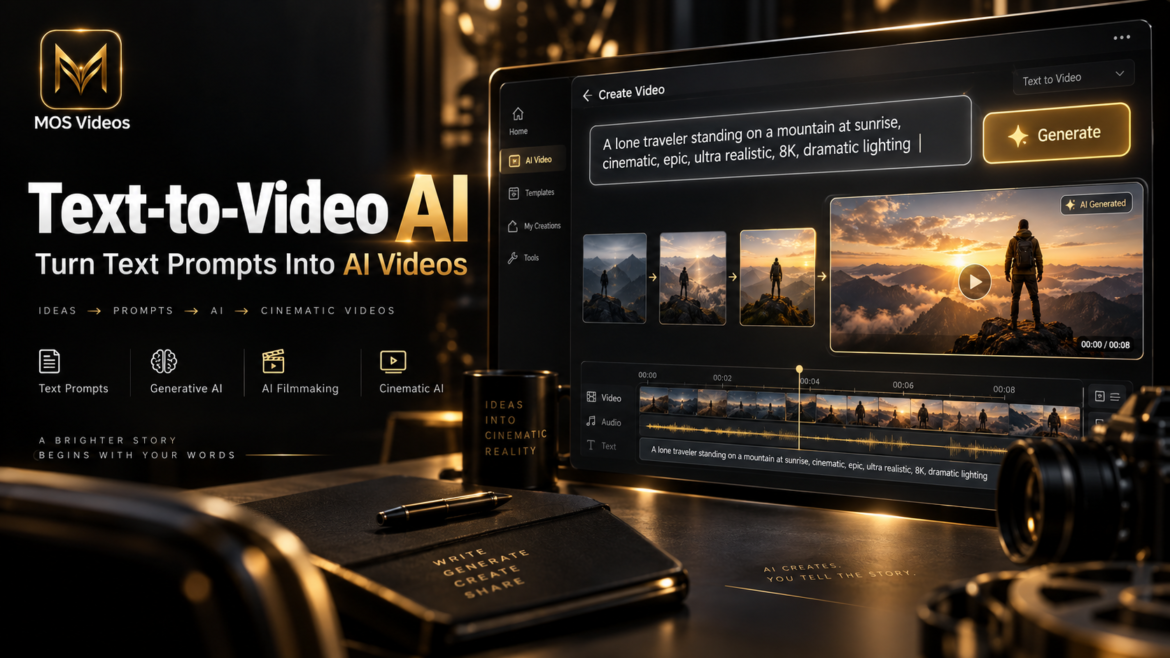
Creating a video traditionally requires cameras, actors, locations, editing software, production planning, and significant time.
Text-to-Video AI changes this process by allowing creators to generate video content from written instructions.
Instead of recording a scene physically, users can describe what they want to see.
For example:
A cinematic aerial shot of a futuristic city at sunset, flying vehicles moving between skyscrapers, dramatic golden lighting.
A Text-to-Video AI system analyzes that description and attempts to generate a moving visual sequence that matches the prompt.
This technology is becoming an important part of modern AI video generation, allowing creators, marketers, filmmakers, designers, and businesses to experiment with video production using natural language.
Platforms such as MOS Videos can integrate Text-to-Video AI into broader creative workflows involving video, image, and audio generation.
In this guide, you will learn how Text-to-Video AI works, how to write better prompts, what it can be used for, and how generative AI is changing video production.
What Is Text-to-Video AI?
Text-to-Video AI is a type of generative artificial intelligence that creates video content based on written prompts.
Users describe a scene using natural language, and the AI attempts to generate a sequence of moving images that visually represents the description.
A prompt can contain information about:
- Subject
- Environment
- Action
- Camera movement
- Lighting
- Visual style
- Atmosphere
- Composition
For example:
“A futuristic motorcycle racing through a cyberpunk city at night, cinematic tracking shot, neon reflections, realistic motion.”
The AI interprets the different elements in the prompt and generates a video based on the requested concept.
How Does Text-to-Video AI Work?
Text-to-Video AI works by combining language understanding with generative video models.
The system first interprets the meaning of the text prompt.
It then creates visual information designed to match that description while maintaining movement and consistency across multiple frames.
A simplified Text-to-Video AI workflow looks like this:
- The user writes a text prompt.
- The AI analyzes the description.
- The system identifies subjects, environments, actions, and visual styles.
- The video model generates visual frames.
- Motion is created between the frames.
- Camera movement and environmental effects may be added.
- The video is processed into a final sequence.
Modern video generation models attempt to understand not only objects, but also relationships between them.
For example, the system may need to understand that:
- A car should move along a road.
- Water should flow naturally.
- Hair may move in the wind.
- A camera can follow a moving subject.
- Lighting should remain relatively consistent between frames.
These relationships are important for producing believable AI-generated video.
How Does AI Understand a Video Prompt?
AI video models analyze the words inside a prompt and convert them into visual concepts.
For example, consider the prompt:
A woman walking through a futuristic Tokyo street during heavy rain, cinematic lighting, slow tracking shot.
The AI can identify several concepts:
Subject:
A woman
Action:
Walking
Environment:
Futuristic Tokyo street
Weather:
Heavy rain
Lighting:
Cinematic
Camera Movement:
Slow tracking shot
Each element helps define how the generated video should look.
This is why detailed prompts often provide more creative control than very short prompts.
What Can You Create With Text-to-Video AI?
Text-to-Video AI can be used across many creative industries.
Social Media Videos
Creators can use AI-generated videos for:
- TikTok
- Instagram Reels
- YouTube Shorts
- Social media advertising
Short-form content is particularly compatible with AI video generation because creators can generate brief visual sequences and combine them through editing.
AI Videos for YouTube
Text-to-Video AI can support YouTube creators producing:
- Educational videos
- Faceless channels
- Storytelling
- Documentaries
- Concept videos
- AI films
- Technology content
- Entertainment videos
AI-generated scenes can complement narration, music, stock footage, or traditional video content.
Marketing and Advertising
Businesses can use generative AI video to visualize ideas for:
- Product advertising
- Brand campaigns
- Promotional videos
- Social media advertisements
- Concept demonstrations
- Visual storytelling
Instead of producing every creative concept physically, marketers can use Text-to-Video AI to prototype ideas before moving into larger production workflows.
AI Filmmaking
Text-to-Video AI is increasingly being explored by filmmakers and visual creators.
It can be used to generate:
- Concept scenes
- Establishing shots
- Fictional environments
- Cinematic experiments
- Visual effects
- Fantasy sequences
- Science-fiction environments
- Previsualization
This does not eliminate filmmaking skills.
Creative direction, storytelling, pacing, editing, sound design, and visual judgment remain essential.
The difference is that AI can become another production tool available to filmmakers.
How to Write a Good Text-to-Video AI Prompt
A good Text-to-Video AI prompt provides enough information for the model to understand both the subject and the desired visual result.
A useful structure is:
Subject + Action + Environment + Camera + Lighting + Style
For example:
A futuristic astronaut walking across a frozen alien planet, snow blowing in the wind, wide cinematic shot, slow camera movement, dramatic blue lighting, photorealistic science-fiction style.
This prompt gives the AI several useful instructions.
1. Describe the Main Subject
Start by clearly identifying what should appear in the scene.
Examples:
- A futuristic robot
- A sports car
- A woman wearing medieval armor
- A giant spaceship
- A tiger walking through a forest
- A futuristic city
Clear subjects help establish the central focus of the generated video.
2. Define the Action
Explain what the subject is doing.
Examples:
- Walking slowly
- Running
- Driving
- Flying
- Looking toward the camera
- Moving through a city
- Fighting
- Dancing
- Exploring
Action is especially important because video generation depends on motion.
3. Describe the Environment
Add information about the location.
Examples:
- Futuristic city
- Tropical beach
- Abandoned factory
- Medieval castle
- Alien planet
- Luxury studio
- Mountain landscape
- Cyberpunk street
The environment gives the AI context for the rest of the scene.
4. Add Camera Movement
Camera instructions can dramatically change the feeling of an AI-generated video.
Useful terms include:
- Tracking shot
- Drone shot
- Close-up
- Wide shot
- Slow zoom
- Dolly shot
- Orbiting camera
- Handheld camera
- Low-angle shot
- Overhead shot
For example:
Slow cinematic tracking shot following a futuristic motorcycle.
This creates a very different result from:
Static wide shot of a futuristic motorcycle.
5. Define the Lighting
Lighting helps establish mood and visual quality.
Common examples include:
- Cinematic lighting
- Golden hour
- Neon lighting
- Soft studio lighting
- Dramatic shadows
- Moonlight
- Sunset lighting
- Volumetric lighting
For example:
Neon lighting reflecting on wet streets.
This adds much more visual information than simply describing a city at night.
6. Specify the Visual Style
You can also describe the overall aesthetic.
Examples:
- Photorealistic
- Cinematic
- Documentary
- Fantasy
- Science fiction
- Surreal
- Minimalist
- Vintage film
- High-fashion commercial
- Anime-inspired
The combination of these details can make prompts more precise.
Basic vs Detailed Text-to-Video Prompt
A simple prompt might be:
A sports car driving at night.
A more detailed prompt could be:
A black futuristic sports car driving through a neon-lit city at night, cinematic tracking shot, wet streets reflecting colorful lights, realistic wheel motion, dramatic atmosphere, photorealistic style.
The second prompt provides much more context.
It describes:
- Subject
- Appearance
- Environment
- Time
- Camera movement
- Lighting
- Motion
- Mood
- Visual style
That additional information can help guide the AI model toward the desired result.
Text-to-Video AI vs Image-to-Video AI
Text-to-Video and Image-to-Video are two different AI video generation workflows.
| Text-to-Video AI | Image-to-Video AI |
|---|---|
| Starts with a written prompt | Starts with an image |
| AI determines the initial visual composition | User provides the initial visual composition |
| Useful for generating concepts from scratch | Useful for animating existing images |
| Offers high creative flexibility | Offers stronger visual reference |
| Depends heavily on prompt quality | Depends heavily on source image quality |
Creators can also combine both methods.
For example:
Text Prompt → AI Image → Image-to-Video
This workflow can provide additional visual control because the creator first establishes the appearance of the scene before adding motion.
What Is Generative AI Video?
Generative AI video is video content created or transformed by artificial intelligence systems capable of generating new visual information.
Traditional video editing usually starts with existing footage.
Generative video can create entirely new imagery.
This allows creators to visualize scenes that may be difficult, expensive, or impossible to film physically.
Examples include:
- Alien planets
- Futuristic cities
- Fantasy creatures
- Impossible camera movements
- Historical recreations
- Surreal environments
Generative AI therefore expands the range of visual concepts creators can experiment with.
Why Prompt Engineering Matters
Prompt engineering is the process of designing instructions that help AI systems produce better results.
In Text-to-Video AI, prompt engineering matters because small changes can significantly affect a generated scene.
For example:
Instead of:
Man walking through city.
Try:
A young man in a black coat walking through a futuristic city at night, slow cinematic tracking shot, light rain, neon reflections, realistic movement, dramatic atmosphere.
The second version provides the AI with much more useful creative information.
Can Text-to-Video AI Create Realistic Videos?
Text-to-Video AI can create increasingly realistic visual sequences, but results depend on several factors.
These include:
- AI model capabilities
- Prompt quality
- Scene complexity
- Number of subjects
- Character movement
- Camera motion
- Video duration
- Lighting consistency
Simple scenes may be easier to generate consistently than complex scenes involving multiple characters or complicated physical interactions.
Creators often generate several variations before selecting the best result.
Common Problems With AI-Generated Video
AI video generation still has limitations.
Some generations may include:
- Unnatural movement
- Character inconsistencies
- Object deformation
- Changing backgrounds
- Incorrect physical behavior
- Unexpected camera motion
- Visual artifacts
These issues are improving as video generation models become more advanced.
Creators can often improve results by simplifying prompts, adjusting camera instructions, or generating shorter scenes.
Text-to-Video AI and Multimodal Content Creation
The future of generative content is increasingly multimodal.
Instead of using one AI system only for video, creators can combine several types of generation.
A workflow might look like:
Idea
↓
Text Prompt
↓
AI Image
↓
AI Video
↓
AI Voice
↓
AI Audio
↓
Final Content
This allows creators to build more complete projects using generative technology.
MOS Videos is designed around this broader creative workflow, bringing together AI-powered video, image, and audio generation.
How MOS Videos Supports AI Video Creation
MOS Videos is an AI creative platform designed to support modern generative content workflows.
Creators can use AI-powered tools to explore different forms of media creation, including:
AI Video Generation
AI Image Generation
AI Audio Generation
This allows different creative processes to become connected.
For example, creators can develop an idea visually, turn that concept into video, and combine it with AI-generated audio as part of a larger production workflow.
The goal is not simply to automate creativity.
Instead, AI can give creators new ways to experiment, prototype, and develop content.
Who Should Use Text-to-Video AI?
Text-to-Video AI can be useful for:
- Content creators
- YouTubers
- Social media creators
- Marketing teams
- Creative agencies
- Filmmakers
- Designers
- Advertisers
- Entrepreneurs
- Businesses
- Storytellers
- AI enthusiasts
The technology is particularly useful for people who want to experiment with visual concepts without immediately requiring a traditional production setup.
Is Text-to-Video AI the Future of Video Production?
Text-to-Video AI is likely to become an increasingly important part of video production.
However, traditional filmmaking and AI video generation are not necessarily competing approaches.
They can work together.
A filmmaker might combine:
- Real footage
- AI-generated scenes
- Traditional editing
- Visual effects
- Generated audio
- AI-assisted workflows
The future of video production may therefore involve hybrid workflows where creators combine traditional creative tools with generative AI.
Key Takeaways
- Text-to-Video AI creates video from written prompts.
- AI video models interpret subjects, actions, environments, camera movements, lighting, and visual styles.
- Better prompts generally provide more creative information to the generation model.
- Text-to-Video AI can support social media, advertising, filmmaking, storytelling, and content creation.
- Text-to-Video and Image-to-Video can be combined within the same creative workflow.
- MOS Videos supports a broader multimodal approach combining AI video, image, and audio generation.
Frequently Asked Questions
What is Text-to-Video AI?
Text-to-Video AI is a generative artificial intelligence technology that creates video sequences from written prompts. Users describe a scene, subject, action, environment, camera direction, or visual style, and the AI video model attempts to generate matching visual content.
How does Text-to-Video AI work?
Text-to-Video AI analyzes a written prompt and converts the instructions into visual concepts. A generative video model then creates frames and motion based on elements such as subjects, environments, lighting, camera movement, and style.
Can AI create a video from text?
Yes. AI video generators can use text prompts to create video sequences. The quality of the output depends on the model, prompt, complexity of the scene, movement, and other generation settings.
How do I write a good Text-to-Video AI prompt?
A strong prompt should describe the main subject, action, environment, camera movement, lighting, mood, and visual style. Providing specific visual details gives the AI more context about the desired result.
What is the difference between Text-to-Video and Image-to-Video?
Text-to-Video begins with written instructions, while Image-to-Video begins with a static image. Text-to-Video offers more freedom when creating a scene from scratch, while Image-to-Video gives creators more control over the initial visual appearance.
Can Text-to-Video AI be used for social media?
Yes. AI-generated video can be used as part of content workflows for YouTube, TikTok, Instagram, Reels, Shorts, advertising, and other social platforms.
Can Text-to-Video AI be used for filmmaking?
Yes. Filmmakers can use generative AI for concept visualization, experimental scenes, environments, visual effects, storyboards, previsualization, and other creative workflows.
What is MOS Videos?
MOS Videos is an AI-powered creative platform focused on video, image, and audio generation. It supports multimodal content creation by helping creators combine multiple forms of generative AI within connected creative workflows.