MOS Videos
  • Início
  • IA
  • Vídeo
  • Imagem
  • Ferramentas
MOS Videos
keep your memories alive
Home - Archives for admin
Author

admin

admin

VídeoAI VideoIAImagem

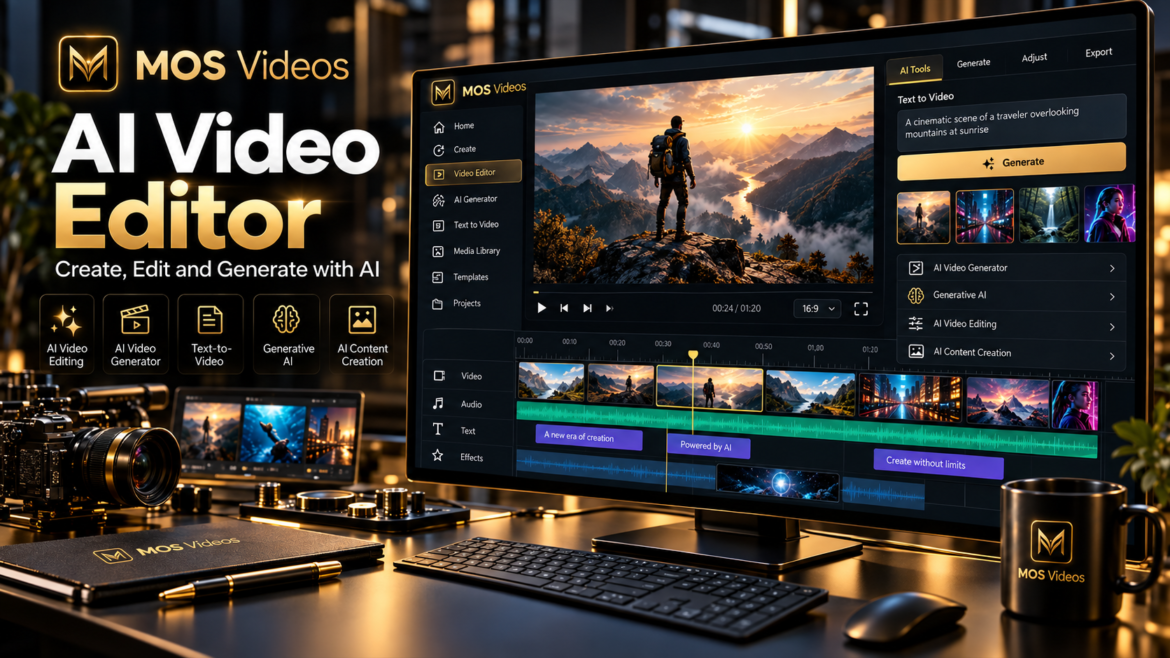
AI Video Editor: Create and Edit Videos with MOS Videos

by admin outubro 9, 2026
written by admin

Video creation is becoming faster, more flexible, and increasingly powered by artificial intelligence.

An AI Video Editor helps creators simplify parts of the video production process by using artificial intelligence to support editing, visual creation, scene development, and content workflows.

For creators, marketers, agencies, brands, and businesses, this means less time dealing with repetitive production steps and more time focused on the creative idea.

With MOS Videos, AI-powered video creation goes beyond traditional editing.

Creators can combine video generation, image creation, voice, audio, and other generative workflows inside a broader creative ecosystem.

The result is a more connected way to move from:

Idea → Visual → Video → Final Content


What Is an AI Video Editor?

An AI Video Editor is a video editing tool that uses artificial intelligence to automate, assist, or enhance parts of the editing and content creation process.

Depending on the platform, AI can help with tasks such as:

  • Creating video scenes
  • Generating visuals
  • Turning images into video
  • Building video concepts
  • Creating voiceovers
  • Generating talking videos
  • Supporting multilingual content
  • Automating parts of the creative workflow

The goal is not simply to replace traditional editing.

The goal is to make video creation more efficient and accessible.


How Does an AI Video Editor Work?

An AI Video Editor can analyze user instructions, media, prompts, and creative direction to assist with video production.

A simplified workflow might look like:

Idea

↓

Prompt

↓

AI-Generated Visuals

↓

Video Creation

↓

Editing

↓

Voice or Audio

↓

Final Content

Instead of manually creating every asset before editing begins, AI can help generate some of the content used inside the final video.

This changes the role of editing.

Creators are no longer limited to organizing existing footage.

They can also generate new footage.


AI Video Editing vs Traditional Video Editing

Traditional video editing usually starts with existing media.

The editor imports footage and then works with:

  • Cuts
  • Transitions
  • Audio
  • Color
  • Graphics
  • Effects

AI-powered editing can expand this workflow.

An AI Video Editor may help creators generate or modify content before, during, or after the editing process.

Traditional Video EditingAI Video Editing
Uses existing footageCan include generated footage
Manual editing workflowAI-assisted workflow
Requires separate visual assetsAI can help create assets
Focuses on post-productionCan support creation and post-production
Depends heavily on manual processesCan automate selected tasks

Both approaches can work together.


Why Use an AI Video Editor?

Video production can involve many different steps.

Creators may need to:

  • Write a script
  • Create visuals
  • Record voice
  • Find footage
  • Edit scenes
  • Add transitions
  • Add audio
  • Build final content

AI can help connect several of these stages.

This makes video creation more flexible.


AI Video Editor for Content Creators

Content creators often need to publish consistently.

That may mean producing content every week or even every day.

AI-powered workflows can help creators develop:

  • YouTube videos
  • Shorts
  • Reels
  • TikTok content
  • Tutorials
  • Storytelling
  • Faceless videos
  • Educational content

Instead of starting every project from zero, creators can use AI to generate visual material specifically for each video.


AI Video Editor for YouTube

YouTube creators can use AI throughout the production process.

For example:

Script

↓

AI Voice

↓

AI Images

↓

AI Video Scenes

↓

Editing

↓

Final YouTube Video

This can be useful for:

  • Educational channels
  • Technology channels
  • Documentary content
  • Faceless channels
  • Storytelling
  • Tutorials
  • Product content

AI becomes part of the editing workflow rather than a separate tool.


AI Video Editor for Social Media

Social media requires short, visually engaging content.

An AI Video Editor can support workflows for:

  • Instagram Reels
  • TikTok
  • YouTube Shorts
  • Promotional clips
  • Product videos
  • Social ads

AI-generated scenes can help creators produce original visual content instead of relying only on stock footage.


AI Video Editor for Marketing

Marketing teams often need many versions of the same creative idea.

This can include:

  • Social ads
  • Product videos
  • Campaign assets
  • Brand videos
  • Promotional clips
  • Landing-page videos

AI can help teams experiment with different visual directions.

One campaign idea can generate multiple scenes, visuals, and content variations.


AI Video Editor for Brands

Brands can use AI-assisted video creation to develop consistent visual communication.

Potential uses include:

  • Product launches
  • Brand storytelling
  • Social campaigns
  • Product demonstrations
  • Promotional content
  • Educational content
  • Customer communication

AI helps make it easier to explore more creative variations from the same concept.


Create AI Video Scenes Instead of Searching for Footage

Traditional editing often requires finding the right footage.

This can take time.

With generative AI, creators can potentially generate a visual scene that matches the script more closely.

For example:

Instead of searching for:

A futuristic city at night

the creator can generate:

A futuristic city at night with flying vehicles, cinematic camera movement, neon reflections, dramatic atmosphere.

This makes the visual content more aligned with the creative direction.


Text-to-Video Inside an AI Editing Workflow

Text-to-Video AI allows creators to generate scenes directly from prompts.

For example:

A futuristic entrepreneur walking through a premium technology studio, slow cinematic tracking shot, dramatic lighting.

The generated scene can then become part of a larger edited video.

This is one of the biggest differences between traditional video editing and generative video workflows.


Image-to-Video for Smarter Video Editing

Creators can also begin with images.

A workflow might look like:

AI Image

↓

Image-to-Video

↓

Animated Scene

↓

Editing

↓

Final Content

This can be useful when the creator wants strong control over the initial appearance of a scene.


AI Video Editor and AI Image Generation

Images can play an important role in video production.

Creators can generate:

  • Characters
  • Backgrounds
  • Product concepts
  • Cinematic frames
  • Visual references
  • Storyboards

These images can then be used inside the video workflow.

This connects image generation directly with editing.


AI Video Editor and AI Voice

Voice is another important part of modern content creation.

AI-generated voice can support:

  • Narration
  • Tutorials
  • Educational videos
  • Marketing
  • Storytelling
  • Faceless content

A creator can write the script, generate the voice, build visuals, and then combine everything inside the final video.


AI Video Editor and Talking Videos

Talking videos add another layer to AI-powered editing.

A creator can combine:

  • AI-generated face
  • AI voice
  • Lip sync
  • Talking-head animation

The talking presenter can then be inserted into a larger edited video.

This can support:

  • Product explainers
  • Tutorials
  • Social content
  • Business videos
  • Educational content

AI Video Editor for Multilingual Content

Video localization can also become part of the editing workflow.

A video can be adapted using:

Translation

↓

AI Voice

↓

Lip Sync

↓

Localized Video

This allows creators and brands to build different language versions without recreating every visual scene.


AI Video Editing for Faceless Channels

Faceless channels can benefit heavily from generative workflows.

These creators often need:

  • Narration
  • B-roll
  • Visual scenes
  • Graphics
  • Music
  • Transitions

AI can help generate some of those visual elements.

Instead of relying only on generic stock video, creators can produce scenes that match the script more closely.


AI Video Editing for Storytelling

Stories require multiple scenes.

Generative AI can help creators visualize each part of the narrative.

For example:

Scene 1: Introduction

Scene 2: Conflict

Scene 3: Discovery

Scene 4: Resolution

Each scene can be generated or developed individually and then combined into one final video.

This creates a more structured AI filmmaking workflow.


AI Video Editor for AI Filmmaking

AI filmmaking combines traditional creative direction with generative tools.

Creators can use AI for:

  • Storyboarding
  • Concept visualization
  • Scene generation
  • Image creation
  • Character development
  • Visual effects
  • Voice
  • Audio

Editing becomes the point where all these elements come together.


What Makes a Good AI Video Editor?

A useful AI video editing workflow should help creators move between multiple stages of production.

Important capabilities may include:

  • Video generation
  • Image generation
  • Image-to-video
  • Voice creation
  • Audio creation
  • Talking video
  • Lip sync
  • Translation
  • Multimodal content workflows

The more connected these features are, the easier it becomes to build complete projects.


AI Video Editor and MOS Videos

MOS Videos is designed around connected generative workflows.

Instead of treating video editing as a completely separate stage, creators can develop assets and video content within the same broader creative ecosystem.

A project can involve:

Prompt

↓

AI Image

↓

AI Video

↓

Voice

↓

Audio

↓

Editing

↓

Final Content

This creates a more unified approach to AI-powered video production.


Why MOS Videos Fits Modern Video Editing

Modern creators do not only edit.

They generate.

They adapt.

They translate.

They animate.

They create voices.

They build visual scenes.

This is why the definition of a video editor is changing.

A modern AI video platform can support much more than cutting footage together.

It can become part of the entire creative process.


From Idea to Finished Video with MOS Videos

Imagine starting with one simple idea:

A cinematic promotional video for a futuristic technology product.

With MOS Videos, that idea can become:

Product Concept

↓

AI Images

↓

AI Video Scenes

↓

AI Voice

↓

Audio

↓

Final Video

This creates a complete generative production workflow.


Create More Original Video Content

One of the biggest advantages of generative AI is the ability to create custom visuals.

Instead of using the same stock footage as everyone else, creators can develop scenes designed specifically for their project.

This can help create more distinctive:

  • Ads
  • YouTube videos
  • Social content
  • Product videos
  • Brand campaigns
  • Creative projects

AI Video Editor for Faster Creative Experimentation

AI allows creators to test different directions before committing to a final result.

For example, a marketing team could experiment with:

  • Different backgrounds
  • Different lighting
  • Different camera angles
  • Different styles
  • Different characters

This makes creative testing much easier.


Build Complete Multimedia Content

Video is rarely just video.

A complete piece of content can include:

  • Images
  • Video
  • Voice
  • Music
  • Sound
  • Animation
  • Text
  • Translation

MOS Videos is built around this broader idea of multimedia creation.

Instead of focusing only on editing, creators can think about the entire production.


Why Creators Are Moving Toward AI Video Editing

The demand for digital video continues to grow.

Creators need to publish more content across more platforms.

AI can help by making parts of the creative workflow more flexible.

This allows creators to spend more time on:

  • Ideas
  • Storytelling
  • Branding
  • Strategy
  • Creative direction

and less time on repetitive production tasks.


AI Video Editor and the Future of Content Creation

Video editing is becoming more generative.

The future of video production may involve creators who do not simply cut existing footage.

They will also:

  • Generate scenes
  • Generate characters
  • Create voices
  • Translate content
  • Animate images
  • Build digital presenters

Editing becomes the final assembly of a much larger AI-powered workflow.


Why Choose MOS Videos for AI Video Creation?

MOS Videos is built for creators who want to explore multiple forms of generative content in one ecosystem.

It can support workflows involving:

  • AI video
  • AI images
  • AI voice
  • AI audio
  • Lip sync
  • Talking videos
  • Multilingual content

This makes MOS Videos more than a simple video-generation feature.

It becomes a broader creative environment.


Create and Edit with MOS Videos

AI video editing is not only about cutting clips faster.

It is about changing how the clips are created in the first place.

With MOS Videos, creators can move from concept to visual media through connected AI-powered workflows.

Write the idea.

Generate the visuals.

Build the video.

Add the voice.

Create the final story.

Create with MOS Videos.

Key Takeaways

  • An AI Video Editor uses artificial intelligence to assist with video creation and editing workflows.
  • AI video editing can include generated footage, images, voice, animation, and localization.
  • Text-to-Video and Image-to-Video can become part of the editing process.
  • AI video editing can support YouTube, social media, marketing, brands, and storytelling.
  • MOS Videos connects video generation with image, voice, audio, and other generative workflows.
  • Modern AI editing is moving from simple post-production toward complete multimedia creation.

Frequently Asked Questions

What is an AI Video Editor?

An AI Video Editor is a tool that uses artificial intelligence to automate, assist, or expand video production and editing tasks, including content generation, visual creation, voice, animation, and other workflows.

How does an AI Video Editor work?

AI video editors can use prompts, media, and user instructions to help generate or modify video content, automate selected tasks, and combine different creative assets into a final production.

Can AI edit videos automatically?

AI can automate or assist with several parts of the editing process, although creators still play an important role in selecting, refining, and directing the final content.

Can an AI Video Editor generate new scenes?

Generative AI video tools can create new scenes from text prompts or images, allowing creators to add custom visual content instead of relying only on existing footage.

Can AI Video Editors create content for YouTube?

Yes. AI-assisted workflows can support YouTube videos, tutorials, faceless content, documentaries, storytelling, educational channels, and other formats.

Can AI Video Editing be used for marketing?

Yes. AI can support promotional videos, social ads, product content, campaign concepts, and brand storytelling.

What is the difference between an AI Video Editor and an AI Video Generator?

An AI Video Generator focuses primarily on creating video content, while an AI Video Editor focuses on assembling, modifying, enhancing, and managing video production. Modern platforms can combine both capabilities.

How does MOS Videos fit into AI Video Editing?

MOS Videos supports broader AI-powered content workflows involving video, images, voice, audio, animation, lip sync, and multilingual media, helping creators develop more complete video productions.
outubro 9, 2026 0 comments
0 FacebookTwitterPinterestEmail
ImagemAI VideoIAVídeo

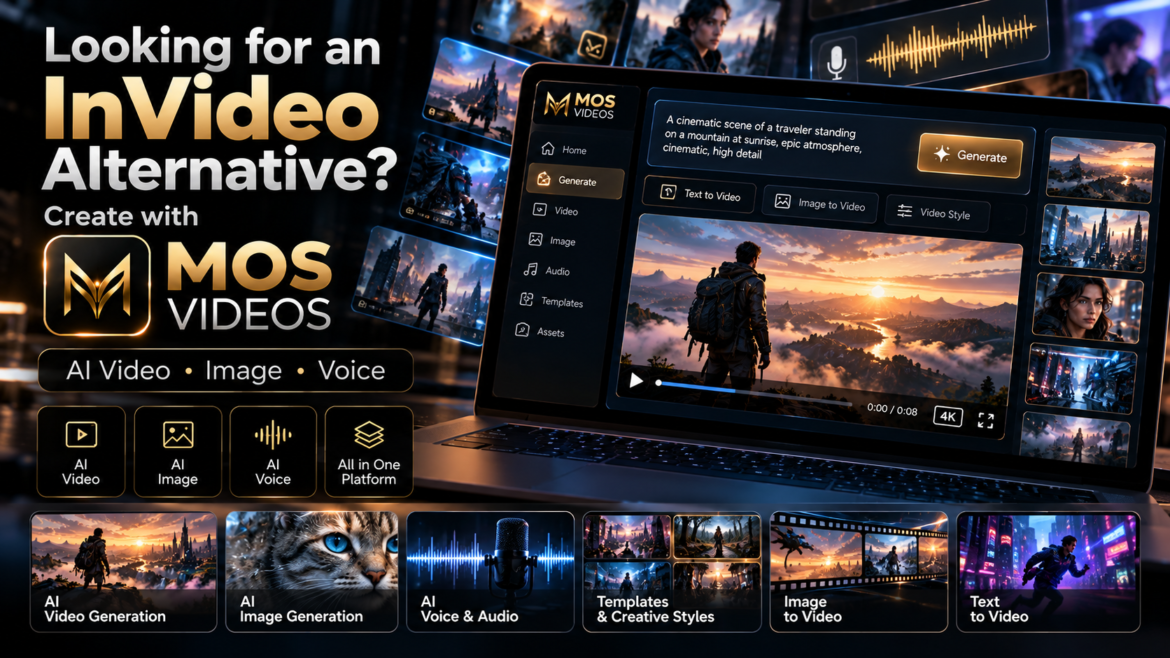
Looking for an InVideo Alternative? Discover MOS Videos for AI Video Creation

by admin outubro 8, 2026
written by admin

AI video creation has changed dramatically.

Platforms such as InVideo have helped make prompt-based video production easier to understand by showing creators that a simple idea, script, or instruction can become the foundation for a complete video workflow.

InVideo currently promotes workflows that can move from prompts and scripts into generated scenes, voiceovers, editing, and finished video production. Ajuda InVideo

For creators exploring this new way of producing content, there is another platform worth discovering:

MOS Videos.

MOS Videos is built around generative content creation across video, image, voice, audio, and multimodal AI workflows.

If you already understand the idea behind AI video platforms such as InVideo, MOS Videos gives you another way to turn creative concepts into visual content using artificial intelligence.


What Is InVideo AI?

InVideo is an AI-powered video creation platform designed to help users turn ideas, prompts, scripts, and other inputs into video content.

Its current platform combines AI generation with tasks such as:

  • Script development
  • Storyboarding
  • Video generation
  • Voiceover
  • Editing
  • Timeline-based production
  • Image, video, and audio generation

InVideo also describes its newer workflow as agent-based, where AI systems can help plan, generate, and edit content across a project. Ajuda InVideo

That makes InVideo a useful reference point for anyone trying to understand the new generation of AI video platforms.

But it is not the only way to approach generative content.


What Is MOS Videos?

MOS Videos is an AI-powered creative platform designed around generative video, image, voice, audio, and multimedia content creation.

The platform is built for users who want to move from an idea to visual content using artificial intelligence.

That can include workflows such as:

Text → Image

Text → Video

Image → Video

Script → Voice

Voice → Talking Video

Translation → Multilingual Video

Instead of thinking only about one type of media, MOS Videos focuses on a broader creative ecosystem.


MOS Videos and the New Generation of AI Video Creation

AI video platforms are becoming less about traditional manual editing and more about creative direction.

The user provides:

  • An idea
  • A prompt
  • A script
  • A reference image
  • A creative instruction

The AI helps transform that direction into visual media.

InVideo follows this broader trend by allowing creators to describe what they want and use AI to generate and edit video. invideo

MOS Videos operates within this same new generation of creative AI, but with a strong focus on connecting different media types inside broader generative workflows.


Create Videos from Text with MOS Videos

One of the most important AI video workflows is Text-to-Video.

Instead of starting with footage, the creator begins with language.

For example:

A futuristic city at night, flying vehicles between skyscrapers, cinematic camera movement, realistic reflections, dramatic neon lighting.

That prompt becomes the creative direction for the generated video.

Text-to-Video AI can support:

  • Cinematic scenes
  • Social media videos
  • Marketing content
  • Visual storytelling
  • Creative experiments
  • Product concepts
  • AI filmmaking

MOS Videos allows creators to think of text as the beginning of video production.


Turn Images into Videos

Creators can also begin with an image.

This is especially useful when the visual identity of the scene is already defined.

A typical workflow might be:

Generate an AI Image

↓

Choose the Best Visual

↓

Use Image-to-Video

↓

Add Motion

↓

Create the Final Scene

This allows creators to establish:

  • Character appearance
  • Environment
  • Lighting
  • Composition
  • Color
  • Visual style

before introducing motion.


AI Image Generation with MOS Videos

MOS Videos is not limited to video.

AI image generation can become the first stage of a larger project.

Creators can generate:

  • Characters
  • Product scenes
  • Environments
  • Marketing visuals
  • Concept art
  • Cinematic frames
  • Social content

The generated image can then become part of an AI video workflow.

This creates a simple creative path:

Prompt → Image → Video


AI Voice and Audio Creation

Modern video creation also depends heavily on sound.

MOS Videos supports broader workflows involving voice and audio, helping creators connect the visual and spoken parts of a project.

This can support:

  • Narration
  • Talking videos
  • AI presenters
  • Voice-driven content
  • Multilingual videos
  • Educational content
  • Marketing

The result is a more complete content creation workflow.


InVideo vs MOS Videos: Understanding the Difference

The goal here is not to declare one platform universally better than the other.

They can serve creators with different workflows and preferences.

InVideo currently emphasizes an agentic workflow that can write, storyboard, generate, and edit video projects while integrating multiple AI models and timeline editing. Ajuda InVideo

MOS Videos is positioned around a connected generative ecosystem where users can work across:

  • AI image generation
  • AI video generation
  • Image-to-video
  • AI voice
  • AI audio
  • Lip sync
  • Talking-head video
  • Translation
  • Multilingual creation

For creators evaluating AI video platforms, the important question is not simply:

“Which tool generates video?”

It is:

“Which workflow fits the way I want to create?”


Why Creators Look for InVideo Alternatives

Creators often explore alternatives because different platforms prioritize different workflows.

Some users may want:

  • More generative media options
  • Different creative models
  • Different interfaces
  • Image and video workflows
  • AI voice tools
  • Talking-video creation
  • Multilingual content
  • More experimentation

That is where MOS Videos becomes relevant.

It gives creators another environment for working with generative media.


MOS Videos for Content Creators

MOS Videos can support creators producing:

  • YouTube videos
  • Shorts
  • TikTok
  • Instagram Reels
  • Educational content
  • Faceless videos
  • AI storytelling
  • Technology videos
  • Cinematic experiments

A creator can combine different AI-generated assets inside one project.

For example:

Script

↓

AI Voice

↓

AI Images

↓

AI Video

↓

Final Content


MOS Videos for Social Media

Social media requires constant visual production.

Creators often need new:

  • Clips
  • Scenes
  • Backgrounds
  • Product visuals
  • Short videos
  • Creative concepts

AI generation can make this process more flexible.

Instead of relying only on pre-existing footage, creators can build visuals specifically for a post or campaign.


MOS Videos for Marketing

Marketing teams can use generative AI to explore more creative directions.

MOS Videos can fit workflows involving:

  • Product promotions
  • Campaign concepts
  • Social advertisements
  • Brand storytelling
  • Visual prototypes
  • Product scenes
  • AI-generated promotional content

A campaign can begin as a written idea and gradually become visual.


MOS Videos for AI Filmmaking

AI filmmaking is another area where generative platforms are becoming increasingly useful.

Creators can experiment with:

  • Storyboards
  • Concept scenes
  • Characters
  • Environments
  • Cinematic shots
  • Visual effects
  • Previsualization

This gives independent creators new ways to explore film-like content without beginning every concept with a physical production.


MOS Videos for Faceless Content

Faceless creators often rely on:

  • Voiceover
  • Stock footage
  • Graphics
  • Animation
  • B-roll

Generative AI expands those options.

Instead of using only generic footage, creators can generate custom scenes based on the topic of the video.

For example:

A documentary about futuristic cities could include AI-generated urban environments created specifically for the script.


Build Talking Videos with AI

MOS Videos can also be part of talking-video workflows.

A creator may begin with:

  • A portrait
  • AI-generated face
  • Avatar
  • Character

Then add:

  • Script
  • AI voice
  • Facial animation
  • Lip sync

The result is a talking digital presenter.

This can support marketing, education, social media, and faceless content.


Create Multilingual Content

Video audiences are global.

Creators may want the same content available in more than one language.

AI-powered workflows can combine:

Translation

↓

AI Voice

↓

Lip Sync

↓

Localized Video

This creates new opportunities for creators who want to reach audiences beyond their original language.


One Idea, Multiple Creative Outputs

One of the most useful ways to think about MOS Videos is not as a single-purpose generator.

Think of it as a creative chain.

An idea might become:

Text

↓

Image

↓

Video

↓

Voice

↓

Localized Version

↓

Final Content

This is where multimodal AI becomes especially powerful.


InVideo Shows What AI Video Can Become

Platforms such as InVideo have helped demonstrate that modern AI video creation can involve much more than generating a single short clip.

Its current tools emphasize workflows where AI can help with scripting, storyboards, scenes, editing, voices, and full production. Ajuda InVideo

For users already familiar with that concept, MOS Videos represents another way to explore AI-powered creative production.


Why Consider MOS Videos?

MOS Videos is designed for creators who want to experiment across several forms of generative content.

Instead of focusing only on the final video, users can work with the individual components that make the video possible.

That includes:

  • Images
  • Video
  • Voice
  • Audio
  • Characters
  • Animation
  • Translation
  • Lip sync

This gives creators more ways to develop a concept.


From Prompt to Complete Content

Imagine starting with:

A futuristic entrepreneur presenting a new technology inside a dark premium studio.

That idea could become:

AI-generated presenter

↓

AI voice

↓

Talking video

↓

Product scenes

↓

Background visuals

↓

Final promotional video

This is what connected generative creation makes possible.


MOS Videos as an AI Creative Platform

The broader value of MOS Videos is the ability to think beyond individual outputs.

You are not only generating an image.

You are creating an asset that can become video.

You are not only generating a voice.

You are creating audio that can become part of a talking presenter.

You are not only generating a video.

You are building material that can become part of a campaign, story, channel, or larger production.


Who Is MOS Videos For?

MOS Videos can be useful for:

  • Content creators
  • YouTubers
  • Social media creators
  • Marketers
  • Agencies
  • Designers
  • Filmmakers
  • Entrepreneurs
  • Educators
  • Businesses
  • AI creators

Anyone exploring generative media can use the platform as part of a modern content production workflow.


InVideo Alternative for Creators Exploring Generative AI

If you are searching for an InVideo alternative, you are probably already interested in making video creation more AI-driven.

You may want to:

  • Generate scenes from prompts
  • Create videos faster
  • Build visual concepts
  • Work with AI-generated media
  • Create social content
  • Experiment with new creative workflows

MOS Videos is designed for exactly this new generation of creators.


Why MOS Videos Is More Than an AI Video Generator

Video generation is only one part of modern generative content.

A complete digital project may require:

Video + Image + Voice + Audio + Animation + Translation

MOS Videos brings these creative possibilities into a broader ecosystem.

That makes it relevant not only for people looking for an AI video generator, but for creators building complete multimedia experiences.


Explore AI Video Creation with MOS Videos

If platforms such as InVideo introduced you to the idea of creating video through AI, MOS Videos gives you another creative direction to explore.

Start from a prompt.

Generate the image.

Create the scene.

Add the voice.

Animate the character.

Build the final video.

The goal is simple:

Turn ideas into content with fewer barriers between imagination and production.

With MOS Videos, generative AI becomes part of your creative workflow.

Key Takeaways

  • InVideo is a useful reference for understanding modern prompt-driven AI video creation and currently combines generation, scripting, voice, editing, and AI-assisted workflows. Ajuda InVideo
  • MOS Videos offers a generative workflow centered on video, image, voice, audio, and multimodal content creation.
  • Creators can use MOS Videos for Text-to-Video and Image-to-Video workflows.
  • AI images can become source material for generated videos.
  • Voice, lip sync, talking avatars, and translation can become part of broader video workflows.
  • MOS Videos is positioned as an option for creators looking beyond a single AI video-generation function.

Frequently Asked Questions

What is InVideo AI?

InVideo is an AI-powered video creation platform that can help users move from prompts or scripts into scenes, voiceovers, editing, and finished video workflows. Its current platform also uses AI agents and multiple generation models. Ajuda InVideo

Is MOS Videos an InVideo alternative?

MOS Videos can be considered an alternative for creators exploring AI-powered video and multimedia generation. Its focus includes AI video, images, voice, audio, talking content, and broader multimodal creative workflows.

Can MOS Videos create videos from text?

MOS Videos supports Text-to-Video-oriented workflows where written prompts can become the creative foundation for generated video content.

Can MOS Videos turn images into videos?

Image-to-Video workflows allow creators to use an existing or AI-generated image as the visual starting point for video creation.

Can MOS Videos generate AI images?

Yes. AI image creation is part of the broader MOS Videos generative content workflow.

Is MOS Videos only for video generation?

No. MOS Videos is positioned around a broader creative ecosystem involving video, images, voice, audio, translation, lip sync, and other AI-powered content workflows.

Who should use MOS Videos?

MOS Videos can support creators, marketers, businesses, filmmakers, designers, agencies, educators, and users interested in AI-powered content creation.

Why consider MOS Videos if I already know InVideo?

If you already understand the prompt-driven workflow popularized by tools such as InVideo, MOS Videos gives you another environment for exploring AI video, images, voice, audio, and connected generative-media workflows.

outubro 8, 2026 0 comments
0 FacebookTwitterPinterestEmail
IAAI VideoVídeo

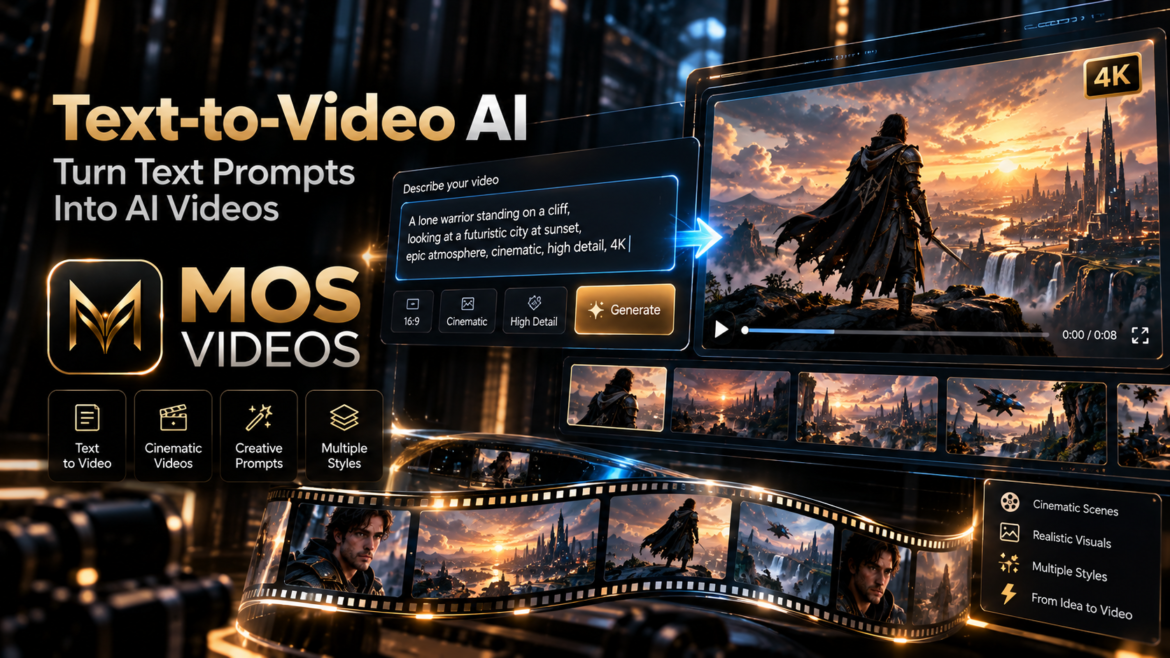
Text-to-Video AI: Turn Prompts Into Videos with MOS Videos

by admin outubro 7, 2026
written by admin

Ideas used to stay as ideas until someone had the time, equipment, budget, and production resources to turn them into video.

That is changing.

Text-to-Video AI allows creators to transform written prompts into moving visual content using artificial intelligence.

A sentence can become a scene.

A concept can become a cinematic sequence.

A written description can become video.

With MOS Videos, creators can use text as the starting point for AI-powered video generation and build visual content from simple creative instructions.

Instead of asking:

“How do I film this?”

Creators can begin with:

“How do I describe this?”

That shift is what makes Text-to-Video AI so powerful.


What Is Text-to-Video AI?

Text-to-Video AI is a generative artificial intelligence technology that creates video content from written prompts.

Users describe the scene they want to create, and the AI generates moving visual content based on that description.

A prompt may include:

  • Subject
  • Action
  • Environment
  • Camera movement
  • Lighting
  • Mood
  • Style
  • Visual composition

For example:

A futuristic motorcycle moving through a neon city at night, cinematic tracking shot, wet streets, realistic reflections, dramatic lighting.

The AI interprets those instructions and turns them into video.


How Does Text-to-Video AI Work?

Text-to-Video AI combines language understanding with generative video technology.

A simplified workflow looks like this:

Text Prompt

↓

AI Interpretation

↓

Scene Generation

↓

Motion Creation

↓

Video Output

The AI analyzes the meaning of the prompt and identifies visual concepts.

Then it generates frames that attempt to represent:

  • What is in the scene
  • What is moving
  • How the camera behaves
  • What the lighting looks like
  • What visual style should be used

This allows written language to become part of the video production process.


Turn a Simple Prompt Into Video

A very simple prompt might be:

A car driving at night.

That can work, but it gives the AI very little direction.

A stronger prompt could be:

A black futuristic sports car driving through a neon-lit city at night, low-angle cinematic tracking shot, wet streets reflecting lights, realistic motion, dramatic atmosphere.

The second prompt gives the AI much more context.

It explains:

  • The subject
  • The environment
  • The time
  • The camera
  • The lighting
  • The mood
  • The style

This usually gives the creator more control over the result.


How to Write a Better Text-to-Video Prompt

A practical structure is:

Subject + Action + Environment + Camera + Lighting + Style

For example:

A futuristic explorer walking through an abandoned city, slow tracking shot, dust moving through the air, dramatic sunset lighting, photorealistic cinematic style.

This structure is simple enough to use quickly but detailed enough to communicate creative intent.


1. Define the Subject

Start by describing the main focus of the scene.

Examples:

  • A futuristic soldier
  • A sports car
  • A robot
  • A woman in a cyberpunk city
  • A spacecraft
  • A luxury product

The subject should be clear.


2. Add the Action

Video needs movement.

Describe what is happening.

Examples:

  • Walking
  • Running
  • Flying
  • Driving
  • Turning toward the camera
  • Moving through a city
  • Opening a door
  • Looking at the horizon

Action gives the scene energy.


3. Describe the Environment

Explain where the scene takes place.

Examples:

  • Futuristic city
  • Desert
  • Luxury studio
  • Alien planet
  • Tropical beach
  • Medieval castle
  • Modern office

The environment helps define the visual world.


4. Add Camera Direction

Camera movement can change the entire feeling of the video.

Useful terms include:

  • Tracking shot
  • Dolly forward
  • Slow zoom
  • Drone shot
  • Wide shot
  • Close-up
  • Orbiting camera
  • Low-angle shot

For example:

Slow cinematic tracking shot following the subject.

This tells the AI how the scene should be visually presented.


5. Define the Lighting

Lighting can create atmosphere.

Examples:

  • Cinematic lighting
  • Golden hour
  • Neon lighting
  • Soft studio lighting
  • Dramatic shadows
  • Moonlight
  • Volumetric light

For example:

Warm golden-hour lighting with long cinematic shadows.

This gives the scene a stronger visual direction.


6. Define the Style

The final prompt can also describe the visual style.

Examples:

  • Photorealistic
  • Cinematic
  • Documentary
  • Futuristic
  • Fantasy
  • Minimalist
  • Surreal
  • Luxury commercial

Style helps determine the overall look and feel.


Text-to-Video AI for Content Creators

Content creators can use Text-to-Video AI to generate visual scenes for:

  • YouTube
  • TikTok
  • Instagram Reels
  • Shorts
  • Storytelling
  • Faceless content
  • Educational videos
  • Creative projects

Instead of searching endlessly for footage that matches an idea, creators can generate visual content designed specifically for the script or concept.


Text-to-Video AI for YouTube

YouTube creators can integrate AI-generated video into many formats.

Examples include:

  • Documentaries
  • Technology channels
  • Storytelling
  • Educational videos
  • Faceless channels
  • AI filmmaking
  • Visual essays
  • Tutorials

Text-to-Video AI can be used to create scenes that support narration.

For example:

Script

↓

Scene Prompt

↓

AI Video

↓

Voiceover

↓

Final YouTube Video

This creates a more visual production workflow.


Text-to-Video AI for Social Media

Social media content needs to capture attention quickly.

AI-generated video can help create unusual or visually strong scenes.

Creators can generate:

  • Cinematic clips
  • Visual hooks
  • Product scenes
  • Fantasy concepts
  • Futuristic environments
  • Short narrative sequences

These videos can then become part of Reels, Shorts, and TikTok content.


Text-to-Video AI for Marketing

Marketing teams can also benefit from prompt-based video creation.

Potential use cases include:

  • Advertising concepts
  • Product campaigns
  • Brand visuals
  • Promotional videos
  • Social ads
  • Creative prototypes

A written idea can become a visual concept before larger production decisions are made.

This makes generative video useful not only for final content, but also for experimentation.


Text-to-Video AI for Storytelling

Storytelling is one of the strongest use cases for generative video.

A creator can write:

A lone traveler enters an abandoned futuristic city at sunrise.

That sentence can become the foundation for a visual scene.

A full story can be divided into multiple prompts.

For example:

Scene 1: Arrival
Scene 2: Discovery
Scene 3: Conflict
Scene 4: Resolution

Each scene can become a separate AI-generated video sequence.

This gives independent creators new ways to visualize narratives.


Text-to-Video AI for AI Filmmaking

Generative video can support modern filmmaking workflows.

AI can be used for:

  • Concept scenes
  • Previsualization
  • Experimental shots
  • Environment creation
  • Visual storytelling
  • Camera tests
  • Scene development

The creative direction still comes from the creator.

The AI helps transform that direction into visual output.


Text-to-Video AI vs Traditional Video Production

Both methods have different strengths.

Text-to-Video AITraditional Video Production
Starts with a promptStarts with filming
AI generates the sceneCamera captures real footage
Useful for impossible or fictional visualsBest for real-world scenes
Fast concept testingPrecise physical production
Flexible visual experimentationGreater manual control

Creators can also combine both.

AI-generated scenes can be mixed with traditional footage.


Text-to-Video AI vs Image-to-Video AI

These workflows are related but different.

Text-to-Video AI starts from written instructions.

Image-to-Video AI starts from a visual reference.

Text-to-Video is useful when the creator wants the AI to design the initial visual scene.

Image-to-Video is useful when the creator already knows exactly how the scene should look.

A combined workflow can be:

Text Prompt

↓

AI Image

↓

Image-to-Video

This gives creators even more control.


Text-to-Video AI and Prompt Engineering

Prompt engineering is one of the most important skills in generative video.

Small changes in wording can affect the result.

Compare:

A man walking in a city.

with:

A man wearing a dark coat walking through a futuristic city during heavy rain, slow cinematic tracking shot, neon reflections, dramatic lighting, photorealistic style.

The second prompt communicates a much clearer creative direction.


Create Cinematic Videos from Text

Cinematic video generation often depends on combining several visual instructions.

A strong cinematic prompt can include:

  • Subject
  • Camera motion
  • Lighting
  • Atmosphere
  • Environment
  • Color direction
  • Visual style

For example:

Slow aerial shot above a futuristic coastal city at sunset, flying vehicles between glass towers, golden cinematic lighting, atmospheric clouds, realistic motion.

This describes not only what happens, but how the scene should feel.


Create Product Videos from Text

Text-to-Video AI can also support product visualization.

For example:

A luxury black smartwatch rotating slowly in a dark premium studio, gold reflections, cinematic product lighting, high-end commercial style.

This can help brands experiment with visual concepts without requiring a physical shoot for every idea.


Create Advertising Concepts with AI

Advertising often begins with concepts.

Text-to-Video AI can turn those concepts into early visual prototypes.

A marketing team can test:

  • Different environments
  • Different products
  • Different moods
  • Different camera styles
  • Different brand directions

This can accelerate creative exploration.


Text-to-Video AI for Faceless Content

Faceless creators often need visuals that support narration.

AI video generation can be especially useful for:

  • Story channels
  • Educational channels
  • Documentary content
  • Motivational videos
  • Technology content
  • Historical storytelling

The creator can generate specific scenes rather than relying only on generic stock footage.


From Script to AI Video

One useful workflow is:

Write the Script

↓

Divide the Script into Scenes

↓

Write a Prompt for Each Scene

↓

Generate AI Videos

↓

Add Voiceover

↓

Edit the Final Video

This turns a written script into a visual production plan.


Text-to-Video AI and AI Voice

Text-to-Video becomes even more powerful when combined with AI voice generation.

A creator can write a script.

Generate the narration.

Create visual scenes from the same script.

Then combine both.

The workflow becomes:

Script

↓

AI Voice

↓

Text-to-Video

↓

Editing

↓

Final Content

This is a strong example of multimodal AI creation.


Text-to-Video AI and AI Audio

Audio gives generated video more impact.

A complete production may include:

  • Narration
  • Music
  • Sound effects
  • Ambient audio

This means AI video creation does not need to stop at the visual layer.

It can become part of a complete multimedia workflow.


Text-to-Video AI and MOS Videos

MOS Videos is designed around connected generative workflows.

Text-to-Video AI can become the starting point for content that later includes:

  • AI images
  • AI voice
  • AI audio
  • Lip sync
  • Talking avatars
  • Translation
  • Multilingual content

This allows creators to build more complete projects instead of generating isolated clips.


Create Videos from Prompts with MOS Videos

The process begins with a simple creative direction.

For example:

A futuristic athlete training alone inside a dark high-tech gym, dramatic cinematic lighting, slow tracking shot.

That idea can become a generated video.

From there, creators can continue developing the project with:

  • Voice
  • Audio
  • Additional scenes
  • Images
  • Editing
  • Localization

MOS Videos helps turn prompts into part of a broader creative process.


Why Use MOS Videos for Text-to-Video AI?

MOS Videos is designed for creators who want to move between different forms of generative media.

A project may begin as text but eventually require:

  • Video
  • Images
  • Voice
  • Audio
  • Characters
  • Translation

Instead of treating these as completely separate creative stages, MOS Videos supports a more connected workflow.


Create More Than One Scene

Text-to-Video AI becomes much more useful when creators think beyond a single generation.

A complete video may contain several AI-generated scenes.

For example:

Scene 1: Establishing shot
Scene 2: Character introduction
Scene 3: Main action
Scene 4: Close-up
Scene 5: Final cinematic shot

Each scene can use a separate prompt.

This creates a more structured and intentional production.


Text-to-Video AI and the Future of Content Creation

Natural language is becoming a creative interface.

Creators can increasingly describe what they want and work with artificial intelligence to generate visual media.

This changes the role of video creation.

The creator becomes more like a director.

They define:

  • The idea
  • The scene
  • The mood
  • The camera
  • The story
  • The final selection

The AI helps generate the raw visual material.


Turn Your Ideas Into Video with MOS Videos

Every video starts with an idea.

Text-to-Video AI shortens the distance between that idea and the visual result.

Write the prompt.

Define the scene.

Generate the video.

Refine the concept.

Build the final content.

With MOS Videos, text can become the beginning of a complete generative media workflow.

Describe the idea.

Generate the scene.

Create with MOS Videos.

Key Takeaways

  • Text-to-Video AI turns written prompts into video content.
  • Strong prompts define subject, action, environment, camera, lighting, and style.
  • Text-to-Video AI can support YouTube, social media, marketing, storytelling, and filmmaking.
  • Prompt engineering gives creators greater control over generated scenes.
  • Text-to-Video can be combined with AI image, voice, and audio workflows.
  • MOS Videos supports a broader creative ecosystem around AI-generated video.

Frequently Asked Questions

What is Text-to-Video AI?

Text-to-Video AI is generative artificial intelligence technology that creates moving visual content based on written prompts.

How does Text-to-Video AI work?

The AI analyzes a prompt, identifies visual concepts such as subjects, environments, movement, lighting, and style, and generates a video based on those instructions.

How do I create a video from text with AI?

Write a detailed prompt describing what should appear in the scene, what should happen, how the camera should move, and what visual style you want, then use a Text-to-Video AI generator to create the video.

What makes a good Text-to-Video prompt?

A useful prompt typically includes the subject, action, environment, camera movement, lighting, atmosphere, and visual style.

Can Text-to-Video AI create cinematic videos?

Yes. Prompts can include cinematic camera movements, lighting, composition, and visual style to guide the generation toward a more cinematic result.

Can Text-to-Video AI be used for YouTube?

Yes. It can support documentary content, storytelling, faceless channels, educational videos, technology content, and other YouTube formats.

What is the difference between Text-to-Video and Image-to-Video?

Text-to-Video begins from written instructions, while Image-to-Video begins from an existing image used as the visual reference.

How does MOS Videos fit into Text-to-Video AI?

MOS Videos supports generative workflows involving AI video, images, voice, audio, and other media, allowing Text-to-Video creation to become part of a broader multimedia production process.

outubro 7, 2026 0 comments
0 FacebookTwitterPinterestEmail
IAAI VideoImagemVídeo

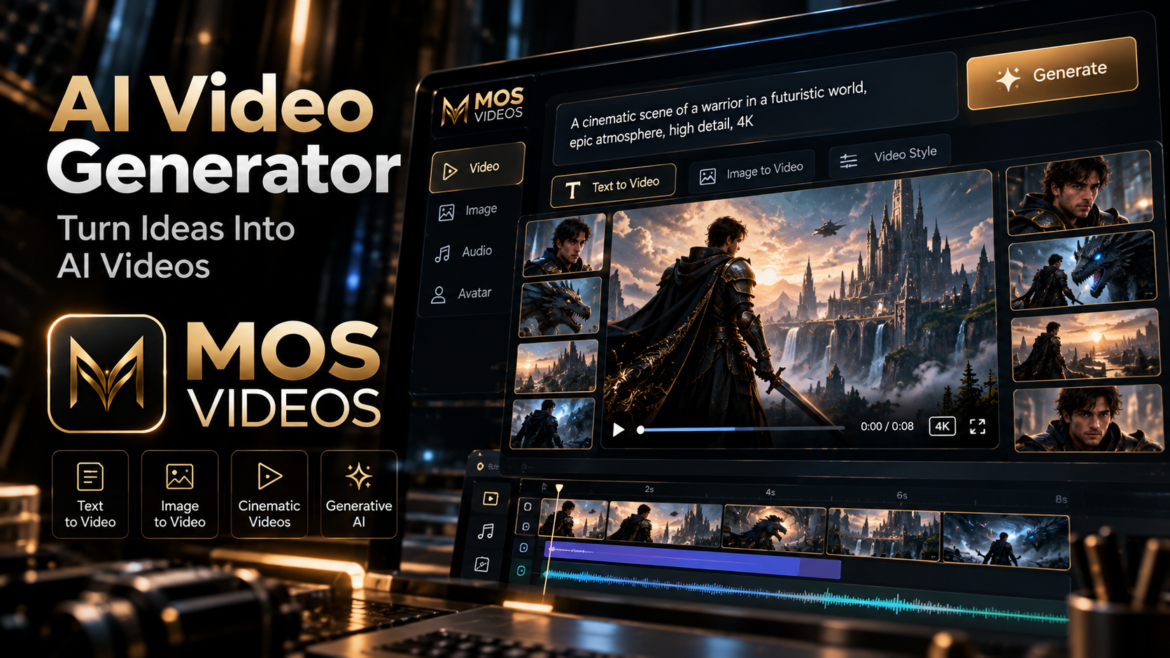
AI Video Generator: Create Videos with AI Using MOS Videos

by admin outubro 6, 2026
written by admin

Video creation is no longer limited to cameras, complex production setups, or traditional editing workflows.

With an AI Video Generator, creators can turn ideas, prompts, and images into moving visual content using artificial intelligence.

A simple description can become a cinematic scene.

A static image can become an animated video.

A creative concept can become social content, marketing material, storytelling, or visual experimentation.

With MOS Videos, AI video generation becomes part of a broader creative workflow designed for modern creators.

Instead of starting with technical complexity, you can start with the most important part:

the idea.

Describe it.

Visualize it.

Generate it.


What Is an AI Video Generator?

An AI Video Generator is a tool that uses artificial intelligence to create video content from inputs such as text prompts, images, or other visual references.

Instead of recording every scene manually, users can describe what they want to create.

For example:

A futuristic sports car driving through a neon city at night, cinematic tracking shot, realistic reflections, dramatic lighting.

The AI interprets the prompt and generates moving visual content based on that creative direction.

This gives creators a new way to produce video.


Create Videos from Text with AI

One of the most powerful AI video workflows is Text-to-Video AI.

The user describes the scene using natural language.

For example:

A spacecraft flying above an alien planet during sunrise, cinematic wide shot, realistic clouds, dramatic atmosphere.

The AI uses that description as the creative foundation for the generated video.

Text-to-video generation can be useful when you want to create something that does not yet exist visually.

This could include:

  • Futuristic cities
  • Fantasy worlds
  • Product concepts
  • Cinematic environments
  • Fictional characters
  • Abstract visual scenes
  • Marketing concepts

The prompt becomes the starting point for production.


Turn Images into Videos with AI

Another powerful workflow is Image-to-Video AI.

Instead of starting only with text, users begin with an image.

The image establishes:

  • Character appearance
  • Composition
  • Environment
  • Lighting
  • Visual style
  • Color direction

The AI can then introduce movement.

For example:

A still image of a futuristic city can become a cinematic sequence with moving lights, atmospheric fog, traffic, and camera motion.

This creates a workflow like:

AI Image

↓

Image-to-Video

↓

AI Video

This approach can offer more visual control because the creator already defines the starting frame.


AI Video Generator for Content Creators

Creators constantly need new visual content.

AI video generation can support:

  • YouTube
  • TikTok
  • Instagram Reels
  • YouTube Shorts
  • Social media campaigns
  • Faceless content
  • Storytelling
  • Educational content
  • Creative experiments

Instead of relying only on stock footage or existing clips, creators can generate scenes specifically for their ideas.

That can make content feel more original and visually distinctive.


AI Video Generator for YouTube

YouTube creators can integrate AI-generated video into many formats.

Examples include:

  • Documentary-style videos
  • Educational channels
  • AI storytelling
  • Technology videos
  • Faceless channels
  • Tutorials
  • Cinematic videos
  • Concept videos

AI-generated scenes can be combined with:

  • Narration
  • Music
  • B-roll
  • Graphics
  • Subtitles
  • Traditional footage

The result does not have to be completely AI-generated.

AI can simply become another creative tool inside the production process.


AI Video Generator for Social Media

Short-form content depends heavily on visual impact.

AI-generated video can help creators build scenes designed specifically for:

  • TikTok
  • Instagram
  • Reels
  • Shorts
  • Promotional clips
  • Viral concepts

A creator can test several visual directions before choosing the final result.

This makes generative video particularly useful for experimentation.


AI Video Generator for Marketing

Marketing teams often need multiple creative concepts.

Instead of producing every idea physically, AI video generation can help visualize campaigns before larger production begins.

Potential use cases include:

  • Product advertising
  • Brand storytelling
  • Promotional videos
  • Social campaigns
  • Product demonstrations
  • Creative concepts
  • Digital advertisements

A simple idea can become a visual prototype much faster.


Generate Cinematic AI Videos

AI video generation is especially useful for creators who want cinematic visual styles.

Prompts can describe:

  • Camera movement
  • Lens style
  • Lighting
  • Environment
  • Mood
  • Action
  • Composition

For example:

Slow cinematic tracking shot following a woman through a futuristic city, rain falling, neon reflections, dramatic lighting, realistic movement.

The more clearly the prompt describes the visual intent, the easier it becomes to guide the creative direction.


How to Write Better AI Video Prompts

A useful AI video prompt structure is:

Subject + Action + Environment + Camera + Lighting + Style

For example:

A black sports car accelerating through a futuristic city at night, low-angle tracking shot, wet streets reflecting neon signs, cinematic lighting, photorealistic style.

This tells the AI:

  • What the subject is
  • What it is doing
  • Where it is
  • How the camera moves
  • What the lighting looks like
  • What visual style is desired

Good prompting is one of the most important skills in AI video creation.


Text-to-Video vs Image-to-Video

Both workflows can generate AI video, but they solve different creative problems.

Text-to-VideoImage-to-Video
Starts with textStarts with an image
AI creates the initial sceneCreator defines the initial frame
Useful for ideas from scratchUseful for visual consistency
High creative freedomStronger visual reference
Prompt controls appearance and motionImage controls appearance, prompt controls motion

Creators can use both inside the same project.


Create AI Images Before Creating Video

One effective workflow is to create the visual concept first.

For example:

Text Prompt

↓

AI Image Generator

↓

Choose Best Image

↓

Image-to-Video

↓

Final Video

This allows creators to decide exactly how the scene should look before introducing movement.

It can be especially useful for:

  • Characters
  • Product scenes
  • Cinematic environments
  • Storytelling
  • Branded visuals

AI Video Generator for Storytelling

Generative video opens interesting possibilities for storytelling.

Creators can generate:

  • Establishing shots
  • Characters
  • Environments
  • Fantasy scenes
  • Science-fiction scenes
  • Dramatic transitions
  • Visual sequences

A written story can gradually become visual.

For example:

Story Idea

→ Character

→ Scene

→ AI Video

→ Narration

→ Final Story

This gives independent creators access to new forms of visual experimentation.


AI Video Generator for Product Content

Businesses can also use AI-generated video to explore product presentation.

Possible applications include:

  • Product concepts
  • Advertising
  • Promotional visuals
  • Lifestyle scenes
  • Campaign ideas
  • Social content

A product can be placed inside environments that would otherwise require larger production setups.

This can help teams experiment with different creative directions.


AI Video Generator for AI Filmmaking

AI filmmaking combines generative tools with traditional filmmaking skills.

AI can support:

  • Concept art
  • Previsualization
  • Storyboarding
  • Scene generation
  • Visual effects
  • Experimental shots
  • Environment creation

The filmmaker still controls the creative vision.

AI simply expands the range of available tools.


Why Creators Are Using AI Video Generation

AI video generation provides several advantages.

Faster Experimentation

Creators can explore multiple visual ideas quickly.

More Creative Freedom

Scenes do not always need to exist physically.

Flexible Production

Images, text, and video can become connected.

Visual Prototyping

Ideas can be tested before larger production begins.

New Storytelling Possibilities

Creators can visualize concepts that would otherwise be difficult to produce.


AI Video Generation and Multimodal Content

Modern generative content increasingly combines multiple media formats.

A project might involve:

Text

↓

AI Image

↓

AI Video

↓

AI Voice

↓

Audio

↓

Final Content

This is known as a multimodal creative workflow.

Instead of using AI for only one task, creators combine several technologies into one production process.


Create AI Videos with MOS Videos

MOS Videos is designed for creators who want to work across generative media.

AI video generation can become part of a larger workflow involving:

  • AI images
  • AI video
  • Image-to-video
  • Voice
  • Audio
  • Lip sync
  • Talking videos
  • Multilingual content

This allows creators to move between different forms of content while keeping the creative process connected.


From Idea to AI Video with MOS Videos

A project can begin with a simple concept.

For example:

A futuristic explorer walking through an abandoned city.

From there:

Write the Prompt

↓

Generate the Visual

↓

Create the Video

↓

Add Voice or Audio

↓

Build the Final Content

The entire process begins with an idea rather than complicated production infrastructure.


Why Use MOS Videos for AI Video Creation?

MOS Videos focuses on a broader creative workflow rather than treating video generation as an isolated feature.

Creators can explore different types of generative media within the same ecosystem.

This is useful because modern content rarely consists of only one asset.

A complete project may require:

  • Images
  • Video
  • Voice
  • Audio
  • Characters
  • Visual effects
  • Localization

MOS Videos helps connect these creative stages.


AI Video Generator for Modern Creators

The role of creators is changing.

Instead of manually producing every visual element, creators increasingly direct AI systems through ideas, prompts, references, and creative decisions.

This does not remove creativity.

It changes where creativity happens.

The creator becomes responsible for:

  • The idea
  • The visual direction
  • The story
  • The prompt
  • The selection
  • The editing
  • The final presentation

AI becomes part of the production toolkit.


Create More Than a Single AI Video

One generation can become the beginning of a larger project.

A video can become:

  • A social post
  • Part of a YouTube video
  • A campaign asset
  • A storytelling sequence
  • A product presentation
  • A cinematic project

The key is thinking beyond individual generations.

AI video becomes most powerful when it connects with a complete content strategy.

MOS Videos: AI Video Creation in a Bigger Creative Ecosystem

MOS Videos brings AI video creation together with other forms of generative content.

Start with text.

Generate an image.

Transform it into motion.

Add voice.

Create audio.

Develop the final story.

This is what makes multimodal AI workflows especially useful for modern creators.

Create the idea.

Generate the scene.

Turn it into video.

Build with MOS Videos.

Key Takeaways

  • An AI Video Generator creates video content using artificial intelligence.
  • Text-to-video allows creators to generate scenes from written prompts.
  • Image-to-video transforms static images into moving visual content.
  • AI video can support social media, marketing, YouTube, filmmaking, and storytelling.
  • Prompt quality plays an important role in guiding AI-generated video.
  • MOS Videos connects AI video generation with image, voice, audio, and other creative workflows.

Frequently Asked Questions

What is an AI Video Generator?

An AI Video Generator is a tool that uses artificial intelligence to create video content from text prompts, images, visual references, or other creative inputs.

Can AI generate videos from text?

Yes. Text-to-video AI allows users to describe a scene using natural language and generate moving visual content based on that description.

Can AI turn an image into a video?

Yes. Image-to-video AI can animate static images by creating movement, additional frames, camera motion, and environmental effects.

What can I create with an AI Video Generator?

AI video generators can support social media content, advertising, storytelling, product concepts, cinematic scenes, educational videos, YouTube content, and creative experimentation.

How do I write a good AI video prompt?

A strong prompt usually describes the subject, action, environment, camera movement, lighting, mood, and visual style.

Can AI video generation be used for marketing?

Yes. Marketing teams can use AI-generated video for campaign concepts, promotional content, advertising, social media, and visual prototyping.

Can AI images become AI videos?

Yes. AI-generated images can be used as source frames for image-to-video generation, creating a connected workflow between image and video creation.

What is MOS Videos?

MOS Videos is an AI-powered creative platform built around generative workflows involving video, image, voice, audio, and other multimedia content creation.

outubro 6, 2026 0 comments
0 FacebookTwitterPinterestEmail
VídeoAI VideoIAImagem

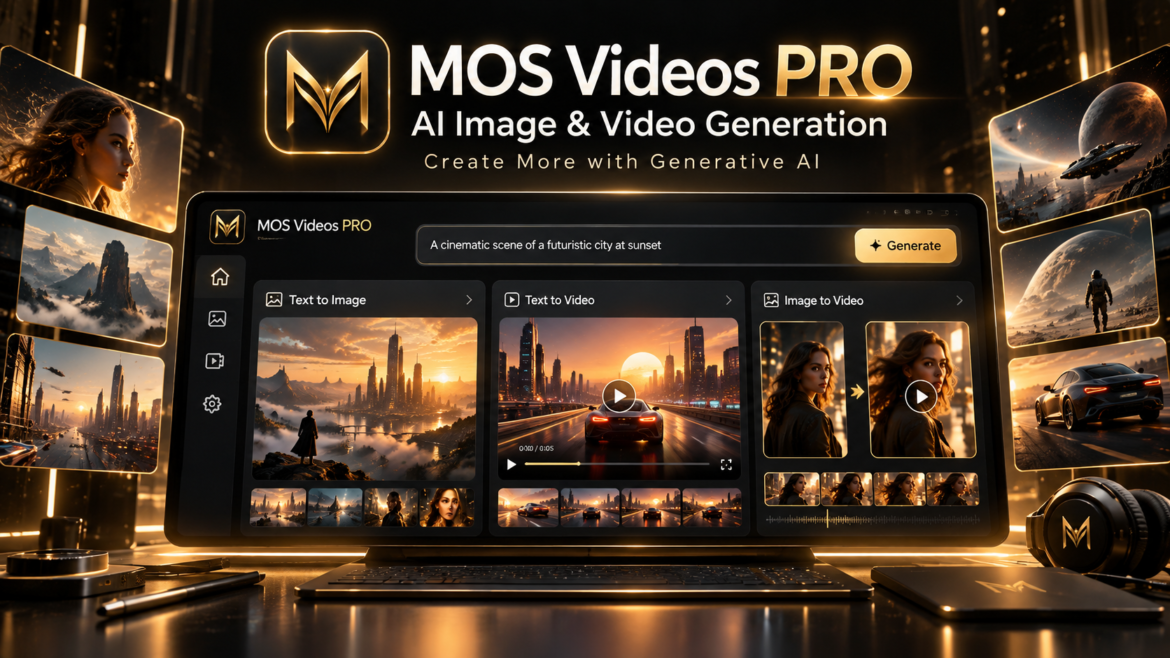
MOS Videos PRO: Generate AI Images and Videos in One Platform

by admin outubro 5, 2026
written by admin

AI content creation is becoming faster, more visual, and more accessible.

With MOS Videos PRO, creators can generate both AI images and AI videos inside the same creative platform.

Instead of switching between different tools for every stage of the process, users can move from an idea to an image and from an image to video within a connected AI-powered workflow.

Whether the goal is to create social media content, marketing visuals, cinematic concepts, digital characters, product scenes, or creative experiments, MOS Videos PRO is designed to make generative content creation simpler and more flexible.

Write the idea. Generate the visual. Turn it into motion.

That is the core of the MOS Videos creative experience.


What Can You Create with MOS Videos PRO?

MOS Videos PRO brings image and video generation together for creators who want to transform ideas into visual content with artificial intelligence.

Users can explore workflows such as:

  • Text-to-image generation
  • AI image creation
  • Text-to-video generation
  • Image-to-video generation
  • AI video creation
  • Visual concept development
  • Cinematic AI content
  • Social media content
  • Marketing creatives
  • Digital storytelling

The goal is to give creators more freedom to move between different media formats without interrupting the creative process.


Generate AI Images from Text

One of the main capabilities of MOS Videos PRO is AI image generation.

Creators can describe what they want to see using natural language.

For example:

A futuristic city at night, cinematic lighting, wet streets, realistic reflections, premium science-fiction atmosphere.

The AI interprets the prompt and generates visual content based on the requested concept.

This allows users to explore ideas without beginning from a blank canvas.

AI image generation can be used for:

  • Concept art
  • Social media visuals
  • Marketing content
  • Product concepts
  • Characters
  • Backgrounds
  • Storyboards
  • Cinematic frames
  • Advertising ideas
  • Creative experimentation

A simple prompt can become the starting point for an entire visual project.


Turn Ideas into AI Videos

MOS Videos PRO also supports AI video generation, allowing creators to transform concepts into moving visual content.

Instead of thinking only in static images, users can explore motion, atmosphere, camera movement, and storytelling.

AI video generation can support content such as:

  • Short cinematic scenes
  • Social media videos
  • Product visuals
  • Creative campaigns
  • Storytelling sequences
  • Experimental video
  • AI filmmaking
  • Promotional content

The experience is designed around one simple idea:

Describe what you want to create and let AI help turn that concept into motion.


Create Videos from Images

AI image generation becomes even more useful when combined with Image-to-Video AI.

A creator can first generate the visual style they want.

Then that image can become the foundation for a video.

The workflow looks like this:

Prompt

↓

AI Image

↓

Image-to-Video

↓

AI Video

This gives creators more control over the initial composition before movement is introduced.

For example, a user can generate:

  • A character
  • A landscape
  • A product scene
  • A cinematic environment
  • A futuristic city

and then transform that visual into animated content.


One Creative Workflow for Images and Video

One of the main advantages of MOS Videos PRO is the connection between different creative stages.

Instead of treating AI images and AI videos as completely separate tasks, creators can use them as parts of the same process.

For example:

Idea

→ Prompt

→ AI Image

→ AI Video

→ Final Content

This makes MOS Videos useful for creators who want to move quickly from visual concept to finished media.


AI Image Generation for Content Creators

Creators constantly need new visual material.

MOS Videos PRO can support content production for:

  • YouTube
  • Instagram
  • TikTok
  • Shorts
  • Reels
  • Blogs
  • Digital campaigns
  • Creative projects

An AI-generated image can become:

  • A thumbnail concept
  • A video frame
  • A social post
  • A character
  • A background
  • A promotional visual

And that same image can later become part of an AI-generated video.


AI Video Generation for Social Media

Short-form content depends heavily on strong visuals.

AI video generation can help creators explore new concepts for:

  • Instagram Reels
  • TikTok
  • YouTube Shorts
  • Promotional videos
  • Storytelling clips
  • Visual campaigns

Instead of relying only on existing footage, creators can generate scenes designed specifically for the content they want to publish.

This opens more creative possibilities for brands, influencers, marketers, and independent creators.


AI Generation for Marketing

Marketing teams often need multiple visual ideas before choosing the final direction.

MOS Videos PRO can support that process by helping teams generate:

  • Campaign concepts
  • Advertising visuals
  • Product scenes
  • Promotional videos
  • Brand storytelling
  • Social media creatives

Generative AI allows teams to experiment with different visual directions faster.

A concept can be tested as an image.

That image can then become a video.

The workflow becomes more flexible from the earliest stage of production.


AI Generation for Storytelling

AI image and video generation can also support visual storytelling.

Creators can generate:

  • Characters
  • Environments
  • Scenes
  • Cinematic moments
  • Fantasy worlds
  • Science-fiction concepts

A story that begins as text can gradually become visual.

For example:

Story Idea

↓

Character Image

↓

Environment Image

↓

Image-to-Video

↓

Cinematic Sequence

This allows creators to develop visual narratives using generative AI.


AI Generation for Digital Creators

MOS Videos PRO is designed for creators who want flexibility.

That may include:

  • Video creators
  • Designers
  • Marketers
  • Social media creators
  • Filmmakers
  • Agencies
  • Entrepreneurs
  • Digital artists
  • Content teams

The platform can support both fast experimentation and larger creative workflows.


From Prompt to Visual Content

Generative AI changes the relationship between ideas and production.

Instead of manually creating every visual element, users can communicate their creative direction through prompts.

A strong prompt can describe:

  • Subject
  • Environment
  • Lighting
  • Camera angle
  • Mood
  • Style
  • Movement
  • Composition

The AI then uses these instructions to help create the visual result.

This makes prompt writing an important part of modern AI creation.


Text-to-Image with MOS Videos

Text-to-image generation gives creators a simple starting point.

Describe the scene.

Define the style.

Generate the image.

For example:

A luxury sports car inside a futuristic showroom, dramatic lighting, premium advertising photography, realistic reflections.

The concept can quickly become a visual asset ready for further development.


Text-to-Video with MOS Videos

Text-to-video expands this process into motion.

Creators can describe scenes such as:

A futuristic motorcycle moving through a neon city at night, cinematic tracking shot, realistic motion, dramatic lighting.

The goal is to transform written creative direction into moving visual content.

This creates new possibilities for creators who want to generate video concepts directly from ideas.


Image-to-Video with MOS Videos

Creators can also begin with an image.

This is useful when the visual identity is already established.

For example:

  1. Generate the character.
  2. Select the best image.
  3. Turn the image into video.
  4. Add movement.
  5. Develop the final scene.

This workflow connects image generation directly with AI video creation.


Why Combine AI Images and AI Videos?

Images and videos are closely connected in digital content.

Images can define:

  • Character design
  • Lighting
  • Environment
  • Composition
  • Brand style

Video adds:

  • Movement
  • Camera direction
  • Timing
  • Atmosphere
  • Storytelling

Combining both gives creators more control over the creative process.

Instead of asking whether they should generate an image or a video, creators can use both.


MOS Videos PRO for Modern AI Creation

MOS Videos PRO is designed for creators who want more than isolated AI tools.

The platform supports a broader generative workflow.

Creators can move between:

Image Generation

Video Generation

Image-to-Video

Generative Content Creation

The result is a more connected creative environment.


Create Without Breaking Your Creative Flow

Creative ideas move quickly.

Opening different platforms, exporting assets, and rebuilding the same concept across multiple tools can interrupt that process.

MOS Videos is designed to keep generative creation more connected.

Start with the idea.

Develop the image.

Transform it into video.

Continue building the project.

The technology stays in the background while the creative direction remains in the hands of the user.


A Platform Built for Generative Visual Content

Generative AI is no longer limited to producing individual images.

Creators increasingly want to move between multiple formats.

A visual concept can begin as text.

Become an image.

Turn into video.

Become part of a larger campaign or story.

MOS Videos PRO is built around this type of workflow.


Why Use MOS Videos PRO?

Creators need tools that support the way modern content is produced.

MOS Videos PRO brings together AI-powered image and video creation within one platform.

This helps users:

  • Explore visual ideas
  • Create AI images
  • Generate AI videos
  • Transform images into motion
  • Develop cinematic concepts
  • Produce content for social media
  • Create promotional media
  • Build visual stories

The focus is simple:

Give creators more ways to turn ideas into visual content with AI.


Create More with MOS Videos

A single prompt can become the beginning of something much larger.

An image can become a scene.

A scene can become a video.

A video can become part of a campaign, story, social post, or creative project.

With MOS Videos PRO, creators can explore these possibilities within one AI-powered creative environment.

Imagine the scene.

Generate the image.

Create the video.

Build with MOS Videos.

Key Takeaways

  • MOS Videos PRO supports AI-powered image and video generation.
  • Users can create images from text prompts.
  • Generated images can become the starting point for AI video creation.
  • Text-to-video and image-to-video workflows allow creators to explore different types of visual content.
  • MOS Videos is designed for social media, marketing, storytelling, filmmaking, and digital content creation.
  • The platform brings image and video generation together inside a connected generative workflow.

Frequently Asked Questions

What is MOS Videos PRO?

MOS Videos PRO is designed for AI-powered creative workflows involving image and video generation, allowing users to transform prompts and visual concepts into generative content.

Can MOS Videos generate AI images?

Yes. MOS Videos supports AI image generation workflows that allow users to create visual content from text-based creative instructions.

Can MOS Videos generate AI videos?

MOS Videos supports AI video generation, allowing creators to transform ideas and visual concepts into moving content.

Can I turn an AI-generated image into a video?

Image-to-video workflows allow generated images to become the starting point for moving visual content, helping creators maintain greater control over the initial appearance of a scene.

Who can use MOS Videos PRO?

MOS Videos PRO can support content creators, marketers, filmmakers, designers, businesses, agencies, social media creators, and other users interested in generative visual content.

Can MOS Videos be used for social media content?

Yes. AI-generated images and video can support workflows for Reels, Shorts, TikTok, YouTube, promotional content, and other digital platforms.

What is the advantage of generating images and videos in the same platform?

Connecting image and video generation allows creators to move from concept to visual design and then into motion without treating each stage as a completely separate creative process.

What can I create with MOS Videos?

MOS Videos can support visual workflows involving AI images, AI videos, image-to-video creation, cinematic scenes, social content, marketing visuals, digital storytelling, and other generative media projects.

outubro 5, 2026 0 comments
0 FacebookTwitterPinterestEmail
AI VideoIA

AI Face Generator Video: Create and Animate Faces with Artificial Intelligence

by admin outubro 2, 2026
written by admin

Artificial intelligence is making it possible to create faces that never existed and transform them into moving digital characters.

An AI Face Generator Video workflow can generate a face, animate it, add speech, synchronize the mouth, and turn the result into video content.

This opens new possibilities for:

  • AI avatars
  • Virtual presenters
  • Talking characters
  • Social media
  • Marketing
  • Educational content
  • Storytelling
  • AI filmmaking
  • Digital creators

Instead of starting with a filmed person, creators can begin with a generated visual identity.

That face can then become part of a larger AI-powered video workflow.

Platforms such as MOS Videos fit naturally into this process by combining image generation, video creation, voice, audio, and other generative tools.

A face can begin as an image.

Then it can move.

Then it can speak.

Then it can become part of a complete video.


What Is an AI Face Generator Video?

An AI Face Generator Video is a generative AI workflow used to create or animate artificial faces for video content.

The process may begin with:

  • A text prompt
  • An AI-generated portrait
  • A reference image
  • A digital avatar
  • A character concept

The generated face can then be transformed into moving content using technologies such as:

  • Image-to-video AI
  • Facial animation
  • Lip sync
  • AI voice generation
  • Talking avatar technology
  • Video generation

The result can be a digital character that appears to move, react, or speak.


How Does an AI Face Generator Work?

An AI face generator uses generative artificial intelligence to create a visual representation of a human-like face based on user instructions.

A creator might write:

A professional futuristic presenter, realistic facial features, clean studio lighting, confident expression, cinematic portrait photography.

The AI interprets those instructions and generates a face based on the requested attributes.

These attributes can include:

  • Age range
  • Hair
  • Clothing
  • Expression
  • Lighting
  • Visual style
  • Camera angle
  • Environment
  • Character identity

Once the face is generated, it can become the foundation for video.


How Does AI Face Video Generation Work?

Face generation and video generation can be combined into one workflow.

A simplified process looks like this:

Text Prompt

↓

AI Face Generation

↓

Character Selection

↓

Facial Animation

↓

AI Voice

↓

Lip Sync

↓

AI Video

The creator first establishes the appearance of the character.

Then artificial intelligence adds movement.

Finally, voice and facial synchronization can transform the generated face into a talking video.


AI Face Generator vs AI Face Animation

These two concepts are related but different.

An AI Face Generator creates the appearance of the face.

AI Face Animation makes that face move.

For example:

Face Generator:
Creates a fictional digital presenter.

Face Animation:
Makes the presenter blink, move, react, or speak.

When both technologies work together, a static AI portrait can become a digital character.


How to Generate an AI Face for Video

A strong AI face usually begins with a clear creative direction.

1. Define the Character

Decide what type of person or character you want to create.

For example:

  • Professional presenter
  • Futuristic influencer
  • Educational host
  • Business spokesperson
  • Fantasy character
  • Digital creator

The clearer the concept, the easier it is to build a consistent visual identity.


2. Describe the Face

The prompt can include details such as:

  • Hair
  • Facial expression
  • Clothing
  • Lighting
  • Camera framing
  • Background
  • Visual style

For example:

A realistic male technology presenter, dark hair, professional black jacket, confident expression, modern studio background, soft cinematic lighting, photorealistic portrait.

This gives the model a more specific direction.


3. Choose a Strong Portrait

Once several faces are generated, choose one with:

  • Clear facial features
  • Good lighting
  • Natural proportions
  • Visible mouth
  • Consistent eyes
  • Clean composition

A clear portrait can work better as a foundation for animation.


AI Face Generator for Talking Videos

One of the most useful applications is creating a talking face.

The workflow can be:

AI Face

↓

Script

↓

AI Voice

↓

Facial Animation

↓

Lip Sync

↓

Talking Video

The result is a digital character that appears to deliver the script.

This can be useful for creators who want a presenter without recording themselves on camera.


How to Make an AI Face Talk

A generated face can be turned into a speaking character by combining voice and facial animation.

The process usually involves:

  1. Generate or upload the face.
  2. Write the script.
  3. Generate or add the voice.
  4. Detect facial features.
  5. Animate the face.
  6. Synchronize the lips.
  7. Render the final video.

The speech determines how the mouth and facial features should move.


AI Face Generator + Talking Head AI

AI face generation and Talking Head AI are closely connected.

The face generator creates the character.

Talking Head AI turns that character into a presenter.

For example:

AI Face Generator

→ Digital Character

→ Talking Head AI

→ Video Presenter

This combination can be especially valuable for:

  • Tutorials
  • Marketing
  • Educational content
  • Social media
  • Faceless channels
  • Digital brands

AI Face Generator + Lip Sync

Lip sync is what connects the generated face to speech.

Without lip synchronization, a talking face can feel disconnected from the audio.

A complete workflow may look like:

Generated Face

↓

AI Voice

↓

Lip Sync

↓

Talking Character

Lip sync helps make the mouth movement correspond more closely with the generated or recorded voice.


AI Face Generator + AI Voice

AI voice generation gives the character a speaking identity.

A creator can define:

  • Voice style
  • Pacing
  • Tone
  • Energy
  • Delivery

The generated face and voice should complement each other.

For example, a professional business avatar may work better with a clear and confident voice, while a social-media character may benefit from a more energetic style.


AI Face Generator for Virtual Presenters

Virtual presenters are one of the strongest use cases for AI-generated faces.

A creator or company can build a recognizable digital host.

That presenter can appear across:

  • Product videos
  • Training
  • Tutorials
  • Ads
  • Social media
  • Educational content
  • Brand communication

The same visual identity can potentially be reused across multiple videos.


AI Face Generator for Social Media

AI-generated faces can be used as recurring digital characters.

This can be useful for:

  • Instagram Reels
  • YouTube Shorts
  • TikTok
  • Storytelling
  • AI influencer concepts
  • Educational clips
  • Marketing content

A consistent AI character can become part of a recognizable content identity.


AI Face Generator for YouTube

YouTube creators can also use generated faces as presenters.

This may work especially well for:

  • Faceless channels
  • Technology content
  • Educational channels
  • Tutorials
  • Storytelling
  • News-style content
  • AI experiments

Instead of appearing personally in every video, the creator can build a digital host.


AI Face Generator for Marketing

Marketing teams can create AI-generated presenters for different campaigns.

Potential applications include:

  • Product explainers
  • Social advertisements
  • Landing-page videos
  • Brand campaigns
  • Tutorials
  • Customer education
  • Promotional content

An AI-generated character can give the campaign a distinct visual identity.


AI Face Generator for Businesses

Businesses can use digital faces in internal and external communication.

Possible use cases include:

  • Onboarding
  • Training
  • Product demonstrations
  • Corporate videos
  • Sales presentations
  • Help content
  • Customer communication

A virtual presenter can be reused while the script changes.


AI Face Generator for Storytelling

Not every AI face needs to be a corporate presenter.

Generated characters can also become part of fictional stories.

Creators can build:

  • Fantasy characters
  • Science-fiction characters
  • Historical-inspired figures
  • Fictional influencers
  • Digital storytellers
  • AI film characters

These characters can then be animated using AI video generation.


From AI Face to AI Character

A face is only the beginning.

A generated character can evolve through multiple stages.

For example:

Face

↓

Expression

↓

Voice

↓

Movement

↓

Personality

↓

Video

This turns a static portrait into a more complete digital character.


AI Face Generator and Image-to-Video AI

Image-to-Video AI is one of the most important technologies for animating generated faces.

The workflow is straightforward:

Generate AI Face

↓

Use Image-to-Video

↓

Add Motion

↓

Create Video

Motion can include:

  • Head movement
  • Eye movement
  • Facial expressions
  • Camera movement
  • Environmental animation

This makes an AI-generated portrait feel more dynamic.


AI Face Generator and Video Lip Sync

For speaking characters, Image-to-Video alone may not be enough.

Speech needs synchronization.

That is where Video Lip Sync AI becomes relevant.

The workflow becomes:

AI Face

↓

Image-to-Video

↓

AI Voice

↓

Video Lip Sync

↓

Talking Character

This combines several generative technologies into one production.


AI Face Generator for Multilingual Videos

A generated character can potentially appear in multiple language versions.

For example:

Same AI Presenter

→ English

→ Portuguese

→ Spanish

→ French

The visual identity stays consistent while the voice and lip movement adapt.

This can help creators build multilingual content around one digital presenter.


AI Face Generator + AI Voice Translation

Translation expands the possibilities even further.

A creator can:

  1. Generate a character.
  2. Create the original script.
  3. Generate the voice.
  4. Translate the script.
  5. Generate voices in other languages.
  6. Apply lip synchronization.

The same character can then communicate with different audiences.


AI Faces and Digital Humans

The concept of a digital human goes beyond a static face.

A digital human may include:

  • Visual identity
  • Voice
  • Facial expressions
  • Body movement
  • Personality
  • Interactive behavior

AI-generated faces can become the visual foundation for these virtual characters.

As AI video technology improves, the distinction between static AI portraits and animated digital humans continues to shrink.


How to Make AI Faces Look More Realistic

Several factors influence realism.

Use Clear Prompts

Specify the intended look rather than using vague descriptions.

Keep Facial Features Consistent

Avoid contradictory details.

Use Natural Lighting

Lighting can dramatically influence realism.

Choose Appropriate Expressions

Subtle facial expressions can feel more believable.

Use Clean Source Images

If the face will be animated, facial features should be clearly visible.

Keep Motion Natural

Small movements often look more convincing than exaggerated animation.


Challenges of AI Face Generation

AI-generated faces can still have imperfections.

Possible issues include:

  • Inconsistent facial features
  • Strange expressions
  • Unnatural eyes
  • Skin artifacts
  • Character changes
  • Poor facial motion
  • Lip sync errors

Creators should review generated content before publishing.

Consistency becomes particularly important when the same character appears in several scenes.


Character Consistency in AI Video

Maintaining the same face across multiple video clips can be challenging.

The character may change slightly between generations.

Creators can improve consistency by using:

  • Strong reference images
  • Consistent prompts
  • Similar lighting
  • Similar camera angles
  • Controlled wardrobe
  • Clear character descriptions

Character consistency is especially important when building a recurring digital presenter.


AI Face Generator and MOS Videos

MOS Videos fits naturally into this type of workflow because AI face creation does not need to stop at the image stage.

A complete creative process can involve:

AI Image Generation

↓

Face Creation

↓

Image-to-Video

↓

AI Voice

↓

Lip Sync

↓

Audio

↓

Final Video

This connects several types of generative media inside one larger creative idea.


Build Digital Characters with MOS Videos

Imagine creating a virtual host for your content.

You first define the character.

Then generate the face.

Give the character a voice.

Animate the portrait.

Synchronize the speech.

Add video scenes.

The result is no longer just an AI image.

It becomes a digital presenter.

This is where generative image and video technologies begin to converge.


Why AI Face Generation Matters for Content Creators

Creators often need recognizable characters or presenters.

AI face generation provides another way to build that identity.

Instead of relying only on stock imagery or traditional filming, creators can develop characters designed specifically for their content.

This can support:

  • Branding
  • Storytelling
  • Video production
  • Social media
  • Educational content
  • Creative experimentation

AI Face Generator and the Future of Video

AI-generated video is becoming increasingly character-driven.

The ability to create a consistent face and then animate it opens new possibilities for digital media.

Future workflows may increasingly connect:

Character Generation

Voice Generation

Facial Animation

Lip Sync

Video Generation

Translation

The result is a much more complete form of generative storytelling.


MOS Videos: From AI Face to Complete Video

MOS Videos helps support the transition from visual idea to complete multimedia content.

Create a face.

Animate the character.

Generate the voice.

Synchronize the lips.

Build the video.

Add audio.

This is the larger opportunity behind multimodal AI.

The goal is not simply to create a realistic portrait.

The goal is to turn that portrait into something dynamic.


Create AI Faces That Move and Speak

AI-generated faces are becoming more than static images.

They can become presenters, characters, storytellers, avatars, and virtual personalities.

An AI Face Generator Video workflow connects image generation with animation, voice, and video.

For creators, marketers, educators, and businesses, this opens an entirely new way to build digital characters.

With MOS Videos, AI-powered creation can move from:

Face → Voice → Motion → Video

bringing digital ideas closer to complete multimedia experiences.

Key Takeaways

  • An AI Face Generator Video workflow creates and animates artificial faces for video.
  • AI face generation can create presenters, avatars, characters, and virtual spokespersons.
  • Image-to-Video AI can transform generated portraits into moving scenes.
  • AI voice and lip sync can turn AI faces into talking characters.
  • Generated faces can be reused in multilingual content workflows.
  • MOS Videos connects image, video, voice, audio, and facial animation within broader generative content creation.

Frequently Asked Questions

What is an AI Face Generator Video?

An AI Face Generator Video workflow uses artificial intelligence to create a digital face and transform it into moving video content using facial animation, video generation, voice, or lip synchronization.

Can AI generate realistic faces?

Yes. Generative AI can create realistic human-like faces based on text prompts and visual instructions, although quality and consistency depend on the model and generation conditions.

Can an AI-generated face be animated?

Yes. AI-generated portraits can be used with Image-to-Video or facial animation technology to create head movement, expressions, and other motion.

Can an AI-generated face talk?

Yes. A generated face can be combined with AI voice generation, facial animation, and lip sync to create a talking-video effect.

What is the difference between AI Face Generator and Talking Head AI?

An AI Face Generator creates the face or character appearance. Talking Head AI focuses on making that face or avatar appear to speak.

Can AI faces be used for YouTube videos?

Yes. AI-generated presenters can support faceless channels, tutorials, educational content, technology videos, storytelling, and other formats.

Can AI-generated faces speak different languages?

AI-generated characters can be combined with translation, AI voice generation, and lip synchronization to create multilingual versions of the same presenter.

How does MOS Videos fit into AI face generation?

MOS Videos supports broader generative workflows involving AI image creation, video generation, voice, audio, talking-video creation, and other multimodal content processes.

outubro 2, 2026 0 comments
0 FacebookTwitterPinterestEmail
AI VideoIAVídeo

Lip Sync Generator: Create Synced AI Videos with Voice

by admin outubro 1, 2026
written by admin

A great voice is not enough if the mouth movement does not match the audio.

That is where a Lip Sync Generator becomes useful.

A Lip Sync Generator uses artificial intelligence to synchronize spoken audio with the movement of a person’s mouth in video.

The goal is simple:

Make the speaker look like they are naturally saying the words being heard.

This can be especially valuable for:

  • AI dubbing
  • Translated videos
  • Talking avatars
  • AI presenters
  • Social media
  • YouTube
  • Marketing videos
  • Educational content
  • Multilingual content

When combined with AI voice generation and video translation, lip sync becomes a powerful part of modern AI video production.

Platforms such as MOS Videos can bring these capabilities together inside a broader creative workflow involving video, image, voice, audio, and generative AI.


What Is a Lip Sync Generator?

A Lip Sync Generator is a tool that synchronizes mouth movement in a video with spoken audio.

Instead of manually adjusting a person’s facial movement frame by frame, artificial intelligence can analyze the speech and generate or modify mouth motion automatically.

This process can help make a video appear more natural when:

  • The original audio is replaced
  • A video is dubbed
  • The language is translated
  • A synthetic voice is added
  • An avatar is animated
  • A still image is transformed into a talking video

The result is a video where the visual speech better matches the new audio.


How Does a Lip Sync Generator Work?

An AI Lip Sync Generator generally combines several technologies.

The process may include:

  • Audio analysis
  • Speech recognition
  • Facial detection
  • Mouth tracking
  • Facial animation
  • Frame generation
  • Video processing

A simplified workflow looks like this:

Video or Image

↓

Voice or Audio

↓

Speech Analysis

↓

Face Detection

↓

Mouth Animation

↓

Lip Synchronization

↓

Final Video

The AI studies the timing and sounds in the audio.

It then adjusts the visible mouth movement to better match those sounds.


Why Use an AI Lip Sync Generator?

Lip sync can improve the visual quality of talking videos.

When speech and mouth movement are noticeably out of sync, viewers may find the video distracting.

A Lip Sync Generator can help create a more cohesive result by matching the visual performance with the audio.

This is especially important when the face is clearly visible.

Common use cases include:

  • Dubbing
  • Localization
  • Talking avatars
  • AI presenters
  • Virtual characters
  • Product explainers
  • Educational videos
  • Social content
  • Marketing campaigns

Lip Sync Generator for AI Dubbing

One of the most common uses of lip sync technology is AI dubbing.

Dubbing replaces the original spoken audio with another voice.

However, changing the voice alone does not change the original mouth movement.

A Lip Sync Generator can help align the speaker’s mouth with the new audio.

The workflow becomes:

Original Video

→ New Voice

→ AI Dubbing

→ Lip Sync

→ Final Video

This can make dubbed content feel more visually integrated.


Lip Sync Generator for Video Translation

Translation creates another important use case.

Different languages have different sentence structures, timing, and sounds.

A translated voice may not match the original mouth movement.

A Lip Sync Generator can help adapt the visible speech.

For example:

English Video

↓

Translate to Portuguese

↓

Generate Portuguese Voice

↓

Apply Lip Sync

↓

Localized Portuguese Video

This can create a more natural multilingual experience.


Lip Sync Generator vs AI Dubbing

These two technologies are connected but not identical.

AI DubbingLip Sync Generator
Changes the spoken audioChanges mouth movement
Can create translated speechAligns lips with new speech
Focuses on soundFocuses on visual synchronization
Useful for localizationMakes localization look more natural

For high-quality localized video, the two can work together.


Lip Sync Generator vs Talking Head AI

Talking Head AI and lip sync are also closely related.

Talking Head AI creates or animates a speaking presenter.

A Lip Sync Generator focuses specifically on synchronizing the mouth with audio.

A talking-head workflow may use:

AI Avatar

↓

AI Voice

↓

Lip Sync Generator

↓

Talking Head Video

So lip sync is often one part of a larger talking-video system.


How to Use a Lip Sync Generator

The exact workflow depends on the platform, but the process usually follows a similar structure.

1. Choose the Video or Image

Start with a subject whose face is clearly visible.

This can be:

  • A real video
  • A portrait
  • An AI-generated image
  • A digital avatar

Clear facial detail usually gives the system more visual information.


2. Add the Audio

The audio can come from:

  • A recorded voice
  • AI voice generation
  • Text-to-speech
  • Dubbing
  • Translation
  • Narration

The system uses that audio as the reference for lip movement.


3. Analyze the Speech

The AI evaluates timing and speech patterns.

It determines when the mouth should:

  • Open
  • Close
  • Change shape
  • Move between sounds

This helps the system build the facial animation.


4. Detect the Face

The AI identifies the face and mouth region.

It may also track:

  • Jaw
  • Cheeks
  • Head movement
  • Expressions

This helps make the synchronization more coherent.


5. Generate the Lip Movement

The system adjusts or generates new mouth motion.

The new movement is designed to correspond with the spoken audio.


6. Render the Final Video

The synchronized facial movement and audio are combined.

The creator can then review the result and integrate it into the final production.


How to Make AI Lip Sync Look More Natural

A strong source video can improve the final result.

Several factors matter.

Use a Clearly Visible Face

The mouth should not be heavily obscured.

Front-facing or slightly angled views are often easier to process.

Use Clean Audio

Clear speech helps the AI understand timing.

Avoid Excessive Motion

Fast head movement or complex facial motion can make synchronization more difficult.

Use Natural Voice Delivery

The voice should match the pacing and style of the visual character.

Keep the Script Conversational

Natural speech usually produces a more convincing result than overly formal or robotic writing.


Lip Sync Generator for Talking Photos

Lip sync technology can also be used with still images.

A static portrait can become a talking video.

The workflow may look like:

Photo

↓

AI Voice

↓

Facial Animation

↓

Lip Sync

↓

Talking Photo

This is especially useful for:

  • AI characters
  • Virtual presenters
  • Educational content
  • Creative storytelling
  • Social media

Lip Sync Generator for AI Avatars

AI avatars can become reusable digital presenters.

A creator can use the same avatar across different videos.

The workflow can be:

Avatar

↓

Script

↓

AI Voice

↓

Lip Sync

↓

Presenter Video

This can support consistent branding across multiple pieces of content.


Lip Sync Generator for YouTube

YouTube creators can use AI lip sync in several formats.

Examples include:

  • Faceless channels
  • AI presenters
  • Educational videos
  • Technology content
  • Tutorials
  • Storytelling
  • Multilingual videos
  • Product reviews

A creator can combine lip-synced presenters with:

  • B-roll
  • AI-generated scenes
  • Graphics
  • Subtitles
  • Narration
  • Music

This creates a more complete video production workflow.


Lip Sync Generator for Social Media

Short-form content often features a visible speaker.

This makes lip synchronization especially important.

AI lip sync can support:

  • TikTok
  • Instagram Reels
  • YouTube Shorts
  • Promotional clips
  • Talking avatars
  • Educational posts
  • Product videos

When the audio changes, the mouth movement can be adapted without recreating the entire video.


Lip Sync Generator for Marketing

Marketing teams can use lip sync when adapting videos for:

  • New campaigns
  • New voices
  • Different languages
  • New markets
  • Product updates
  • Regional audiences

A single presenter video can become the foundation for multiple versions.

This can help businesses reuse existing visual production while adapting the message.


Lip Sync Generator for Businesses

Businesses can use lip sync technology in professional communication.

Possible use cases include:

  • Training
  • Onboarding
  • Product demonstrations
  • Sales presentations
  • Corporate announcements
  • Customer education
  • International communication

A master video can be adapted instead of being completely re-recorded.


Lip Sync Generator for Multilingual Content

Multilingual content is one of the strongest use cases for AI lip sync.

A creator can produce one video and then adapt it into multiple language versions.

For example:

English

→ Portuguese

→ Spanish

→ French

→ German

Each version can use:

  • Translated text
  • New AI voice
  • New lip synchronization

This creates a more scalable localization workflow.


Voice Generation + Lip Sync Generator

AI voice generation and lip sync are naturally connected.

AI voice provides the spoken content.

Lip sync provides the matching mouth movement.

A simple workflow:

Script

↓

AI Voice

↓

Lip Sync

↓

Final Video

This combination is especially useful for talking avatars and AI presenters.


Video Translation + Lip Sync Generator

Video translation creates the new language.

Lip sync adapts the face.

Together, they create a more complete localized experience.

The workflow can look like:

Original Video

↓

Translate Script

↓

Generate New Voice

↓

Lip Sync Generator

↓

Localized Video

This can be useful for creators and businesses targeting international audiences.


Lip Sync Generator + Talking Head AI

Talking Head AI becomes more convincing when lip synchronization is accurate.

A digital presenter needs to appear connected to the speech.

Lip sync helps create that connection.

For example:

AI Portrait

↓

AI Voice

↓

Talking Head Animation

↓

Lip Sync

↓

Presenter Video

This connects multiple forms of generative AI.


Lip Sync Generator and MOS Videos

MOS Videos is designed around broader AI-powered content creation.

Instead of thinking about video, voice, translation, and facial animation as isolated tasks, creators can combine them.

A complete workflow may include:

AI Image

↓

Talking Avatar

↓

AI Voice

↓

Lip Sync

↓

AI Video

↓

Audio

↓

Final Content

This makes lip synchronization one part of a complete creative ecosystem.


Why MOS Videos Fits AI Lip Sync Workflows

Modern content creation often requires more than one AI feature.

A creator may need:

  • Image generation
  • Video generation
  • Voice generation
  • Translation
  • Lip sync
  • Audio
  • Editing

MOS Videos fits this broader creative process.

The goal is not only to generate individual assets.

The goal is to connect those assets into complete multimedia content.


Create Better Talking Videos with MOS Videos

A talking video becomes much more convincing when the voice and mouth movement feel connected.

Lip sync helps bridge that gap.

When combined with:

  • AI voice
  • Translation
  • Talking avatars
  • Video generation

the result can become a much more polished production.

MOS Videos gives creators a broader environment for exploring these connected AI workflows.


Lip Sync Generator and the Future of AI Video

AI video is moving beyond simple generation.

Creators increasingly want control over:

  • Characters
  • Voices
  • Languages
  • Facial movement
  • Storytelling
  • Presentation
  • Localization

Lip sync is part of that evolution.

It helps make AI-generated and AI-modified videos feel more coherent.

As generative technology continues to develop, visual speech synchronization is likely to become an increasingly standard part of talking-video creation.


Build Complete AI Video Experiences

The most powerful use of a Lip Sync Generator is not isolated lip movement.

It is how the feature connects with everything else.

A creator can:

Generate the character.

Create the voice.

Translate the message.

Synchronize the lips.

Build the final video.

That is the larger opportunity behind multimodal AI creation.

MOS Videos helps bring these creative elements together.


Create Synchronized AI Videos with MOS Videos

Video creation is becoming more flexible, multilingual, and AI-powered.

A Lip Sync Generator helps make those workflows more natural by connecting audio with facial movement.

For creators, marketers, educators, and businesses, this means one visual production can potentially be adapted into many different versions.

Create the presenter.

Generate the voice.

Translate the content.

Synchronize the speech.

Build complete AI video workflows with MOS Videos.

Key Takeaways

  • A Lip Sync Generator synchronizes mouth movement with spoken audio.
  • AI lip sync can support dubbing, translation, avatars, and talking videos.
  • AI voice generation and lip sync work together to create speaking digital characters.
  • Lip sync is especially useful for multilingual content.
  • Talking Head AI and lip sync are closely connected but serve different roles.
  • MOS Videos fits into broader workflows involving AI video, voice, image, translation, and audio.

Frequently Asked Questions

What is a Lip Sync Generator?

A Lip Sync Generator is a tool that uses artificial intelligence to synchronize visible mouth movement in a video with spoken audio.

How does an AI Lip Sync Generator work?

AI lip sync analyzes speech and facial movement, then generates or adjusts mouth motion so it better matches the timing and sounds of the audio.

Can a Lip Sync Generator work with AI voices?

Yes. AI-generated speech can be used as the audio source for lip synchronization, making it useful for avatars, presenters, dubbing, and talking videos.

Can AI lip sync translated videos?

Yes. A translated voice can be combined with AI lip sync so the speaker’s mouth movement better matches the target language.

Can a Lip Sync Generator make a photo talk?

Some AI workflows can animate a static portrait and synchronize the generated facial movement with voice, creating a talking-photo effect.

What is the difference between a Lip Sync Generator and Talking Head AI?

A Lip Sync Generator focuses specifically on matching mouth movement with audio. Talking Head AI refers to the broader creation or animation of a speaking presenter.

Is a Lip Sync Generator useful for multilingual videos?

Yes. It can help make dubbed or translated video versions appear more natural by adapting the visible speech to the new audio.

How does MOS Videos fit into lip sync workflows?

MOS Videos supports broader generative workflows involving video, image, voice, audio, translation, and talking-video creation, making lip synchronization part of a connected AI content process.

outubro 1, 2026 0 comments
0 FacebookTwitterPinterestEmail
IAAI VideoVídeo

Talking Head AI: Create Talking Videos with Artificial Intelligence

by admin outubro 1, 2026
written by admin

Artificial intelligence is changing the way people appear in videos.

A creator no longer always needs to record a new talking-head video every time they want to explain something, present a product, teach a lesson, or communicate a message.

Talking Head AI uses artificial intelligence to create or animate a speaking person, avatar, character, or digital presenter.

The process can begin with:

  • A photo
  • An AI-generated image
  • A digital avatar
  • An existing video
  • A generated voice
  • A written script

The result is a video where the subject appears to speak.

This makes Talking Head AI useful for creators, marketers, educators, businesses, YouTubers, agencies, and digital storytellers.

Platforms such as MOS Videos fit naturally into this new creative workflow by connecting video generation with AI voice, lip sync, image creation, audio, and multilingual content.


What Is Talking Head AI?

Talking Head AI is artificial intelligence technology that creates or animates a speaking person or avatar in video.

The AI can generate facial movement based on speech.

This may include:

  • Mouth movement
  • Lip synchronization
  • Facial expressions
  • Head movement
  • Eye movement
  • Speech animation

A talking-head video can begin with a static image and become an animated speaking character.

It can also begin with a digital avatar designed specifically to act as an AI presenter.


How Does Talking Head AI Work?

Talking Head AI usually combines several technologies.

These can include:

  • Facial detection
  • Speech analysis
  • AI voice generation
  • Lip sync
  • Facial animation
  • Video generation
  • Image animation

A simplified workflow looks like this:

Image or Avatar

↓

Script

↓

AI Voice

↓

Facial Animation

↓

Lip Sync

↓

Talking Video

The AI connects the voice with facial movement so the character appears to speak.


What Is an AI Talking Head?

An AI Talking Head is a generated or animated video representation of a person or character that appears to speak.

The subject may be:

  • A real person
  • A generated person
  • An avatar
  • A fictional character
  • A virtual spokesperson
  • A digital presenter

The video typically focuses on the face and upper body.

This format is common in:

  • Explainer videos
  • Education
  • Marketing
  • Tutorials
  • Social media
  • Business communication
  • Product presentations

Talking Head AI vs Traditional Talking-Head Video

Traditional talking-head video usually involves recording a person directly on camera.

That may require:

  • Camera
  • Microphone
  • Lighting
  • Location
  • Presenter
  • Multiple takes
  • Editing

Talking Head AI offers another workflow.

Traditional Talking HeadTalking Head AI
Requires filmingCan begin from image or avatar
Presenter records physicallyAI generates speech animation
New recordings may require new sessionsScripts can be updated digitally
Voice usually comes from live recordingVoice can be generated
Localization often requires re-recordingCan integrate with AI translation

Both methods can be useful depending on the project.


How to Create a Talking Head Video with AI

A typical workflow can be divided into several steps.

1. Choose the Speaker

The subject may be:

  • A real photo
  • An AI-generated portrait
  • A custom avatar
  • A digital character

The face should usually be clear and well positioned.


2. Write the Script

The script determines what the AI presenter will say.

A strong talking-head script should be:

  • Clear
  • Conversational
  • Direct
  • Easy to understand
  • Appropriate for spoken delivery

Instead of writing like a technical document, write the way a real person would speak.


3. Generate the Voice

The script can be transformed into speech using AI voice generation.

Depending on the content, the voice may sound:

  • Professional
  • Friendly
  • Energetic
  • Educational
  • Calm
  • Cinematic

The voice should fit the personality and purpose of the presenter.


4. Animate the Face

The AI uses the audio to generate facial movement.

This may include:

  • Lip movement
  • Jaw movement
  • Facial expressions
  • Blinking
  • Head motion

The goal is to create a more natural speaking appearance.


5. Synchronize the Lips

Lip sync helps the mouth movement align with the spoken audio.

This step is especially important because viewers notice poor synchronization quickly.

A more accurate lip sync can make the talking video feel much more convincing.


6. Add the Video to a Larger Production

The Talking Head AI clip can then be combined with:

  • Backgrounds
  • B-roll
  • Graphics
  • Text
  • Music
  • Product images
  • AI-generated video
  • Subtitles

The talking-head segment becomes one element inside a larger piece of content.


Talking Head AI from a Photo

One of the most popular workflows is creating a talking video from a still image.

The process can be:

Photo

↓

AI Voice

↓

Face Animation

↓

Lip Sync

↓

Talking Video

This allows a static portrait to become a speaking digital character.

The same idea can also work with AI-generated images.


AI-Generated Image to Talking Head Video

A creator does not necessarily need a real photograph.

The entire presenter can be generated with AI.

For example:

Text Prompt

↓

AI Portrait

↓

AI Voice

↓

Talking Head Animation

↓

Final Video

This creates a completely artificial presenter.

Such workflows can be useful for:

  • Faceless channels
  • Educational content
  • Marketing
  • Fictional characters
  • Social media content
  • Product explainers

Talking Avatar AI

A Talking Avatar AI is a virtual character designed to speak and present information.

Unlike a traditional filmed presenter, the avatar exists digitally.

It can be used repeatedly across different videos.

Talking avatars can support:

  • Tutorials
  • Training
  • Social content
  • Product demos
  • Customer education
  • Corporate communication
  • Online courses

The same avatar can potentially be used with different scripts and voices.


Talking Head AI for YouTube

YouTube creators can use AI presenters for several types of channels.

Examples include:

  • Technology channels
  • Educational content
  • Tutorials
  • News-style formats
  • Documentary content
  • Faceless channels
  • Product reviews
  • Explainer videos

A creator can combine a Talking Head AI with B-roll and other generated scenes.

For example:

AI Presenter

↓

B-Roll

↓

AI Images

↓

AI Video Scenes

↓

Narration

↓

Final YouTube Video


Talking Head AI for Social Media

Short-form content can also benefit from AI presenters.

Talking-head formats perform well because viewers immediately see a speaker.

AI presenters can be used in:

  • Reels
  • Shorts
  • TikTok
  • Educational clips
  • Marketing videos
  • Product tips
  • Business content

A talking avatar can act as the recognizable face of a channel or brand.


Talking Head AI for Marketing

Marketing teams can use AI presenters to create scalable video content.

Potential uses include:

  • Product explainers
  • Landing-page videos
  • Ads
  • Brand presentations
  • Product tutorials
  • Customer onboarding
  • Corporate communication

A company can maintain a consistent presenter across multiple pieces of content.

This can help create recognizable visual identity.


AI Spokesperson Videos

An AI spokesperson is a virtual presenter used to represent a product, company, service, or message.

Instead of recording a new spokesperson for every campaign, businesses can create digital presenters.

This can support:

  • Marketing campaigns
  • Sales presentations
  • Product education
  • Website videos
  • Social ads
  • Corporate communication

The presenter can be integrated into a broader AI content workflow.


Talking Head AI for Education

Education is another strong use case.

AI presenters can explain concepts on screen while supporting visuals appear around them.

This can be useful for:

  • Online courses
  • Training
  • Tutorials
  • Technical explanations
  • Language education
  • Employee onboarding

A consistent digital presenter can become part of a complete educational experience.


Talking Head AI and Lip Sync

Lip sync is one of the most important technologies behind talking-head generation.

The AI needs to connect the sound of the voice with the movement of the mouth.

Without synchronization, the video can feel artificial.

A typical workflow is:

Voice

→ Speech Analysis

→ Facial Animation

→ Lip Sync

→ Talking Head Video

This is why Talking Head AI and Video Lip Sync AI are closely connected.


Talking Head AI and AI Voice Generation

AI voice generation provides the speech.

Talking Head AI provides the visual performance.

Together, they create a digital speaker.

The workflow can be:

Script

↓

AI Voice

↓

Talking Head

↓

Final Video

This connection makes talking-head video one of the clearest examples of multimodal AI creation.


Talking Head AI and AI Video Translation

Talking Head AI becomes even more powerful when combined with translation.

A presenter can potentially appear to speak several languages.

For example:

Original Video

↓

Translate Script

↓

Generate New Voice

↓

Apply Lip Sync

↓

Localized Talking Head

This can support multilingual marketing, education, and global content creation.


Multilingual Talking Head AI

A single AI presenter can become the foundation for several language versions.

For example:

English

→ Portuguese

→ Spanish

→ French

→ German

The visuals can remain mostly the same while the voice and facial animation adapt to the target language.

This makes talking-head AI especially interesting for creators and businesses targeting international audiences.


Talking Head AI for Businesses

Businesses can use AI presenters across internal and external communication.

Potential applications include:

  • Employee training
  • Product demonstrations
  • Sales videos
  • Customer onboarding
  • Help content
  • Corporate announcements
  • Internal communication
  • International content

Instead of repeatedly organizing filming sessions, teams can maintain digital presenter workflows.


Talking Head AI for Faceless Channels

Faceless content creators may also use Talking Head AI.

The creator does not necessarily have to appear personally on camera.

A digital presenter can become the face of the channel.

This could work for:

  • Educational channels
  • Technology content
  • Storytelling
  • AI news
  • Tutorials
  • Reviews
  • Information channels

The avatar can create stronger visual identity than using only voiceover and stock footage.


Talking Head AI vs Voiceover-Only Content

Both approaches have advantages.

Voiceover-only videos focus on narration and visual material.

Talking-head content adds a visible speaker.

Voiceover OnlyTalking Head AI
No presenter visiblePresenter visible
Visual focus stays on footageHuman-like communication
Useful for documentariesUseful for explanations
Simple narration workflowAdds facial engagement
Works well with B-rollWorks well as a digital host

Creators can also combine both styles.


How to Make Talking Head AI Look More Natural

Several elements can improve the result.

Use a Clear Face

The subject should be visible and well lit.

Match Voice and Appearance

The voice should feel appropriate for the presenter.

Write Conversational Scripts

Natural language usually creates a more believable performance.

Use Good Lip Sync

Mouth movement should closely follow speech.

Avoid Excessive Motion

Subtle movements often feel more realistic than exaggerated facial animation.

Add Supporting Visuals

Cutting between the presenter and other scenes can create a more professional video.


Talking Head AI and Generative Video

Talking-head generation can be combined with broader AI video tools.

A creator might use:

  • AI presenter for introduction
  • Text-to-video for scenes
  • Image-to-video for visual sequences
  • AI images for backgrounds
  • AI voice for narration
  • AI lip sync for the presenter

The result is a much richer production.


Talking Head AI and MOS Videos

MOS Videos is positioned around multimodal AI creation.

That means creators can think beyond a single feature.

A complete workflow might involve:

AI Image Generation

↓

Talking Avatar

↓

AI Voice

↓

Lip Sync

↓

AI Video Scenes

↓

Audio

↓

Final Content

This allows the presenter to become part of a broader generative production.


Build an AI Presenter with MOS Videos

Imagine you want to create a digital presenter for a channel.

The process could begin with a visual concept.

Generate the character.

Create the voice.

Animate the face.

Synchronize the mouth.

Add supporting video scenes.

Combine everything into the final production.

This creates a reusable digital presenter that can appear across multiple pieces of content.


Why Talking Head AI Matters for Modern Content Creation

Content increasingly needs to be produced consistently.

Creators and businesses may need new videos every week or even every day.

Traditional filming can still be valuable, but generative AI adds another option.

Talking Head AI can make it easier to:

  • Test ideas
  • Create presenters
  • Build multilingual content
  • Develop educational videos
  • Produce social content
  • Create marketing videos

The biggest benefit is flexibility.


Talking Head AI and the Future of Digital Presenters

Virtual presenters are likely to become increasingly common in digital media.

AI makes it possible to combine:

Image

Voice

Facial Animation

Video

Translation

Lip Sync

into one connected workflow.

This creates a new type of digital presenter that can adapt to different messages, audiences, and languages.


MOS Videos: Build Smarter AI Video Workflows

MOS Videos fits naturally into this evolution.

Creators can combine multiple forms of generative media instead of treating each tool separately.

Create the presenter.

Generate the voice.

Animate the face.

Synchronize the speech.

Add video scenes.

Build the final story.

Talking Head AI is not only about making a face speak.

It is about transforming a digital character into a reusable element of modern content creation.


Create Talking Videos with MOS Videos

The future of video creation is increasingly multimodal.

Creators can move between image, video, voice, audio, lip sync, and translation within the same project.

Talking Head AI brings those technologies together in a format that audiences immediately understand: a person speaking directly to them.

With MOS Videos, creators can explore new workflows for AI presenters, digital characters, multilingual content, educational videos, social media, and marketing.

Create the face.

Generate the voice.

Animate the speaker.

Build the video.

Bring your AI presenter to life with MOS Videos.

Key Takeaways

  • Talking Head AI creates or animates speaking digital presenters.
  • Talking-head videos can start from photos, AI-generated images, avatars, or existing video.
  • AI voice generation provides speech while facial animation and lip sync create the visual performance.
  • Talking avatars can support YouTube, marketing, education, social media, and business communication.
  • Translation and lip sync can turn one presenter into multilingual content.
  • MOS Videos fits into a broader workflow combining AI image, video, voice, lip sync, and audio creation.

Frequently Asked Questions

What is Talking Head AI?

Talking Head AI is artificial intelligence technology that creates or animates a speaking person, avatar, or digital presenter by combining facial animation, voice generation, and lip synchronization.

How does Talking Head AI work?

Talking Head AI analyzes audio and facial information to generate mouth movement, facial expressions, and other motion that make a digital subject appear to speak.

Can AI make a photo talk?

Yes. AI can animate certain static images by generating facial motion and synchronizing the mouth with speech, creating a talking-photo or talking-head effect.

What is an AI talking avatar?

An AI talking avatar is a digital character that can deliver spoken content using AI-generated voice and facial animation.

Can Talking Head AI be used for YouTube?

Yes. Talking Head AI can support educational channels, tutorials, technology content, explainers, faceless channels, product videos, and other YouTube formats.

Can Talking Head AI speak different languages?

Talking-head workflows can be combined with AI translation, voice generation, and lip sync to create localized versions in different languages.

What is the difference between Talking Head AI and AI lip sync?

Talking Head AI refers to the broader creation of a speaking digital presenter. AI lip sync specifically focuses on matching mouth movement with spoken audio.

How does MOS Videos fit into Talking Head AI?

MOS Videos supports broader generative workflows involving image, video, voice, audio, lip synchronization, and multilingual content, making Talking Head AI a natural part of multimodal video creation.

outubro 1, 2026 0 comments
0 FacebookTwitterPinterestEmail
AI VideoIAVídeo

Video Lip Sync AI: Sync Voice and Video with Artificial Intelligence

by admin outubro 1, 2026
written by admin

Artificial intelligence is changing not only how videos are created, but also how speech and facial movement can be synchronized.

Video Lip Sync AI uses artificial intelligence to match spoken audio with the movement of a person’s mouth in video.

This can be especially useful when:

  • Translating videos into another language
  • Replacing narration
  • Creating AI dubbing
  • Generating talking avatars
  • Updating spoken dialogue
  • Creating multilingual content

Instead of leaving the mouth movement disconnected from the new audio, AI lip sync systems attempt to adjust facial motion so the video appears more natural.

This becomes particularly powerful when combined with AI voice generation and video translation.

Platforms such as MOS Videos fit naturally into this broader generative workflow, where video, voice, audio, translation, and facial synchronization can work together.


What Is Video Lip Sync AI?

Video Lip Sync AI is artificial intelligence technology that synchronizes mouth movement in a video with spoken audio.

The AI analyzes the speech and facial movement and attempts to adjust the lips so they visually match the audio.

For example, imagine a person speaking English in an original video.

The audio is translated into Spanish.

Without lip sync, the person’s mouth may still appear to form English words.

With AI lip sync, the facial movement can be adjusted to better match the Spanish speech.

This creates a more natural viewing experience.


How Does AI Lip Sync Work?

AI lip sync generally combines audio analysis with facial animation.

A simplified workflow can look like this:

Original Video

↓

New Voice or Audio

↓

Speech Analysis

↓

Facial Detection

↓

Mouth Movement Generation

↓

Lip Synchronization

↓

Final Video

The AI analyzes the timing and sounds in the audio.

It then identifies the mouth and facial area in the video.

The system generates or adjusts movement so the lips better align with the spoken words.


Why Lip Sync Matters in AI Video

Lip synchronization affects how believable a talking video feels.

Even when the audio sounds excellent, poor synchronization can make the result feel unnatural.

Humans are very sensitive to facial movement.

If the mouth opens too early, too late, or forms shapes that do not match the speech, the viewer may immediately notice.

AI lip sync helps reduce this disconnect.

This is especially important for:

  • Dubbing
  • Video translation
  • Talking avatars
  • Educational videos
  • Marketing content
  • Social media
  • AI presenters
  • Virtual characters

Video Lip Sync AI for Translated Videos

One of the strongest use cases for AI lip sync is multilingual video.

A video can be translated into another language using AI voice translation.

However, each language has different words, sounds, and sentence lengths.

That means the original mouth movement may no longer match the translated audio.

AI lip sync helps solve this problem.

A workflow might look like this:

Original Video

→ Transcription

→ Translation

→ AI Voice

→ AI Lip Sync

→ Localized Video

This makes translated content feel more visually consistent.


AI Lip Sync and AI Video Dubbing

AI dubbing and lip sync are closely related.

AI dubbing changes the spoken language or voice.

Lip sync changes the visible mouth movement so the video better matches that new audio.

Together, they can create more convincing localized content.

For example:

A creator produces a video in English.

The video is translated into Portuguese.

A new Portuguese voice is generated.

AI lip sync adjusts the mouth movement.

The result is a localized video where both the voice and facial motion are aligned.


AI Lip Sync for Content Creators

Content creators can use AI lip sync in many different formats.

Examples include:

  • YouTube videos
  • Reels
  • Shorts
  • TikTok
  • Tutorials
  • Educational videos
  • Storytelling
  • AI-generated characters
  • Talking avatars
  • Promotional videos

This can help creators adapt content without recording every version again.


AI Lip Sync for YouTube

YouTube creators can use AI lip sync when creating multilingual versions of videos.

Suppose a creator has a successful English video.

Instead of filming the entire content again, the workflow could be:

  1. Translate the script.
  2. Generate the new voice.
  3. Apply AI lip sync.
  4. Publish a localized version.

This can help creators explore international audiences more efficiently.


AI Lip Sync for Social Media

Short-form content often depends heavily on facial movement and fast communication.

When creators use translated voice or generated speech, synchronized mouth movement can improve the result.

AI lip sync can support:

  • Talking-head videos
  • Influencer-style content
  • Educational clips
  • Marketing reels
  • Product explainers
  • Character videos

The more visible the speaker’s face is, the more important lip synchronization becomes.


AI Lip Sync for Marketing

Marketing videos often use presenters, spokespersons, or product demonstrations.

When these videos are translated into other languages, AI lip sync can help maintain a more natural visual experience.

This can be useful for:

  • Global campaigns
  • Product launches
  • Tutorials
  • Brand videos
  • Social advertisements
  • Corporate communication
  • Customer education

Instead of producing multiple separate recordings, teams can adapt the original content.


AI Lip Sync for Talking Avatars

Talking avatars are another important use case.

An AI-generated character or digital presenter can speak using synthetic voice.

Lip sync technology helps the avatar appear to speak naturally.

This can support:

  • Virtual presenters
  • AI assistants
  • Online education
  • Marketing
  • Social content
  • Digital characters
  • Interactive experiences

When combined with voice generation, the avatar can become part of a fully AI-generated video workflow.


What Is a Talking Video AI?

A Talking Video AI system creates or modifies video so a person, avatar, or character appears to speak.

This may involve:

  • AI voice
  • Facial animation
  • Lip synchronization
  • Head movement
  • Expression generation

The process can start from:

  • A real video
  • A photograph
  • An AI-generated image
  • A digital avatar

The final result is a video where the subject appears to speak the generated or translated audio.


AI Lip Sync From a Photo

Some AI workflows can animate a still image and make the subject appear to talk.

The process may involve:

Image

→ AI Voice

→ Facial Animation

→ Lip Sync

→ Talking Video

This connects AI image generation directly with video and audio generation.

For creators, this can turn a static portrait into a speaking digital character.


AI Voice + Lip Sync

AI voice and lip sync work especially well together.

The voice provides the audio.

Lip sync provides the visual speech movement.

A typical workflow might look like:

Script

↓

AI Voice

↓

Video or Image

↓

Lip Sync

↓

Final Talking Video

This is one of the clearest examples of multimodal AI creation.


AI Voice Translator + Lip Sync

When translation is involved, the workflow becomes even more powerful.

For example:

Original English Video

↓

Translate to Spanish

↓

Generate Spanish Voice

↓

Apply Lip Sync

↓

Spanish Version

The same process can then be repeated for additional languages.

This makes AI lip sync especially relevant for multilingual content strategies.


How to Create a Lip-Synced AI Video

A general workflow can be divided into several steps.

1. Prepare the Video

Use a video where the face is clearly visible.

Clear facial detail can help the AI understand mouth movement.


2. Prepare the Audio

The new audio may come from:

  • AI voice generation
  • Voiceover recording
  • Translation
  • Dubbing
  • Text-to-speech

The audio should be clear and well timed.


3. Detect the Face

The system identifies the subject’s face and mouth area.

This gives the AI a visual reference for facial animation.


4. Analyze the Speech

The AI analyzes the audio to understand timing, sounds, and speech patterns.


5. Generate Mouth Movement

The system modifies or creates mouth movement based on the new audio.


6. Render the Final Video

The new facial movement and audio are combined into the final output.


How to Make AI Lip Sync Look More Natural

AI lip sync quality depends on several factors.

Use Clear Video

A front-facing or clearly visible face can improve results.

Use Clean Audio

Background noise can make speech analysis more difficult.

Avoid Extreme Head Movement

Complex motion can make facial tracking more challenging.

Match the Voice to the Character

A voice that fits the appearance and context of the speaker usually creates a more convincing result.

Review the Final Output

Even advanced AI can produce imperfect synchronization.

Human review remains valuable.


AI Lip Sync vs Traditional Dubbing

Traditional dubbing focuses primarily on replacing spoken audio.

AI lip sync adds another layer by adjusting visual mouth movement.

Traditional DubbingAI Lip Sync Dubbing
Replaces the voiceReplaces voice and adjusts mouth movement
Original mouth motion remainsMouth motion can be adapted
Faster to produce in some workflowsMore visually integrated
Works well for off-screen narrationEspecially useful for visible speakers

The two approaches can also be combined depending on the project.


Can AI Lip Sync Work in Multiple Languages?

Yes.

AI lip sync can be particularly useful when translating videos into different languages.

Different languages have different sounds and speech patterns.

The AI attempts to adapt facial movement to match the new audio.

This can support multilingual versions of the same content.

For example:

English

→ Spanish

→ Portuguese

→ French

→ German

Each version can use different audio while preserving the same visual production.


Video Lip Sync AI and Multilingual Content

Multilingual content is one of the most promising applications of lip sync AI.

A creator can produce one video and adapt it for multiple audiences.

The workflow becomes:

Create Once

↓

Translate

↓

Generate Voice

↓

Apply Lip Sync

↓

Publish in Multiple Languages

This can expand the usefulness of a single production.


Video Lip Sync AI and MOS Videos

MOS Videos is designed around AI-powered creative workflows involving:

Video

Image

Audio

Voice

Translation

and broader generative media creation.

AI lip sync fits naturally into this ecosystem.

It connects voice and video.

It improves translated content.

It supports talking avatars.

And it helps creators produce more natural multilingual videos.


From Translation to Lip Sync with MOS Videos

A complete workflow may look like this:

Create or Upload Video

↓

Generate or Translate Voice

↓

Synchronize Mouth Movement

↓

Add Audio

↓

Finalize the Video

This allows creators to think beyond simple video generation.

Instead, they can build complete AI-powered media experiences.


Why Lip Sync Matters for Global Content

If creators want to reach new audiences, translation is only one part of the process.

The video should also feel natural.

When viewers see a speaker whose mouth matches the new language, the experience can feel more polished and immersive.

This is why lip sync becomes increasingly important in:

  • Global marketing
  • International education
  • Social media
  • Product videos
  • Online courses
  • Entertainment
  • Digital storytelling

Video Lip Sync AI for Businesses

Businesses can use AI lip sync when adapting professional content.

Potential use cases include:

  • Training videos
  • Product demonstrations
  • Corporate announcements
  • Sales videos
  • Customer support
  • Internal communication
  • International marketing

A single master video can become the foundation for multiple localized versions.


Video Lip Sync AI for Education

Educational content can also benefit from lip sync.

A teacher, presenter, or digital avatar can appear to speak in multiple languages.

This can support:

  • Online courses
  • Tutorials
  • Corporate training
  • Language education
  • Technical instruction
  • Educational platforms

The original visual content can remain consistent while the language changes.


AI Lip Sync and the Future of Video Creation

AI video creation is becoming increasingly interconnected.

A creator can now combine:

AI Image Generation

AI Video Generation

AI Voice Generation

AI Translation

AI Lip Sync

AI Audio

This creates a production workflow where many forms of media can be generated or adapted through artificial intelligence.

The future is not only about generating video.

It is about controlling how video, voice, language, and facial movement work together.


MOS Videos: Create More Natural AI Videos

MOS Videos fits into this new generation of creative AI workflows.

Creators can think beyond isolated tools and instead build complete multimedia experiences.

Generate visuals.

Create voice.

Translate content.

Synchronize speech.

Build multilingual videos.

The more connected the workflow becomes, the more powerful generative AI can be for modern content production.


Create, Translate and Synchronize with AI

Video creation is becoming more flexible.

A single piece of content can be adapted for different audiences, languages, voices, and formats.

Video Lip Sync AI helps make those adaptations feel more natural.

Combined with AI voice generation, video translation, and generative media tools, lip sync becomes another important part of modern content creation.

With MOS Videos, creators can explore AI-powered workflows that connect video, voice, audio, images, and multilingual content.

Create the video.

Generate the voice.

Translate the message.

Synchronize the speech.

Bring the content to life with MOS Videos.

Key Takeaways

  • Video Lip Sync AI synchronizes mouth movement with spoken audio.
  • AI lip sync is useful for dubbing, translation, talking avatars, and multilingual videos.
  • AI voice generation and lip sync work especially well together.
  • AI lip sync can make translated videos feel more natural.
  • Talking videos can be created from real video, avatars, or sometimes static images.
  • MOS Videos fits into a wider ecosystem combining video, voice, translation, audio, and generative AI.

Frequently Asked Questions

What is Video Lip Sync AI?

Video Lip Sync AI is technology that uses artificial intelligence to synchronize mouth movements in a video with spoken audio, including generated, dubbed, or translated speech.

How does AI lip sync work?

AI lip sync analyzes the speech and the visible face in the video. It then adjusts or generates mouth movement so the lips better match the timing and sounds of the audio.

Can AI lip sync translated videos?

Yes. AI lip sync can be used after a video’s speech is translated and a new voice is generated, helping the speaker’s mouth better match the translated audio.

Can AI lip sync work with AI voices?

Yes. AI-generated voices can be combined with lip sync systems to create talking videos, avatars, translated content, and dubbed media.

Can AI make a photo talk?

Some AI workflows can animate a static image by generating facial movement and synchronizing the mouth with spoken audio, creating a talking-video effect.

Is AI lip sync useful for YouTube?

Yes. It can be useful for creators producing multilingual videos, dubbed content, educational material, talking avatars, and other content where the speaker’s face is visible.

What is the difference between AI dubbing and AI lip sync?

AI dubbing changes or generates the spoken audio. AI lip sync focuses on adjusting mouth movement so the visual speech matches that audio.

How does MOS Videos fit into AI lip sync workflows?

MOS Videos supports broader AI-powered content workflows involving video, voice, audio, translation, and generative media, making lip synchronization a natural extension of multilingual and voice-driven video creation.

outubro 1, 2026 0 comments
0 FacebookTwitterPinterestEmail
VídeoIAImagem

AI Voice Translator Video: Translate Videos Into Different Languages with AI

by admin outubro 1, 2026
written by admin

The internet has made it possible for a single video to reach viewers almost anywhere in the world.

Language, however, can still limit that reach.

An AI Voice Translator Video workflow uses artificial intelligence to help transform spoken video content into another language, opening new possibilities for creators, marketers, businesses, educators, and digital media professionals.

Instead of creating a completely new video for every audience, AI-powered translation can become part of the localization process.

A creator may produce one original video and then adapt its narration or dialogue for audiences who speak different languages.

This can transform one piece of content into a much broader multilingual experience.

With platforms such as MOS Videos, translation can become part of a larger AI-powered creative workflow involving video, images, voice, audio, and generative media.

The result is a new way of thinking about content:

Create once. Adapt creatively. Reach more audiences.


What Is an AI Voice Translator for Video?

An AI voice translator for video uses artificial intelligence to help translate spoken language from a video into another language.

A typical system can involve several technologies working together.

These may include:

  • Speech recognition
  • Language translation
  • AI voice generation
  • Text-to-speech
  • Audio processing
  • Video processing
  • Voice synchronization
  • Multilingual content generation

The objective is to transform the original spoken information into another language while maintaining the meaning and overall communication of the video.


How Does AI Video Translation Work?

AI video translation can combine several stages of artificial intelligence processing.

A simplified workflow looks like this:

Original Video

↓

Speech Recognition

↓

Transcription

↓

Language Translation

↓

AI Voice Generation

↓

Translated Audio

↓

Localized Video

The AI first needs to understand what is being said.

Once the speech is converted into text, the content can be translated.

An AI voice system can then generate the translated dialogue or narration.

Finally, that audio can be integrated into the video.


What Is an AI Video Translator?

An AI Video Translator is a technology designed to help translate the spoken or written content inside videos into another language.

Depending on the workflow, this can include:

  • Voice translation
  • Subtitle translation
  • Narration translation
  • AI dubbing
  • Translated voiceovers
  • Multilingual video creation

AI translation can be particularly useful when creators want to adapt existing content for multiple audiences.

For example, an English video could potentially be localized into:

  • Spanish
  • Portuguese
  • French
  • German
  • Italian
  • Japanese
  • Korean
  • Other supported languages

Rather than recreating the entire production, creators can adapt the linguistic layer of the content.


What Is AI Video Dubbing?

AI video dubbing uses artificial intelligence to generate translated speech that replaces or supplements the original spoken audio.

Traditional dubbing typically involves translators, voice actors, recording sessions, audio editing, and post-production.

AI introduces another possible workflow.

The original speech can be transcribed.

The text can be translated.

An artificial voice can generate the translated dialogue.

The generated audio can then become part of the localized video.

This can make multilingual experimentation significantly easier for digital creators.


AI Voice Translation vs Subtitles

Subtitles and voice translation solve the same language problem in different ways.

AI Voice TranslationSubtitles
Translates spoken audioTranslates written text
Viewer hears the translated languageViewer reads the translation
Can create a localized voice experienceKeeps the original audio
Useful for narration and dialogueUseful for accessibility and translation
Can support AI dubbingUsually simpler to implement

Both methods can also be combined.

A multilingual video might contain translated narration along with subtitles for improved accessibility.


Why Translate Videos with AI?

Video platforms are global.

A creator uploading content in one language may have potential viewers in dozens of other markets.

Translation allows that same content to become more accessible.

AI-assisted video translation can support:

  • International audiences
  • Global marketing
  • Educational content
  • YouTube channels
  • Social media
  • Corporate communication
  • Product videos
  • Tutorials
  • Advertising
  • Digital storytelling

The opportunity is particularly interesting for creators whose existing content already performs well.

Instead of constantly producing entirely new concepts, they can explore new audiences by adapting existing material.


AI Voice Translator for YouTube Videos

YouTube is one of the clearest use cases for multilingual video.

Imagine a creator publishing educational content in English.

The original production may include:

  • Script
  • Narration
  • Editing
  • Visuals
  • Animation
  • Music
  • Graphics

Most of that production does not necessarily need to be recreated for another language.

The language layer can instead be localized.

A potential workflow looks like:

Original YouTube Video

↓

Extract Speech

↓

Translate Script

↓

Generate New Voice

↓

Replace or Add Narration

↓

Publish Localized Version

This can help creators explore international audiences using existing content.


AI Video Translation for Social Media

Short-form social media content can also benefit from translation.

Platforms such as YouTube Shorts, Instagram Reels and TikTok connect creators with global audiences.

A short video originally created for one language can potentially be adapted into several localized versions.

For example:

Original English Video

↓

English version

Spanish version

Portuguese version

French version

This gives creators another way to expand the usefulness of each piece of content they produce.


AI Voice Translation for Marketing

Marketing campaigns frequently need localization.

A campaign created for one country may need to be adapted for another market.

AI-assisted translation can become part of workflows involving:

  • Product presentations
  • Advertising videos
  • Brand videos
  • Social advertisements
  • Tutorials
  • Landing-page videos
  • Customer education
  • Corporate communication

Localization is about more than simply replacing individual words.

The message needs to remain understandable and natural for the target audience.

This is why human review remains valuable, especially for important commercial content.


AI Video Translation for Businesses

Businesses increasingly communicate through video.

Examples include:

  • Employee training
  • Product demonstrations
  • Onboarding
  • Customer support
  • Sales presentations
  • Corporate announcements
  • Educational materials

When an organization operates across different countries, the same video may need multiple language versions.

AI translation can help support this process.

Rather than starting production from zero for every language, companies can use one video as the foundation for localized versions.


How to Translate a Video with AI

The exact process depends on the platform, but a general AI-powered translation workflow can be structured into several steps.

1. Prepare the Original Video

Start with a clear original video.

Audio quality matters because the AI must understand the speech before translating it.

Clear narration can improve transcription accuracy.


2. Transcribe the Speech

The original dialogue needs to be converted into written language.

For example:

Spoken English:

Welcome to our guide about artificial intelligence.

The AI converts the speech into text.

That transcript becomes the foundation for translation.


3. Translate the Script

The transcript can then be converted into the desired language.

For example:

English:

Welcome to our guide about artificial intelligence.

Portuguese:

Bem-vindo ao nosso guia sobre inteligência artificial.

The translated script should preserve the original meaning while sounding natural in the target language.


4. Generate the Translated Voice

AI voice generation can turn the translated text into spoken audio.

This creates the new narration or dialogue track.

Depending on the workflow, creators may choose a voice style appropriate for their content.

For example:

  • Professional
  • Conversational
  • Educational
  • Energetic
  • Cinematic
  • Calm

The voice should fit the tone of the original production.


5. Add the Voice to the Video

Once the translated audio is generated, it can be incorporated into the video.

At this stage, creators may adjust:

  • Timing
  • Pauses
  • Background audio
  • Music
  • Dialogue volume
  • Scene transitions

The objective is to make the localized version feel cohesive rather than simply placing translated audio over the original.


6. Review the Translation

AI can accelerate translation, but important content should still be reviewed.

Language contains:

  • Idioms
  • Cultural references
  • Technical terminology
  • Humor
  • Context
  • Brand language

A technically correct translation may not always be the most natural translation.

Human review can help ensure that the final message communicates the intended meaning.


AI Voice Translation and Content Localization

Translation and localization are related but not identical.

Translation changes content from one language into another.

Localization adapts content for a particular audience or market.

Localization can include:

  • Language
  • Terminology
  • Cultural references
  • Measurements
  • Calls to action
  • Tone
  • Visual information

For professional content, localization is often more valuable than literal translation.

AI can assist with this process, while creators remain responsible for deciding how their message should be presented.


Can AI Translate Video Voices Automatically?

AI can automate significant parts of the video translation workflow.

Speech recognition can identify spoken dialogue.

Language models can translate text.

Voice-generation systems can generate the new audio.

However, the best results may still require review.

Creators should check:

  • Translation accuracy
  • Proper names
  • Technical terminology
  • Pronunciation
  • Timing
  • Tone
  • Context

This is particularly important for professional, educational, or branded content.


AI Voice Generation and Video Translation

AI voice generation is one of the technologies that makes modern video translation possible.

Instead of only displaying translated subtitles, generative voice technology can turn translated scripts into spoken audio.

This creates a more immersive localized experience.

For example:

Original Speech

→ Transcription

→ Translation

→ AI Voice

→ Translated Video

This connection between language AI and generative audio is becoming an important part of modern video creation.


Multilingual Content Creation with AI

AI video translation becomes even more interesting when it is viewed as part of a broader content strategy.

A creator might produce one central piece of content.

Then create localized versions for different audiences.

For example:

Original Video

→ English

→ Spanish

→ Portuguese

→ French

→ German

Instead of treating each version as a completely separate project, AI allows creators to think in terms of a reusable multilingual content system.


Create Global Content with MOS Videos

MOS Videos is designed around AI-powered creative workflows involving:

Video

Images

Audio

Voice

and broader generative media creation.

This makes multilingual content a natural extension of the creative process.

Creators no longer need to think about video generation, audio generation, and localization as completely isolated steps.

They can become connected parts of one workflow.


From AI Video Creation to AI Voice Translation

Consider a creator producing a promotional video.

The process might begin with an idea.

Then:

Generate visual concepts

↓

Create AI images

↓

Turn images into video

↓

Generate narration

↓

Translate the narration

↓

Create additional language versions

The same creative concept can become several pieces of localized content.

That dramatically changes how creators can think about global distribution.


Why MOS Videos Fits Multilingual AI Creation

The strength of MOS Videos is its broader approach to generative media.

Modern content production rarely involves only one format.

Creators may need:

  • Visual generation
  • Video generation
  • Voice
  • Audio
  • Translation
  • Creative adaptation

Combining these workflows makes it easier to move from an initial idea toward a complete multimedia production.

For creators interested in reaching wider audiences, multilingual content becomes another layer in that process.


AI Video Translation for Creators

Individual creators can benefit from localization just as much as large businesses.

A creator may already have dozens or hundreds of videos.

Those existing videos represent potential material for multilingual versions.

AI-assisted translation can help creators explore whether their content works with audiences outside their original language.

This could be especially valuable for:

  • Educational channels
  • Tutorial channels
  • Documentary content
  • AI channels
  • Technology channels
  • Storytelling
  • Faceless content
  • Product reviews

The original idea remains the same.

The audience becomes broader.


AI Voice Translator for Educational Content

Education is naturally suited to multilingual translation.

A tutorial that explains a technical concept can potentially help people around the world.

Language should not necessarily determine who can access that information.

AI voice translation can support:

  • Online courses
  • Tutorials
  • Training materials
  • Educational videos
  • Explainer content
  • Product education

A single lesson can potentially be adapted into several languages without re-recording every visual component.


AI Video Translation for Global Marketing

Global brands often need the same core message communicated across different markets.

Video localization can help transform one campaign into multiple regional versions.

For example:

Master Campaign

→ English market

→ Portuguese market

→ Spanish market

→ French market

The visuals may remain largely consistent while narration and language elements are localized.

Generative AI can support this type of scalable creative workflow.


AI Translation + AI Video Generation

The combination of translation and generative video opens even broader possibilities.

A creator can:

  1. Write a script.
  2. Translate the script.
  3. Generate narration.
  4. Generate visual scenes.
  5. Create video.
  6. Produce several language versions.

This means multilingual strategy can begin before the original video is even finished.

Translation becomes part of production instead of something added afterward.


AI Translation + AI Image Generation

Visual content can also be localized.

For example, promotional graphics may contain written language.

A creator developing several regional versions may need to adapt:

  • Headlines
  • Captions
  • Calls to action
  • Labels
  • Marketing messages

This means localization can extend across voice, video, image, and text.

A multimodal platform makes this broader workflow easier to conceptualize.


The Future of Multilingual Video Content

The traditional internet often required creators to choose a primary language.

Generative AI is gradually changing that limitation.

Video can increasingly become multilingual.

One production can become multiple localized experiences.

Creators can potentially reach new audiences without recreating every element from scratch.

That could make localization a standard part of digital content production rather than something reserved only for major international companies.


AI Voice Translator Video and the Creator Economy

Creators compete for attention across global platforms.

The ability to adapt successful content to new languages creates another possible growth strategy.

Instead of asking:

What should I create next?

Creators can also ask:

Which of my existing videos could reach another audience?

AI-assisted translation makes that question increasingly practical.


MOS Videos: Create Content Beyond Language Barriers

Great ideas are not limited to one language.

A compelling story can work globally.

An educational video can help people in different countries.

A marketing message can be adapted for new markets.

A creative project can reach audiences the original creator never expected.

MOS Videos helps creators explore an AI-powered workflow where video, images, audio, and voice can become part of a broader creative process.

Create the concept.

Build the video.

Develop the voice.

Adapt the language.

Expand the audience.


Build Multilingual Content with MOS Videos

The future of digital content is not only generative.

It is increasingly multimodal and multilingual.

Creators who can move between video, images, audio, voice, and different languages have more ways to adapt their ideas.

MOS Videos is positioned for this new generation of creative workflows.

Whether you are developing social media videos, educational content, marketing campaigns, storytelling, or global digital media, AI-powered creation can help transform a single idea into multiple experiences.

Create with AI.

Translate your message.

Reach beyond one language with MOS Videos.


Key Takeaways

  • An AI Voice Translator Video workflow uses AI to translate spoken video content into another language.
  • AI video translation can combine speech recognition, translation, voice generation, and video processing.
  • AI dubbing can replace or supplement original dialogue with translated speech.
  • Video localization can help creators, businesses, educators, and marketers reach multilingual audiences.
  • AI voice translation and subtitles can be used together.
  • MOS Videos supports a broader creative ecosystem involving video, images, voice, audio, and generative AI workflows.

Frequently Asked Questions

What is an AI Voice Translator for video?

An AI Voice Translator for video uses artificial intelligence to help convert spoken video content from one language into another. The process can combine transcription, machine translation, AI voice generation, audio processing, and video localization.

Can AI translate the voice in a video?

AI technologies can help transcribe spoken content, translate the resulting text, and generate new speech in the target language. The translated voice can then be integrated into the video.

What is an AI Video Translator?

An AI Video Translator is a tool or workflow that helps adapt video content into another language. It may translate spoken dialogue, narration, subtitles, or other language elements within the video.

What is AI video dubbing?

AI video dubbing uses artificial intelligence to generate translated dialogue or narration for video content. It can be used to create localized versions of videos for audiences who speak different languages.

Can AI translate YouTube videos?

AI-assisted workflows can translate speech and subtitles from video content, making them useful for localizing YouTube videos and other online media, subject to the creator’s rights and applicable platform rules.

Can AI video translation help content creators?

Yes. Creators can use translation workflows to adapt existing content for audiences who speak other languages rather than producing every localized video completely from scratch.

What is the difference between video translation and video localization?

Translation converts language, while localization adapts content to better fit a specific audience. Localization can include language, cultural references, terminology, visuals, and other market-specific elements.

How does MOS Videos fit into multilingual content creation?

MOS Videos supports AI-powered creative workflows across video, image, audio, and voice generation, making multilingual creation a natural extension of a broader generative media production process.

outubro 1, 2026 0 comments
0 FacebookTwitterPinterestEmail
Newer Posts
Older Posts

Recent Posts

  • AI Video Editor: Create and Edit Videos with MOS Videos
  • Looking for an InVideo Alternative? Discover MOS Videos for AI Video Creation
  • Text-to-Video AI: Turn Prompts Into Videos with MOS Videos
  • AI Video Generator: Create Videos with AI Using MOS Videos
  • MOS Videos PRO: Generate AI Images and Videos in One Platform

Recent Comments

Nenhum comentário para mostrar.
  • Facebook
  • Twitter

© 2026 MOS Videos. All Rights Reserved. Developed by MOS Videos.


Back To Top
MOS Videos
  • Início
  • IA
  • Vídeo
  • Imagem
  • Ferramentas