
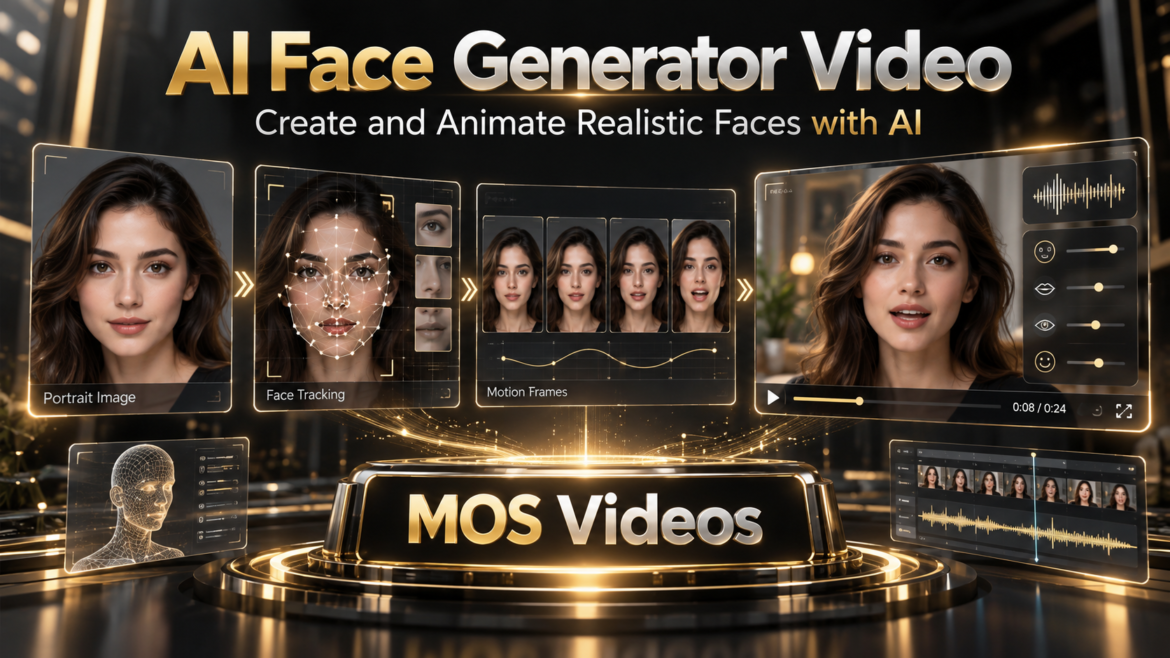
Artificial intelligence is making it possible to create faces that never existed and transform them into moving digital characters.
An AI Face Generator Video workflow can generate a face, animate it, add speech, synchronize the mouth, and turn the result into video content.
This opens new possibilities for:
- AI avatars
- Virtual presenters
- Talking characters
- Social media
- Marketing
- Educational content
- Storytelling
- AI filmmaking
- Digital creators
Instead of starting with a filmed person, creators can begin with a generated visual identity.
That face can then become part of a larger AI-powered video workflow.
Platforms such as MOS Videos fit naturally into this process by combining image generation, video creation, voice, audio, and other generative tools.
A face can begin as an image.
Then it can move.
Then it can speak.
Then it can become part of a complete video.
What Is an AI Face Generator Video?
An AI Face Generator Video is a generative AI workflow used to create or animate artificial faces for video content.
The process may begin with:
- A text prompt
- An AI-generated portrait
- A reference image
- A digital avatar
- A character concept
The generated face can then be transformed into moving content using technologies such as:
- Image-to-video AI
- Facial animation
- Lip sync
- AI voice generation
- Talking avatar technology
- Video generation
The result can be a digital character that appears to move, react, or speak.
How Does an AI Face Generator Work?
An AI face generator uses generative artificial intelligence to create a visual representation of a human-like face based on user instructions.
A creator might write:
A professional futuristic presenter, realistic facial features, clean studio lighting, confident expression, cinematic portrait photography.
The AI interprets those instructions and generates a face based on the requested attributes.
These attributes can include:
- Age range
- Hair
- Clothing
- Expression
- Lighting
- Visual style
- Camera angle
- Environment
- Character identity
Once the face is generated, it can become the foundation for video.
How Does AI Face Video Generation Work?
Face generation and video generation can be combined into one workflow.
A simplified process looks like this:
Text Prompt
↓
AI Face Generation
↓
Character Selection
↓
Facial Animation
↓
AI Voice
↓
Lip Sync
↓
AI Video
The creator first establishes the appearance of the character.
Then artificial intelligence adds movement.
Finally, voice and facial synchronization can transform the generated face into a talking video.
AI Face Generator vs AI Face Animation
These two concepts are related but different.
An AI Face Generator creates the appearance of the face.
AI Face Animation makes that face move.
For example:
Face Generator:
Creates a fictional digital presenter.
Face Animation:
Makes the presenter blink, move, react, or speak.
When both technologies work together, a static AI portrait can become a digital character.
How to Generate an AI Face for Video
A strong AI face usually begins with a clear creative direction.
1. Define the Character
Decide what type of person or character you want to create.
For example:
- Professional presenter
- Futuristic influencer
- Educational host
- Business spokesperson
- Fantasy character
- Digital creator
The clearer the concept, the easier it is to build a consistent visual identity.
2. Describe the Face
The prompt can include details such as:
- Hair
- Facial expression
- Clothing
- Lighting
- Camera framing
- Background
- Visual style
For example:
A realistic male technology presenter, dark hair, professional black jacket, confident expression, modern studio background, soft cinematic lighting, photorealistic portrait.
This gives the model a more specific direction.
3. Choose a Strong Portrait
Once several faces are generated, choose one with:
- Clear facial features
- Good lighting
- Natural proportions
- Visible mouth
- Consistent eyes
- Clean composition
A clear portrait can work better as a foundation for animation.
AI Face Generator for Talking Videos
One of the most useful applications is creating a talking face.
The workflow can be:
AI Face
↓
Script
↓
AI Voice
↓
Facial Animation
↓
Lip Sync
↓
Talking Video
The result is a digital character that appears to deliver the script.
This can be useful for creators who want a presenter without recording themselves on camera.
How to Make an AI Face Talk
A generated face can be turned into a speaking character by combining voice and facial animation.
The process usually involves:
- Generate or upload the face.
- Write the script.
- Generate or add the voice.
- Detect facial features.
- Animate the face.
- Synchronize the lips.
- Render the final video.
The speech determines how the mouth and facial features should move.
AI Face Generator + Talking Head AI
AI face generation and Talking Head AI are closely connected.
The face generator creates the character.
Talking Head AI turns that character into a presenter.
For example:
AI Face Generator
→ Digital Character
→ Talking Head AI
→ Video Presenter
This combination can be especially valuable for:
- Tutorials
- Marketing
- Educational content
- Social media
- Faceless channels
- Digital brands
AI Face Generator + Lip Sync
Lip sync is what connects the generated face to speech.
Without lip synchronization, a talking face can feel disconnected from the audio.
A complete workflow may look like:
Generated Face
↓
AI Voice
↓
Lip Sync
↓
Talking Character
Lip sync helps make the mouth movement correspond more closely with the generated or recorded voice.
AI Face Generator + AI Voice
AI voice generation gives the character a speaking identity.
A creator can define:
- Voice style
- Pacing
- Tone
- Energy
- Delivery
The generated face and voice should complement each other.
For example, a professional business avatar may work better with a clear and confident voice, while a social-media character may benefit from a more energetic style.
AI Face Generator for Virtual Presenters
Virtual presenters are one of the strongest use cases for AI-generated faces.
A creator or company can build a recognizable digital host.
That presenter can appear across:
- Product videos
- Training
- Tutorials
- Ads
- Social media
- Educational content
- Brand communication
The same visual identity can potentially be reused across multiple videos.
AI Face Generator for Social Media
AI-generated faces can be used as recurring digital characters.
This can be useful for:
- Instagram Reels
- YouTube Shorts
- TikTok
- Storytelling
- AI influencer concepts
- Educational clips
- Marketing content
A consistent AI character can become part of a recognizable content identity.
AI Face Generator for YouTube
YouTube creators can also use generated faces as presenters.
This may work especially well for:
- Faceless channels
- Technology content
- Educational channels
- Tutorials
- Storytelling
- News-style content
- AI experiments
Instead of appearing personally in every video, the creator can build a digital host.
AI Face Generator for Marketing
Marketing teams can create AI-generated presenters for different campaigns.
Potential applications include:
- Product explainers
- Social advertisements
- Landing-page videos
- Brand campaigns
- Tutorials
- Customer education
- Promotional content
An AI-generated character can give the campaign a distinct visual identity.
AI Face Generator for Businesses
Businesses can use digital faces in internal and external communication.
Possible use cases include:
- Onboarding
- Training
- Product demonstrations
- Corporate videos
- Sales presentations
- Help content
- Customer communication
A virtual presenter can be reused while the script changes.
AI Face Generator for Storytelling
Not every AI face needs to be a corporate presenter.
Generated characters can also become part of fictional stories.
Creators can build:
- Fantasy characters
- Science-fiction characters
- Historical-inspired figures
- Fictional influencers
- Digital storytellers
- AI film characters
These characters can then be animated using AI video generation.
From AI Face to AI Character
A face is only the beginning.
A generated character can evolve through multiple stages.
For example:
Face
↓
Expression
↓
Voice
↓
Movement
↓
Personality
↓
Video
This turns a static portrait into a more complete digital character.
AI Face Generator and Image-to-Video AI
Image-to-Video AI is one of the most important technologies for animating generated faces.
The workflow is straightforward:
Generate AI Face
↓
Use Image-to-Video
↓
Add Motion
↓
Create Video
Motion can include:
- Head movement
- Eye movement
- Facial expressions
- Camera movement
- Environmental animation
This makes an AI-generated portrait feel more dynamic.
AI Face Generator and Video Lip Sync
For speaking characters, Image-to-Video alone may not be enough.
Speech needs synchronization.
That is where Video Lip Sync AI becomes relevant.
The workflow becomes:
AI Face
↓
Image-to-Video
↓
AI Voice
↓
Video Lip Sync
↓
Talking Character
This combines several generative technologies into one production.
AI Face Generator for Multilingual Videos
A generated character can potentially appear in multiple language versions.
For example:
Same AI Presenter
→ English
→ Portuguese
→ Spanish
→ French
The visual identity stays consistent while the voice and lip movement adapt.
This can help creators build multilingual content around one digital presenter.
AI Face Generator + AI Voice Translation
Translation expands the possibilities even further.
A creator can:
- Generate a character.
- Create the original script.
- Generate the voice.
- Translate the script.
- Generate voices in other languages.
- Apply lip synchronization.
The same character can then communicate with different audiences.
AI Faces and Digital Humans
The concept of a digital human goes beyond a static face.
A digital human may include:
- Visual identity
- Voice
- Facial expressions
- Body movement
- Personality
- Interactive behavior
AI-generated faces can become the visual foundation for these virtual characters.
As AI video technology improves, the distinction between static AI portraits and animated digital humans continues to shrink.
How to Make AI Faces Look More Realistic
Several factors influence realism.
Use Clear Prompts
Specify the intended look rather than using vague descriptions.
Keep Facial Features Consistent
Avoid contradictory details.
Use Natural Lighting
Lighting can dramatically influence realism.
Choose Appropriate Expressions
Subtle facial expressions can feel more believable.
Use Clean Source Images
If the face will be animated, facial features should be clearly visible.
Keep Motion Natural
Small movements often look more convincing than exaggerated animation.
Challenges of AI Face Generation
AI-generated faces can still have imperfections.
Possible issues include:
- Inconsistent facial features
- Strange expressions
- Unnatural eyes
- Skin artifacts
- Character changes
- Poor facial motion
- Lip sync errors
Creators should review generated content before publishing.
Consistency becomes particularly important when the same character appears in several scenes.
Character Consistency in AI Video
Maintaining the same face across multiple video clips can be challenging.
The character may change slightly between generations.
Creators can improve consistency by using:
- Strong reference images
- Consistent prompts
- Similar lighting
- Similar camera angles
- Controlled wardrobe
- Clear character descriptions
Character consistency is especially important when building a recurring digital presenter.
AI Face Generator and MOS Videos
MOS Videos fits naturally into this type of workflow because AI face creation does not need to stop at the image stage.
A complete creative process can involve:
AI Image Generation
↓
Face Creation
↓
Image-to-Video
↓
AI Voice
↓
Lip Sync
↓
Audio
↓
Final Video
This connects several types of generative media inside one larger creative idea.
Build Digital Characters with MOS Videos
Imagine creating a virtual host for your content.
You first define the character.
Then generate the face.
Give the character a voice.
Animate the portrait.
Synchronize the speech.
Add video scenes.
The result is no longer just an AI image.
It becomes a digital presenter.
This is where generative image and video technologies begin to converge.
Why AI Face Generation Matters for Content Creators
Creators often need recognizable characters or presenters.
AI face generation provides another way to build that identity.
Instead of relying only on stock imagery or traditional filming, creators can develop characters designed specifically for their content.
This can support:
- Branding
- Storytelling
- Video production
- Social media
- Educational content
- Creative experimentation
AI Face Generator and the Future of Video
AI-generated video is becoming increasingly character-driven.
The ability to create a consistent face and then animate it opens new possibilities for digital media.
Future workflows may increasingly connect:
Character Generation
Voice Generation
Facial Animation
Lip Sync
Video Generation
Translation
The result is a much more complete form of generative storytelling.
MOS Videos: From AI Face to Complete Video
MOS Videos helps support the transition from visual idea to complete multimedia content.
Create a face.
Animate the character.
Generate the voice.
Synchronize the lips.
Build the video.
Add audio.
This is the larger opportunity behind multimodal AI.
The goal is not simply to create a realistic portrait.
The goal is to turn that portrait into something dynamic.
Create AI Faces That Move and Speak
AI-generated faces are becoming more than static images.
They can become presenters, characters, storytellers, avatars, and virtual personalities.
An AI Face Generator Video workflow connects image generation with animation, voice, and video.
For creators, marketers, educators, and businesses, this opens an entirely new way to build digital characters.
With MOS Videos, AI-powered creation can move from:
Face → Voice → Motion → Video
bringing digital ideas closer to complete multimedia experiences.
Key Takeaways
- An AI Face Generator Video workflow creates and animates artificial faces for video.
- AI face generation can create presenters, avatars, characters, and virtual spokespersons.
- Image-to-Video AI can transform generated portraits into moving scenes.
- AI voice and lip sync can turn AI faces into talking characters.
- Generated faces can be reused in multilingual content workflows.
- MOS Videos connects image, video, voice, audio, and facial animation within broader generative content creation.
Frequently Asked Questions
What is an AI Face Generator Video?
An AI Face Generator Video workflow uses artificial intelligence to create a digital face and transform it into moving video content using facial animation, video generation, voice, or lip synchronization.
Can AI generate realistic faces?
Yes. Generative AI can create realistic human-like faces based on text prompts and visual instructions, although quality and consistency depend on the model and generation conditions.
Can an AI-generated face be animated?
Yes. AI-generated portraits can be used with Image-to-Video or facial animation technology to create head movement, expressions, and other motion.
Can an AI-generated face talk?
Yes. A generated face can be combined with AI voice generation, facial animation, and lip sync to create a talking-video effect.
What is the difference between AI Face Generator and Talking Head AI?
An AI Face Generator creates the face or character appearance. Talking Head AI focuses on making that face or avatar appear to speak.
Can AI faces be used for YouTube videos?
Yes. AI-generated presenters can support faceless channels, tutorials, educational content, technology videos, storytelling, and other formats.
Can AI-generated faces speak different languages?
AI-generated characters can be combined with translation, AI voice generation, and lip synchronization to create multilingual versions of the same presenter.
How does MOS Videos fit into AI face generation?
MOS Videos supports broader generative workflows involving AI image creation, video generation, voice, audio, talking-video creation, and other multimodal content processes.