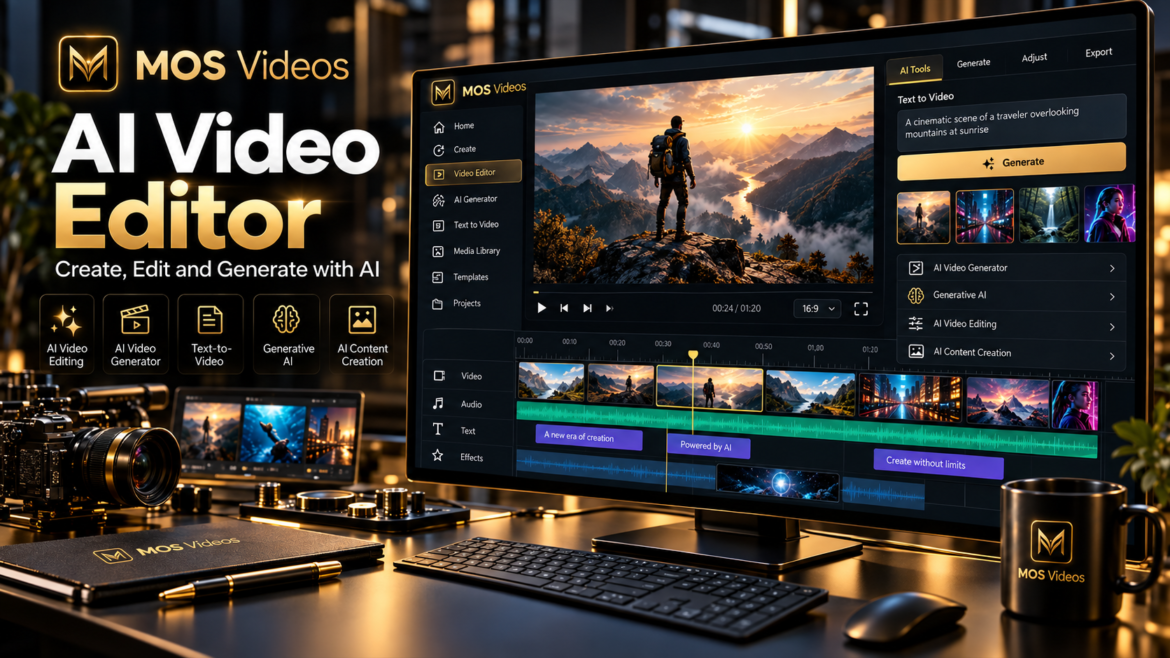
Video creation is becoming faster, more flexible, and increasingly powered by artificial intelligence.
An AI Video Editor helps creators simplify parts of the video production process by using artificial intelligence to support editing, visual creation, scene development, and content workflows.
For creators, marketers, agencies, brands, and businesses, this means less time dealing with repetitive production steps and more time focused on the creative idea.
With MOS Videos, AI-powered video creation goes beyond traditional editing.
Creators can combine video generation, image creation, voice, audio, and other generative workflows inside a broader creative ecosystem.
The result is a more connected way to move from:
Idea → Visual → Video → Final Content
What Is an AI Video Editor?
An AI Video Editor is a video editing tool that uses artificial intelligence to automate, assist, or enhance parts of the editing and content creation process.
Depending on the platform, AI can help with tasks such as:
- Creating video scenes
- Generating visuals
- Turning images into video
- Building video concepts
- Creating voiceovers
- Generating talking videos
- Supporting multilingual content
- Automating parts of the creative workflow
The goal is not simply to replace traditional editing.
The goal is to make video creation more efficient and accessible.
How Does an AI Video Editor Work?
An AI Video Editor can analyze user instructions, media, prompts, and creative direction to assist with video production.
A simplified workflow might look like:
Idea
↓
Prompt
↓
AI-Generated Visuals
↓
Video Creation
↓
Editing
↓
Voice or Audio
↓
Final Content
Instead of manually creating every asset before editing begins, AI can help generate some of the content used inside the final video.
This changes the role of editing.
Creators are no longer limited to organizing existing footage.
They can also generate new footage.
AI Video Editing vs Traditional Video Editing
Traditional video editing usually starts with existing media.
The editor imports footage and then works with:
- Cuts
- Transitions
- Audio
- Color
- Graphics
- Effects
AI-powered editing can expand this workflow.
An AI Video Editor may help creators generate or modify content before, during, or after the editing process.
| Traditional Video Editing | AI Video Editing |
|---|---|
| Uses existing footage | Can include generated footage |
| Manual editing workflow | AI-assisted workflow |
| Requires separate visual assets | AI can help create assets |
| Focuses on post-production | Can support creation and post-production |
| Depends heavily on manual processes | Can automate selected tasks |
Both approaches can work together.
Why Use an AI Video Editor?
Video production can involve many different steps.
Creators may need to:
- Write a script
- Create visuals
- Record voice
- Find footage
- Edit scenes
- Add transitions
- Add audio
- Build final content
AI can help connect several of these stages.
This makes video creation more flexible.
AI Video Editor for Content Creators
Content creators often need to publish consistently.
That may mean producing content every week or even every day.
AI-powered workflows can help creators develop:
- YouTube videos
- Shorts
- Reels
- TikTok content
- Tutorials
- Storytelling
- Faceless videos
- Educational content
Instead of starting every project from zero, creators can use AI to generate visual material specifically for each video.
AI Video Editor for YouTube
YouTube creators can use AI throughout the production process.
For example:
Script
↓
AI Voice
↓
AI Images
↓
AI Video Scenes
↓
Editing
↓
Final YouTube Video
This can be useful for:
- Educational channels
- Technology channels
- Documentary content
- Faceless channels
- Storytelling
- Tutorials
- Product content
AI becomes part of the editing workflow rather than a separate tool.
AI Video Editor for Social Media
Social media requires short, visually engaging content.
An AI Video Editor can support workflows for:
- Instagram Reels
- TikTok
- YouTube Shorts
- Promotional clips
- Product videos
- Social ads
AI-generated scenes can help creators produce original visual content instead of relying only on stock footage.
AI Video Editor for Marketing
Marketing teams often need many versions of the same creative idea.
This can include:
- Social ads
- Product videos
- Campaign assets
- Brand videos
- Promotional clips
- Landing-page videos
AI can help teams experiment with different visual directions.
One campaign idea can generate multiple scenes, visuals, and content variations.
AI Video Editor for Brands
Brands can use AI-assisted video creation to develop consistent visual communication.
Potential uses include:
- Product launches
- Brand storytelling
- Social campaigns
- Product demonstrations
- Promotional content
- Educational content
- Customer communication
AI helps make it easier to explore more creative variations from the same concept.
Create AI Video Scenes Instead of Searching for Footage
Traditional editing often requires finding the right footage.
This can take time.
With generative AI, creators can potentially generate a visual scene that matches the script more closely.
For example:
Instead of searching for:
A futuristic city at night
the creator can generate:
A futuristic city at night with flying vehicles, cinematic camera movement, neon reflections, dramatic atmosphere.
This makes the visual content more aligned with the creative direction.
Text-to-Video Inside an AI Editing Workflow
Text-to-Video AI allows creators to generate scenes directly from prompts.
For example:
A futuristic entrepreneur walking through a premium technology studio, slow cinematic tracking shot, dramatic lighting.
The generated scene can then become part of a larger edited video.
This is one of the biggest differences between traditional video editing and generative video workflows.
Image-to-Video for Smarter Video Editing
Creators can also begin with images.
A workflow might look like:
AI Image
↓
Image-to-Video
↓
Animated Scene
↓
Editing
↓
Final Content
This can be useful when the creator wants strong control over the initial appearance of a scene.
AI Video Editor and AI Image Generation
Images can play an important role in video production.
Creators can generate:
- Characters
- Backgrounds
- Product concepts
- Cinematic frames
- Visual references
- Storyboards
These images can then be used inside the video workflow.
This connects image generation directly with editing.
AI Video Editor and AI Voice
Voice is another important part of modern content creation.
AI-generated voice can support:
- Narration
- Tutorials
- Educational videos
- Marketing
- Storytelling
- Faceless content
A creator can write the script, generate the voice, build visuals, and then combine everything inside the final video.
AI Video Editor and Talking Videos
Talking videos add another layer to AI-powered editing.
A creator can combine:
- AI-generated face
- AI voice
- Lip sync
- Talking-head animation
The talking presenter can then be inserted into a larger edited video.
This can support:
- Product explainers
- Tutorials
- Social content
- Business videos
- Educational content
AI Video Editor for Multilingual Content
Video localization can also become part of the editing workflow.
A video can be adapted using:
Translation
↓
AI Voice
↓
Lip Sync
↓
Localized Video
This allows creators and brands to build different language versions without recreating every visual scene.
AI Video Editing for Faceless Channels
Faceless channels can benefit heavily from generative workflows.
These creators often need:
- Narration
- B-roll
- Visual scenes
- Graphics
- Music
- Transitions
AI can help generate some of those visual elements.
Instead of relying only on generic stock video, creators can produce scenes that match the script more closely.
AI Video Editing for Storytelling
Stories require multiple scenes.
Generative AI can help creators visualize each part of the narrative.
For example:
Scene 1: Introduction
Scene 2: Conflict
Scene 3: Discovery
Scene 4: Resolution
Each scene can be generated or developed individually and then combined into one final video.
This creates a more structured AI filmmaking workflow.
AI Video Editor for AI Filmmaking
AI filmmaking combines traditional creative direction with generative tools.
Creators can use AI for:
- Storyboarding
- Concept visualization
- Scene generation
- Image creation
- Character development
- Visual effects
- Voice
- Audio
Editing becomes the point where all these elements come together.
What Makes a Good AI Video Editor?
A useful AI video editing workflow should help creators move between multiple stages of production.
Important capabilities may include:
- Video generation
- Image generation
- Image-to-video
- Voice creation
- Audio creation
- Talking video
- Lip sync
- Translation
- Multimodal content workflows
The more connected these features are, the easier it becomes to build complete projects.
AI Video Editor and MOS Videos
MOS Videos is designed around connected generative workflows.
Instead of treating video editing as a completely separate stage, creators can develop assets and video content within the same broader creative ecosystem.
A project can involve:
Prompt
↓
AI Image
↓
AI Video
↓
Voice
↓
Audio
↓
Editing
↓
Final Content
This creates a more unified approach to AI-powered video production.
Why MOS Videos Fits Modern Video Editing
Modern creators do not only edit.
They generate.
They adapt.
They translate.
They animate.
They create voices.
They build visual scenes.
This is why the definition of a video editor is changing.
A modern AI video platform can support much more than cutting footage together.
It can become part of the entire creative process.
From Idea to Finished Video with MOS Videos
Imagine starting with one simple idea:
A cinematic promotional video for a futuristic technology product.
With MOS Videos, that idea can become:
Product Concept
↓
AI Images
↓
AI Video Scenes
↓
AI Voice
↓
Audio
↓
Final Video
This creates a complete generative production workflow.
Create More Original Video Content
One of the biggest advantages of generative AI is the ability to create custom visuals.
Instead of using the same stock footage as everyone else, creators can develop scenes designed specifically for their project.
This can help create more distinctive:
- Ads
- YouTube videos
- Social content
- Product videos
- Brand campaigns
- Creative projects
AI Video Editor for Faster Creative Experimentation
AI allows creators to test different directions before committing to a final result.
For example, a marketing team could experiment with:
- Different backgrounds
- Different lighting
- Different camera angles
- Different styles
- Different characters
This makes creative testing much easier.
Build Complete Multimedia Content
Video is rarely just video.
A complete piece of content can include:
- Images
- Video
- Voice
- Music
- Sound
- Animation
- Text
- Translation
MOS Videos is built around this broader idea of multimedia creation.
Instead of focusing only on editing, creators can think about the entire production.
Why Creators Are Moving Toward AI Video Editing
The demand for digital video continues to grow.
Creators need to publish more content across more platforms.
AI can help by making parts of the creative workflow more flexible.
This allows creators to spend more time on:
- Ideas
- Storytelling
- Branding
- Strategy
- Creative direction
and less time on repetitive production tasks.
AI Video Editor and the Future of Content Creation
Video editing is becoming more generative.
The future of video production may involve creators who do not simply cut existing footage.
They will also:
- Generate scenes
- Generate characters
- Create voices
- Translate content
- Animate images
- Build digital presenters
Editing becomes the final assembly of a much larger AI-powered workflow.
Why Choose MOS Videos for AI Video Creation?
MOS Videos is built for creators who want to explore multiple forms of generative content in one ecosystem.
It can support workflows involving:
- AI video
- AI images
- AI voice
- AI audio
- Lip sync
- Talking videos
- Multilingual content
This makes MOS Videos more than a simple video-generation feature.
It becomes a broader creative environment.
Create and Edit with MOS Videos
AI video editing is not only about cutting clips faster.
It is about changing how the clips are created in the first place.
With MOS Videos, creators can move from concept to visual media through connected AI-powered workflows.
Write the idea.
Generate the visuals.
Build the video.
Add the voice.
Create the final story.
Create with MOS Videos.
Key Takeaways
- An AI Video Editor uses artificial intelligence to assist with video creation and editing workflows.
- AI video editing can include generated footage, images, voice, animation, and localization.
- Text-to-Video and Image-to-Video can become part of the editing process.
- AI video editing can support YouTube, social media, marketing, brands, and storytelling.
- MOS Videos connects video generation with image, voice, audio, and other generative workflows.
- Modern AI editing is moving from simple post-production toward complete multimedia creation.
Frequently Asked Questions
What is an AI Video Editor?
An AI Video Editor is a tool that uses artificial intelligence to automate, assist, or expand video production and editing tasks, including content generation, visual creation, voice, animation, and other workflows.
How does an AI Video Editor work?
AI video editors can use prompts, media, and user instructions to help generate or modify video content, automate selected tasks, and combine different creative assets into a final production.
Can AI edit videos automatically?
AI can automate or assist with several parts of the editing process, although creators still play an important role in selecting, refining, and directing the final content.
Can an AI Video Editor generate new scenes?
Generative AI video tools can create new scenes from text prompts or images, allowing creators to add custom visual content instead of relying only on existing footage.
Can AI Video Editors create content for YouTube?
Yes. AI-assisted workflows can support YouTube videos, tutorials, faceless content, documentaries, storytelling, educational channels, and other formats.
Can AI Video Editing be used for marketing?
Yes. AI can support promotional videos, social ads, product content, campaign concepts, and brand storytelling.
What is the difference between an AI Video Editor and an AI Video Generator?
An AI Video Generator focuses primarily on creating video content, while an AI Video Editor focuses on assembling, modifying, enhancing, and managing video production. Modern platforms can combine both capabilities.
How does MOS Videos fit into AI Video Editing?
MOS Videos supports broader AI-powered content workflows involving video, images, voice, audio, animation, lip sync, and multilingual media, helping creators develop more complete video productions.