
MOS Videos
  • Início
  • IA
  • Vídeo
  • Imagem
  • Ferramentas
MOS Videos
keep your memories alive
Home - AI Voice Generation
Tag:

AI Voice Generation

AI VideoIAVídeo

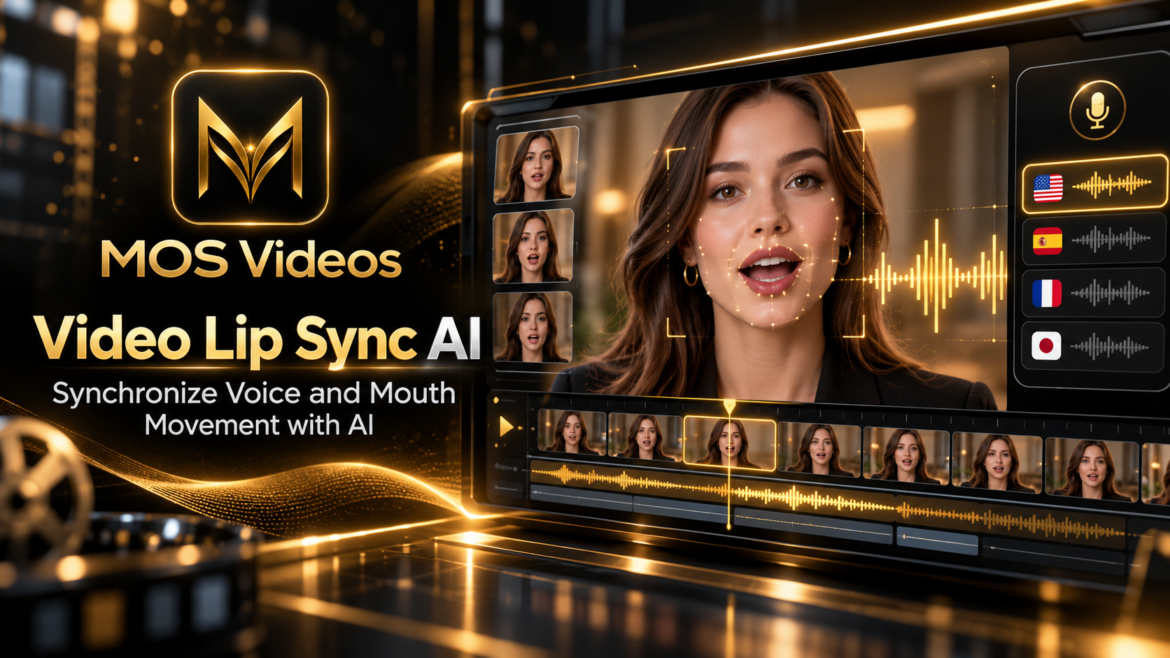
Video Lip Sync AI: Sync Voice and Video with Artificial Intelligence

by admin outubro 1, 2026
written by admin

Artificial intelligence is changing not only how videos are created, but also how speech and facial movement can be synchronized.

Video Lip Sync AI uses artificial intelligence to match spoken audio with the movement of a person’s mouth in video.

This can be especially useful when:

  • Translating videos into another language
  • Replacing narration
  • Creating AI dubbing
  • Generating talking avatars
  • Updating spoken dialogue
  • Creating multilingual content

Instead of leaving the mouth movement disconnected from the new audio, AI lip sync systems attempt to adjust facial motion so the video appears more natural.

This becomes particularly powerful when combined with AI voice generation and video translation.

Platforms such as MOS Videos fit naturally into this broader generative workflow, where video, voice, audio, translation, and facial synchronization can work together.


What Is Video Lip Sync AI?

Video Lip Sync AI is artificial intelligence technology that synchronizes mouth movement in a video with spoken audio.

The AI analyzes the speech and facial movement and attempts to adjust the lips so they visually match the audio.

For example, imagine a person speaking English in an original video.

The audio is translated into Spanish.

Without lip sync, the person’s mouth may still appear to form English words.

With AI lip sync, the facial movement can be adjusted to better match the Spanish speech.

This creates a more natural viewing experience.


How Does AI Lip Sync Work?

AI lip sync generally combines audio analysis with facial animation.

A simplified workflow can look like this:

Original Video

↓

New Voice or Audio

↓

Speech Analysis

↓

Facial Detection

↓

Mouth Movement Generation

↓

Lip Synchronization

↓

Final Video

The AI analyzes the timing and sounds in the audio.

It then identifies the mouth and facial area in the video.

The system generates or adjusts movement so the lips better align with the spoken words.


Why Lip Sync Matters in AI Video

Lip synchronization affects how believable a talking video feels.

Even when the audio sounds excellent, poor synchronization can make the result feel unnatural.

Humans are very sensitive to facial movement.

If the mouth opens too early, too late, or forms shapes that do not match the speech, the viewer may immediately notice.

AI lip sync helps reduce this disconnect.

This is especially important for:

  • Dubbing
  • Video translation
  • Talking avatars
  • Educational videos
  • Marketing content
  • Social media
  • AI presenters
  • Virtual characters

Video Lip Sync AI for Translated Videos

One of the strongest use cases for AI lip sync is multilingual video.

A video can be translated into another language using AI voice translation.

However, each language has different words, sounds, and sentence lengths.

That means the original mouth movement may no longer match the translated audio.

AI lip sync helps solve this problem.

A workflow might look like this:

Original Video

→ Transcription

→ Translation

→ AI Voice

→ AI Lip Sync

→ Localized Video

This makes translated content feel more visually consistent.


AI Lip Sync and AI Video Dubbing

AI dubbing and lip sync are closely related.

AI dubbing changes the spoken language or voice.

Lip sync changes the visible mouth movement so the video better matches that new audio.

Together, they can create more convincing localized content.

For example:

A creator produces a video in English.

The video is translated into Portuguese.

A new Portuguese voice is generated.

AI lip sync adjusts the mouth movement.

The result is a localized video where both the voice and facial motion are aligned.


AI Lip Sync for Content Creators

Content creators can use AI lip sync in many different formats.

Examples include:

  • YouTube videos
  • Reels
  • Shorts
  • TikTok
  • Tutorials
  • Educational videos
  • Storytelling
  • AI-generated characters
  • Talking avatars
  • Promotional videos

This can help creators adapt content without recording every version again.


AI Lip Sync for YouTube

YouTube creators can use AI lip sync when creating multilingual versions of videos.

Suppose a creator has a successful English video.

Instead of filming the entire content again, the workflow could be:

  1. Translate the script.
  2. Generate the new voice.
  3. Apply AI lip sync.
  4. Publish a localized version.

This can help creators explore international audiences more efficiently.


AI Lip Sync for Social Media

Short-form content often depends heavily on facial movement and fast communication.

When creators use translated voice or generated speech, synchronized mouth movement can improve the result.

AI lip sync can support:

  • Talking-head videos
  • Influencer-style content
  • Educational clips
  • Marketing reels
  • Product explainers
  • Character videos

The more visible the speaker’s face is, the more important lip synchronization becomes.


AI Lip Sync for Marketing

Marketing videos often use presenters, spokespersons, or product demonstrations.

When these videos are translated into other languages, AI lip sync can help maintain a more natural visual experience.

This can be useful for:

  • Global campaigns
  • Product launches
  • Tutorials
  • Brand videos
  • Social advertisements
  • Corporate communication
  • Customer education

Instead of producing multiple separate recordings, teams can adapt the original content.


AI Lip Sync for Talking Avatars

Talking avatars are another important use case.

An AI-generated character or digital presenter can speak using synthetic voice.

Lip sync technology helps the avatar appear to speak naturally.

This can support:

  • Virtual presenters
  • AI assistants
  • Online education
  • Marketing
  • Social content
  • Digital characters
  • Interactive experiences

When combined with voice generation, the avatar can become part of a fully AI-generated video workflow.


What Is a Talking Video AI?

A Talking Video AI system creates or modifies video so a person, avatar, or character appears to speak.

This may involve:

  • AI voice
  • Facial animation
  • Lip synchronization
  • Head movement
  • Expression generation

The process can start from:

  • A real video
  • A photograph
  • An AI-generated image
  • A digital avatar

The final result is a video where the subject appears to speak the generated or translated audio.


AI Lip Sync From a Photo

Some AI workflows can animate a still image and make the subject appear to talk.

The process may involve:

Image

→ AI Voice

→ Facial Animation

→ Lip Sync

→ Talking Video

This connects AI image generation directly with video and audio generation.

For creators, this can turn a static portrait into a speaking digital character.


AI Voice + Lip Sync

AI voice and lip sync work especially well together.

The voice provides the audio.

Lip sync provides the visual speech movement.

A typical workflow might look like:

Script

↓

AI Voice

↓

Video or Image

↓

Lip Sync

↓

Final Talking Video

This is one of the clearest examples of multimodal AI creation.


AI Voice Translator + Lip Sync

When translation is involved, the workflow becomes even more powerful.

For example:

Original English Video

↓

Translate to Spanish

↓

Generate Spanish Voice

↓

Apply Lip Sync

↓

Spanish Version

The same process can then be repeated for additional languages.

This makes AI lip sync especially relevant for multilingual content strategies.


How to Create a Lip-Synced AI Video

A general workflow can be divided into several steps.

1. Prepare the Video

Use a video where the face is clearly visible.

Clear facial detail can help the AI understand mouth movement.


2. Prepare the Audio

The new audio may come from:

  • AI voice generation
  • Voiceover recording
  • Translation
  • Dubbing
  • Text-to-speech

The audio should be clear and well timed.


3. Detect the Face

The system identifies the subject’s face and mouth area.

This gives the AI a visual reference for facial animation.


4. Analyze the Speech

The AI analyzes the audio to understand timing, sounds, and speech patterns.


5. Generate Mouth Movement

The system modifies or creates mouth movement based on the new audio.


6. Render the Final Video

The new facial movement and audio are combined into the final output.


How to Make AI Lip Sync Look More Natural

AI lip sync quality depends on several factors.

Use Clear Video

A front-facing or clearly visible face can improve results.

Use Clean Audio

Background noise can make speech analysis more difficult.

Avoid Extreme Head Movement

Complex motion can make facial tracking more challenging.

Match the Voice to the Character

A voice that fits the appearance and context of the speaker usually creates a more convincing result.

Review the Final Output

Even advanced AI can produce imperfect synchronization.

Human review remains valuable.


AI Lip Sync vs Traditional Dubbing

Traditional dubbing focuses primarily on replacing spoken audio.

AI lip sync adds another layer by adjusting visual mouth movement.

Traditional DubbingAI Lip Sync Dubbing
Replaces the voiceReplaces voice and adjusts mouth movement
Original mouth motion remainsMouth motion can be adapted
Faster to produce in some workflowsMore visually integrated
Works well for off-screen narrationEspecially useful for visible speakers

The two approaches can also be combined depending on the project.


Can AI Lip Sync Work in Multiple Languages?

Yes.

AI lip sync can be particularly useful when translating videos into different languages.

Different languages have different sounds and speech patterns.

The AI attempts to adapt facial movement to match the new audio.

This can support multilingual versions of the same content.

For example:

English

→ Spanish

→ Portuguese

→ French

→ German

Each version can use different audio while preserving the same visual production.


Video Lip Sync AI and Multilingual Content

Multilingual content is one of the most promising applications of lip sync AI.

A creator can produce one video and adapt it for multiple audiences.

The workflow becomes:

Create Once

↓

Translate

↓

Generate Voice

↓

Apply Lip Sync

↓

Publish in Multiple Languages

This can expand the usefulness of a single production.


Video Lip Sync AI and MOS Videos

MOS Videos is designed around AI-powered creative workflows involving:

Video

Image

Audio

Voice

Translation

and broader generative media creation.

AI lip sync fits naturally into this ecosystem.

It connects voice and video.

It improves translated content.

It supports talking avatars.

And it helps creators produce more natural multilingual videos.


From Translation to Lip Sync with MOS Videos

A complete workflow may look like this:

Create or Upload Video

↓

Generate or Translate Voice

↓

Synchronize Mouth Movement

↓

Add Audio

↓

Finalize the Video

This allows creators to think beyond simple video generation.

Instead, they can build complete AI-powered media experiences.


Why Lip Sync Matters for Global Content

If creators want to reach new audiences, translation is only one part of the process.

The video should also feel natural.

When viewers see a speaker whose mouth matches the new language, the experience can feel more polished and immersive.

This is why lip sync becomes increasingly important in:

  • Global marketing
  • International education
  • Social media
  • Product videos
  • Online courses
  • Entertainment
  • Digital storytelling

Video Lip Sync AI for Businesses

Businesses can use AI lip sync when adapting professional content.

Potential use cases include:

  • Training videos
  • Product demonstrations
  • Corporate announcements
  • Sales videos
  • Customer support
  • Internal communication
  • International marketing

A single master video can become the foundation for multiple localized versions.


Video Lip Sync AI for Education

Educational content can also benefit from lip sync.

A teacher, presenter, or digital avatar can appear to speak in multiple languages.

This can support:

  • Online courses
  • Tutorials
  • Corporate training
  • Language education
  • Technical instruction
  • Educational platforms

The original visual content can remain consistent while the language changes.


AI Lip Sync and the Future of Video Creation

AI video creation is becoming increasingly interconnected.

A creator can now combine:

AI Image Generation

AI Video Generation

AI Voice Generation

AI Translation

AI Lip Sync

AI Audio

This creates a production workflow where many forms of media can be generated or adapted through artificial intelligence.

The future is not only about generating video.

It is about controlling how video, voice, language, and facial movement work together.


MOS Videos: Create More Natural AI Videos

MOS Videos fits into this new generation of creative AI workflows.

Creators can think beyond isolated tools and instead build complete multimedia experiences.

Generate visuals.

Create voice.

Translate content.

Synchronize speech.

Build multilingual videos.

The more connected the workflow becomes, the more powerful generative AI can be for modern content production.


Create, Translate and Synchronize with AI

Video creation is becoming more flexible.

A single piece of content can be adapted for different audiences, languages, voices, and formats.

Video Lip Sync AI helps make those adaptations feel more natural.

Combined with AI voice generation, video translation, and generative media tools, lip sync becomes another important part of modern content creation.

With MOS Videos, creators can explore AI-powered workflows that connect video, voice, audio, images, and multilingual content.

Create the video.

Generate the voice.

Translate the message.

Synchronize the speech.

Bring the content to life with MOS Videos.

Key Takeaways

  • Video Lip Sync AI synchronizes mouth movement with spoken audio.
  • AI lip sync is useful for dubbing, translation, talking avatars, and multilingual videos.
  • AI voice generation and lip sync work especially well together.
  • AI lip sync can make translated videos feel more natural.
  • Talking videos can be created from real video, avatars, or sometimes static images.
  • MOS Videos fits into a wider ecosystem combining video, voice, translation, audio, and generative AI.

Frequently Asked Questions

What is Video Lip Sync AI?

Video Lip Sync AI is technology that uses artificial intelligence to synchronize mouth movements in a video with spoken audio, including generated, dubbed, or translated speech.

How does AI lip sync work?

AI lip sync analyzes the speech and the visible face in the video. It then adjusts or generates mouth movement so the lips better match the timing and sounds of the audio.

Can AI lip sync translated videos?

Yes. AI lip sync can be used after a video’s speech is translated and a new voice is generated, helping the speaker’s mouth better match the translated audio.

Can AI lip sync work with AI voices?

Yes. AI-generated voices can be combined with lip sync systems to create talking videos, avatars, translated content, and dubbed media.

Can AI make a photo talk?

Some AI workflows can animate a static image by generating facial movement and synchronizing the mouth with spoken audio, creating a talking-video effect.

Is AI lip sync useful for YouTube?

Yes. It can be useful for creators producing multilingual videos, dubbed content, educational material, talking avatars, and other content where the speaker’s face is visible.

What is the difference between AI dubbing and AI lip sync?

AI dubbing changes or generates the spoken audio. AI lip sync focuses on adjusting mouth movement so the visual speech matches that audio.

How does MOS Videos fit into AI lip sync workflows?

MOS Videos supports broader AI-powered content workflows involving video, voice, audio, translation, and generative media, making lip synchronization a natural extension of multilingual and voice-driven video creation.
outubro 1, 2026 0 comments
0 FacebookTwitterPinterestEmail
VídeoIAImagem

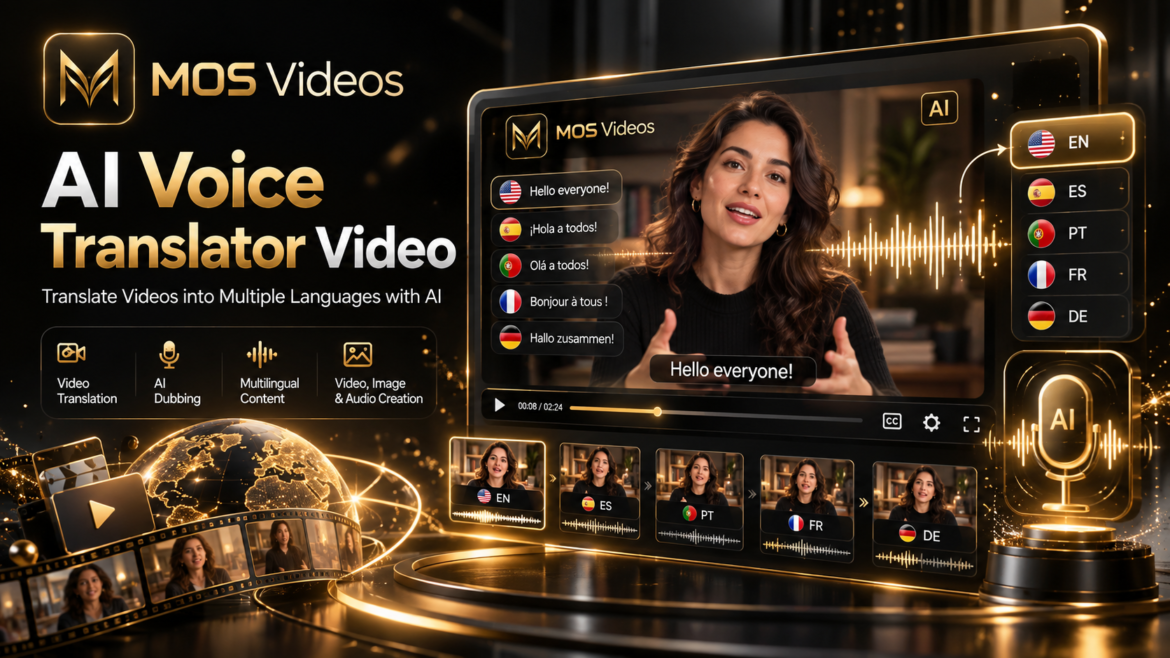
AI Voice Translator Video: Translate Videos Into Different Languages with AI

by admin outubro 1, 2026
written by admin

The internet has made it possible for a single video to reach viewers almost anywhere in the world.

Language, however, can still limit that reach.

An AI Voice Translator Video workflow uses artificial intelligence to help transform spoken video content into another language, opening new possibilities for creators, marketers, businesses, educators, and digital media professionals.

Instead of creating a completely new video for every audience, AI-powered translation can become part of the localization process.

A creator may produce one original video and then adapt its narration or dialogue for audiences who speak different languages.

This can transform one piece of content into a much broader multilingual experience.

With platforms such as MOS Videos, translation can become part of a larger AI-powered creative workflow involving video, images, voice, audio, and generative media.

The result is a new way of thinking about content:

Create once. Adapt creatively. Reach more audiences.


What Is an AI Voice Translator for Video?

An AI voice translator for video uses artificial intelligence to help translate spoken language from a video into another language.

A typical system can involve several technologies working together.

These may include:

  • Speech recognition
  • Language translation
  • AI voice generation
  • Text-to-speech
  • Audio processing
  • Video processing
  • Voice synchronization
  • Multilingual content generation

The objective is to transform the original spoken information into another language while maintaining the meaning and overall communication of the video.


How Does AI Video Translation Work?

AI video translation can combine several stages of artificial intelligence processing.

A simplified workflow looks like this:

Original Video

↓

Speech Recognition

↓

Transcription

↓

Language Translation

↓

AI Voice Generation

↓

Translated Audio

↓

Localized Video

The AI first needs to understand what is being said.

Once the speech is converted into text, the content can be translated.

An AI voice system can then generate the translated dialogue or narration.

Finally, that audio can be integrated into the video.


What Is an AI Video Translator?

An AI Video Translator is a technology designed to help translate the spoken or written content inside videos into another language.

Depending on the workflow, this can include:

  • Voice translation
  • Subtitle translation
  • Narration translation
  • AI dubbing
  • Translated voiceovers
  • Multilingual video creation

AI translation can be particularly useful when creators want to adapt existing content for multiple audiences.

For example, an English video could potentially be localized into:

  • Spanish
  • Portuguese
  • French
  • German
  • Italian
  • Japanese
  • Korean
  • Other supported languages

Rather than recreating the entire production, creators can adapt the linguistic layer of the content.


What Is AI Video Dubbing?

AI video dubbing uses artificial intelligence to generate translated speech that replaces or supplements the original spoken audio.

Traditional dubbing typically involves translators, voice actors, recording sessions, audio editing, and post-production.

AI introduces another possible workflow.

The original speech can be transcribed.

The text can be translated.

An artificial voice can generate the translated dialogue.

The generated audio can then become part of the localized video.

This can make multilingual experimentation significantly easier for digital creators.


AI Voice Translation vs Subtitles

Subtitles and voice translation solve the same language problem in different ways.

AI Voice TranslationSubtitles
Translates spoken audioTranslates written text
Viewer hears the translated languageViewer reads the translation
Can create a localized voice experienceKeeps the original audio
Useful for narration and dialogueUseful for accessibility and translation
Can support AI dubbingUsually simpler to implement

Both methods can also be combined.

A multilingual video might contain translated narration along with subtitles for improved accessibility.


Why Translate Videos with AI?

Video platforms are global.

A creator uploading content in one language may have potential viewers in dozens of other markets.

Translation allows that same content to become more accessible.

AI-assisted video translation can support:

  • International audiences
  • Global marketing
  • Educational content
  • YouTube channels
  • Social media
  • Corporate communication
  • Product videos
  • Tutorials
  • Advertising
  • Digital storytelling

The opportunity is particularly interesting for creators whose existing content already performs well.

Instead of constantly producing entirely new concepts, they can explore new audiences by adapting existing material.


AI Voice Translator for YouTube Videos

YouTube is one of the clearest use cases for multilingual video.

Imagine a creator publishing educational content in English.

The original production may include:

  • Script
  • Narration
  • Editing
  • Visuals
  • Animation
  • Music
  • Graphics

Most of that production does not necessarily need to be recreated for another language.

The language layer can instead be localized.

A potential workflow looks like:

Original YouTube Video

↓

Extract Speech

↓

Translate Script

↓

Generate New Voice

↓

Replace or Add Narration

↓

Publish Localized Version

This can help creators explore international audiences using existing content.


AI Video Translation for Social Media

Short-form social media content can also benefit from translation.

Platforms such as YouTube Shorts, Instagram Reels and TikTok connect creators with global audiences.

A short video originally created for one language can potentially be adapted into several localized versions.

For example:

Original English Video

↓

English version

Spanish version

Portuguese version

French version

This gives creators another way to expand the usefulness of each piece of content they produce.


AI Voice Translation for Marketing

Marketing campaigns frequently need localization.

A campaign created for one country may need to be adapted for another market.

AI-assisted translation can become part of workflows involving:

  • Product presentations
  • Advertising videos
  • Brand videos
  • Social advertisements
  • Tutorials
  • Landing-page videos
  • Customer education
  • Corporate communication

Localization is about more than simply replacing individual words.

The message needs to remain understandable and natural for the target audience.

This is why human review remains valuable, especially for important commercial content.


AI Video Translation for Businesses

Businesses increasingly communicate through video.

Examples include:

  • Employee training
  • Product demonstrations
  • Onboarding
  • Customer support
  • Sales presentations
  • Corporate announcements
  • Educational materials

When an organization operates across different countries, the same video may need multiple language versions.

AI translation can help support this process.

Rather than starting production from zero for every language, companies can use one video as the foundation for localized versions.


How to Translate a Video with AI

The exact process depends on the platform, but a general AI-powered translation workflow can be structured into several steps.

1. Prepare the Original Video

Start with a clear original video.

Audio quality matters because the AI must understand the speech before translating it.

Clear narration can improve transcription accuracy.


2. Transcribe the Speech

The original dialogue needs to be converted into written language.

For example:

Spoken English:

Welcome to our guide about artificial intelligence.

The AI converts the speech into text.

That transcript becomes the foundation for translation.


3. Translate the Script

The transcript can then be converted into the desired language.

For example:

English:

Welcome to our guide about artificial intelligence.

Portuguese:

Bem-vindo ao nosso guia sobre inteligência artificial.

The translated script should preserve the original meaning while sounding natural in the target language.


4. Generate the Translated Voice

AI voice generation can turn the translated text into spoken audio.

This creates the new narration or dialogue track.

Depending on the workflow, creators may choose a voice style appropriate for their content.

For example:

  • Professional
  • Conversational
  • Educational
  • Energetic
  • Cinematic
  • Calm

The voice should fit the tone of the original production.


5. Add the Voice to the Video

Once the translated audio is generated, it can be incorporated into the video.

At this stage, creators may adjust:

  • Timing
  • Pauses
  • Background audio
  • Music
  • Dialogue volume
  • Scene transitions

The objective is to make the localized version feel cohesive rather than simply placing translated audio over the original.


6. Review the Translation

AI can accelerate translation, but important content should still be reviewed.

Language contains:

  • Idioms
  • Cultural references
  • Technical terminology
  • Humor
  • Context
  • Brand language

A technically correct translation may not always be the most natural translation.

Human review can help ensure that the final message communicates the intended meaning.


AI Voice Translation and Content Localization

Translation and localization are related but not identical.

Translation changes content from one language into another.

Localization adapts content for a particular audience or market.

Localization can include:

  • Language
  • Terminology
  • Cultural references
  • Measurements
  • Calls to action
  • Tone
  • Visual information

For professional content, localization is often more valuable than literal translation.

AI can assist with this process, while creators remain responsible for deciding how their message should be presented.


Can AI Translate Video Voices Automatically?

AI can automate significant parts of the video translation workflow.

Speech recognition can identify spoken dialogue.

Language models can translate text.

Voice-generation systems can generate the new audio.

However, the best results may still require review.

Creators should check:

  • Translation accuracy
  • Proper names
  • Technical terminology
  • Pronunciation
  • Timing
  • Tone
  • Context

This is particularly important for professional, educational, or branded content.


AI Voice Generation and Video Translation

AI voice generation is one of the technologies that makes modern video translation possible.

Instead of only displaying translated subtitles, generative voice technology can turn translated scripts into spoken audio.

This creates a more immersive localized experience.

For example:

Original Speech

→ Transcription

→ Translation

→ AI Voice

→ Translated Video

This connection between language AI and generative audio is becoming an important part of modern video creation.


Multilingual Content Creation with AI

AI video translation becomes even more interesting when it is viewed as part of a broader content strategy.

A creator might produce one central piece of content.

Then create localized versions for different audiences.

For example:

Original Video

→ English

→ Spanish

→ Portuguese

→ French

→ German

Instead of treating each version as a completely separate project, AI allows creators to think in terms of a reusable multilingual content system.


Create Global Content with MOS Videos

MOS Videos is designed around AI-powered creative workflows involving:

Video

Images

Audio

Voice

and broader generative media creation.

This makes multilingual content a natural extension of the creative process.

Creators no longer need to think about video generation, audio generation, and localization as completely isolated steps.

They can become connected parts of one workflow.


From AI Video Creation to AI Voice Translation

Consider a creator producing a promotional video.

The process might begin with an idea.

Then:

Generate visual concepts

↓

Create AI images

↓

Turn images into video

↓

Generate narration

↓

Translate the narration

↓

Create additional language versions

The same creative concept can become several pieces of localized content.

That dramatically changes how creators can think about global distribution.


Why MOS Videos Fits Multilingual AI Creation

The strength of MOS Videos is its broader approach to generative media.

Modern content production rarely involves only one format.

Creators may need:

  • Visual generation
  • Video generation
  • Voice
  • Audio
  • Translation
  • Creative adaptation

Combining these workflows makes it easier to move from an initial idea toward a complete multimedia production.

For creators interested in reaching wider audiences, multilingual content becomes another layer in that process.


AI Video Translation for Creators

Individual creators can benefit from localization just as much as large businesses.

A creator may already have dozens or hundreds of videos.

Those existing videos represent potential material for multilingual versions.

AI-assisted translation can help creators explore whether their content works with audiences outside their original language.

This could be especially valuable for:

  • Educational channels
  • Tutorial channels
  • Documentary content
  • AI channels
  • Technology channels
  • Storytelling
  • Faceless content
  • Product reviews

The original idea remains the same.

The audience becomes broader.


AI Voice Translator for Educational Content

Education is naturally suited to multilingual translation.

A tutorial that explains a technical concept can potentially help people around the world.

Language should not necessarily determine who can access that information.

AI voice translation can support:

  • Online courses
  • Tutorials
  • Training materials
  • Educational videos
  • Explainer content
  • Product education

A single lesson can potentially be adapted into several languages without re-recording every visual component.


AI Video Translation for Global Marketing

Global brands often need the same core message communicated across different markets.

Video localization can help transform one campaign into multiple regional versions.

For example:

Master Campaign

→ English market

→ Portuguese market

→ Spanish market

→ French market

The visuals may remain largely consistent while narration and language elements are localized.

Generative AI can support this type of scalable creative workflow.


AI Translation + AI Video Generation

The combination of translation and generative video opens even broader possibilities.

A creator can:

  1. Write a script.
  2. Translate the script.
  3. Generate narration.
  4. Generate visual scenes.
  5. Create video.
  6. Produce several language versions.

This means multilingual strategy can begin before the original video is even finished.

Translation becomes part of production instead of something added afterward.


AI Translation + AI Image Generation

Visual content can also be localized.

For example, promotional graphics may contain written language.

A creator developing several regional versions may need to adapt:

  • Headlines
  • Captions
  • Calls to action
  • Labels
  • Marketing messages

This means localization can extend across voice, video, image, and text.

A multimodal platform makes this broader workflow easier to conceptualize.


The Future of Multilingual Video Content

The traditional internet often required creators to choose a primary language.

Generative AI is gradually changing that limitation.

Video can increasingly become multilingual.

One production can become multiple localized experiences.

Creators can potentially reach new audiences without recreating every element from scratch.

That could make localization a standard part of digital content production rather than something reserved only for major international companies.


AI Voice Translator Video and the Creator Economy

Creators compete for attention across global platforms.

The ability to adapt successful content to new languages creates another possible growth strategy.

Instead of asking:

What should I create next?

Creators can also ask:

Which of my existing videos could reach another audience?

AI-assisted translation makes that question increasingly practical.


MOS Videos: Create Content Beyond Language Barriers

Great ideas are not limited to one language.

A compelling story can work globally.

An educational video can help people in different countries.

A marketing message can be adapted for new markets.

A creative project can reach audiences the original creator never expected.

MOS Videos helps creators explore an AI-powered workflow where video, images, audio, and voice can become part of a broader creative process.

Create the concept.

Build the video.

Develop the voice.

Adapt the language.

Expand the audience.


Build Multilingual Content with MOS Videos

The future of digital content is not only generative.

It is increasingly multimodal and multilingual.

Creators who can move between video, images, audio, voice, and different languages have more ways to adapt their ideas.

MOS Videos is positioned for this new generation of creative workflows.

Whether you are developing social media videos, educational content, marketing campaigns, storytelling, or global digital media, AI-powered creation can help transform a single idea into multiple experiences.

Create with AI.

Translate your message.

Reach beyond one language with MOS Videos.


Key Takeaways

  • An AI Voice Translator Video workflow uses AI to translate spoken video content into another language.
  • AI video translation can combine speech recognition, translation, voice generation, and video processing.
  • AI dubbing can replace or supplement original dialogue with translated speech.
  • Video localization can help creators, businesses, educators, and marketers reach multilingual audiences.
  • AI voice translation and subtitles can be used together.
  • MOS Videos supports a broader creative ecosystem involving video, images, voice, audio, and generative AI workflows.

Frequently Asked Questions

What is an AI Voice Translator for video?

An AI Voice Translator for video uses artificial intelligence to help convert spoken video content from one language into another. The process can combine transcription, machine translation, AI voice generation, audio processing, and video localization.

Can AI translate the voice in a video?

AI technologies can help transcribe spoken content, translate the resulting text, and generate new speech in the target language. The translated voice can then be integrated into the video.

What is an AI Video Translator?

An AI Video Translator is a tool or workflow that helps adapt video content into another language. It may translate spoken dialogue, narration, subtitles, or other language elements within the video.

What is AI video dubbing?

AI video dubbing uses artificial intelligence to generate translated dialogue or narration for video content. It can be used to create localized versions of videos for audiences who speak different languages.

Can AI translate YouTube videos?

AI-assisted workflows can translate speech and subtitles from video content, making them useful for localizing YouTube videos and other online media, subject to the creator’s rights and applicable platform rules.

Can AI video translation help content creators?

Yes. Creators can use translation workflows to adapt existing content for audiences who speak other languages rather than producing every localized video completely from scratch.

What is the difference between video translation and video localization?

Translation converts language, while localization adapts content to better fit a specific audience. Localization can include language, cultural references, terminology, visuals, and other market-specific elements.

How does MOS Videos fit into multilingual content creation?

MOS Videos supports AI-powered creative workflows across video, image, audio, and voice generation, making multilingual creation a natural extension of a broader generative media production process.

outubro 1, 2026 0 comments
0 FacebookTwitterPinterestEmail

Recent Posts

  • AI Video Editor: Create and Edit Videos with MOS Videos
  • Looking for an InVideo Alternative? Discover MOS Videos for AI Video Creation
  • Text-to-Video AI: Turn Prompts Into Videos with MOS Videos
  • AI Video Generator: Create Videos with AI Using MOS Videos
  • MOS Videos PRO: Generate AI Images and Videos in One Platform

Recent Comments

Nenhum comentário para mostrar.
  • Facebook
  • Twitter

© 2026 MOS Videos. All Rights Reserved. Developed by MOS Videos.


Back To Top
MOS Videos
  • Início
  • IA
  • Vídeo
  • Imagem
  • Ferramentas