
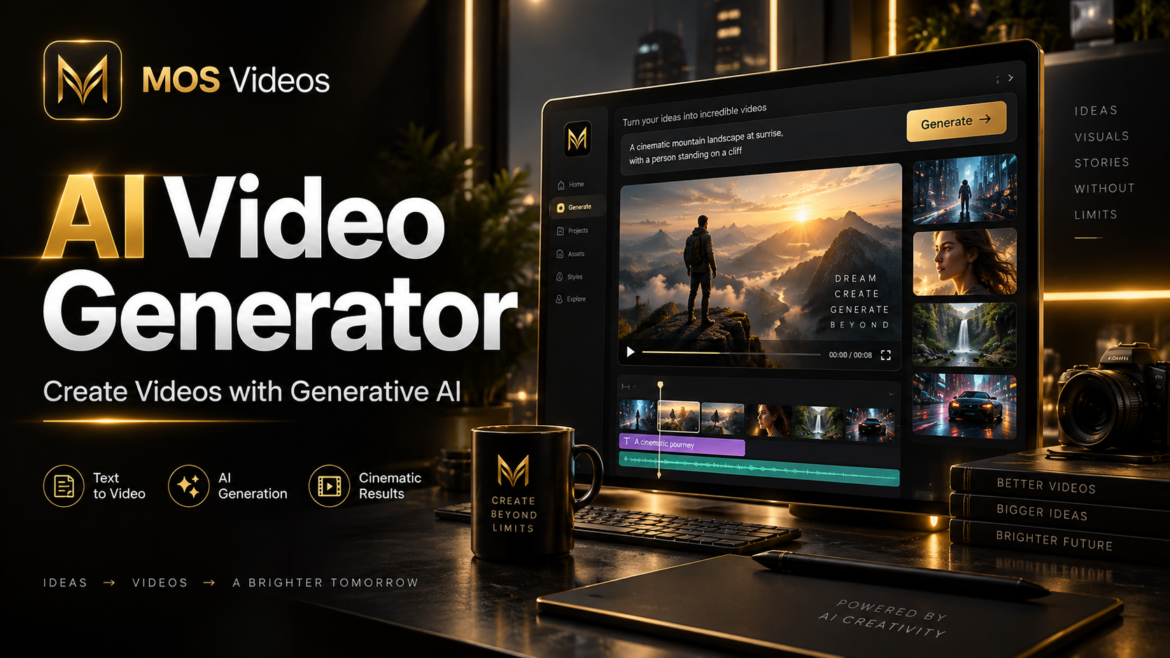
Artificial intelligence is changing how digital content is produced, and video is one of the areas experiencing the fastest transformation.
An AI video generator is a technology that uses artificial intelligence to create or transform video content from inputs such as text prompts, images, visual references, or existing footage.
Instead of producing every frame manually, creators can describe a scene, upload an image, define a visual concept, and let generative AI help create the video.
This new generation of creative technology is making video production more accessible to content creators, marketers, filmmakers, designers, businesses, and anyone exploring new ways to create visual content.
Platforms such as MOS Videos are part of this evolution, bringing AI-powered video creation together with image and audio generation in a broader multimodal creative workflow.
In this guide, you will learn what an AI video generator is, how AI video generation works, what it can be used for, and how creators can integrate generative AI into modern content production.
What Is an AI Video Generator?
An AI video generator is software that uses artificial intelligence models to generate, animate, modify, or transform video content based on user instructions.
These instructions may include:
- Text prompts
- Images
- Existing videos
- Visual references
- Camera directions
- Style descriptions
- Character descriptions
- Scene information
For example, a creator could write:
“A futuristic city at night with cinematic lighting and flying vehicles.”
An AI video generation system can interpret that description and create moving visual content based on the requested scene.
Some systems can also transform static images into animated video sequences.
This process is commonly known as image-to-video AI.
How Does an AI Video Generator Work?
An AI video generator uses machine learning models trained to understand visual patterns, motion, objects, environments, language, and relationships between video frames.
The process usually begins with a user providing an input.
That input can be a text prompt, image, or another type of media.
The AI then interprets the information and generates a sequence of frames designed to match the requested concept.
A simplified AI video generation workflow looks like this:
- The user provides a prompt or reference.
- The AI interprets the requested scene.
- The video generation model determines visual elements.
- The system generates multiple related frames.
- Motion is created between those frames.
- The video is processed and refined.
- The final sequence becomes available for the creator.
More advanced AI systems can also interpret concepts such as camera movement, lighting, depth, animation style, environmental motion, and visual composition.
What Is Text-to-Video AI?
Text-to-video AI is a form of generative artificial intelligence that creates videos from written descriptions.
Instead of manually creating a scene, users describe what they want to see.
For example:
A cinematic drone shot flying over a futuristic tropical city at sunset.
The AI video model analyzes concepts such as:
- Futuristic city
- Tropical environment
- Sunset lighting
- Drone camera
- Cinematic composition
It then attempts to create a video that visually represents those instructions.
Text-to-video technology is one of the most important developments within generative media because it allows natural language to become part of the video production workflow.
What Is Image-to-Video AI?
Image-to-video AI converts static images into animated video sequences.
The user provides an image, and the AI generates motion while attempting to preserve the original visual composition.
For example, an image of a person standing in a city could potentially be transformed into a short cinematic scene where:
- The camera moves forward.
- Hair moves naturally.
- Lights change in the environment.
- Background objects move.
- The subject performs subtle movements.
Image-to-video generation can be useful when creators already have a strong visual concept but want to transform it into motion.
It can also connect naturally with AI image generation.
A creator can first generate an image and then use that image as the starting frame for a video.
AI Image Generation and AI Video Generation
AI image and video generation are increasingly becoming part of the same creative workflow.
A typical process might look like this:
Idea → Prompt → AI Image → Image-to-Video → Audio → Final Content
This makes multimodal creative platforms especially useful.
Instead of thinking about images, videos, and audio as completely separate processes, creators can combine multiple generative technologies.
MOS Videos is designed around this broader concept of AI-powered creative production, supporting workflows involving video generation, image generation, and audio generation.
What Can an AI Video Generator Be Used For?
AI video generators can support many different types of creative projects.
Social Media Content
Creators can use AI video generation to produce visual content for platforms such as:
- YouTube
- TikTok
- Shorts
- Reels
AI can help create backgrounds, cinematic sequences, transitions, visual concepts, and short-form video content.
Marketing Videos
Businesses and marketers can use generative AI to explore new ideas for:
- Product videos
- Advertising concepts
- Brand storytelling
- Promotional videos
- Social media campaigns
- Visual presentations
AI video generation can also accelerate the creative experimentation phase.
Instead of producing one visual concept, creators can test several ideas before deciding which direction to develop further.
AI Filmmaking
Generative AI is also becoming part of experimental filmmaking workflows.
AI filmmaking can involve:
- Scene generation
- Storyboarding
- Concept visualization
- Camera simulation
- Visual effects
- Character design
- Environment generation
- Image-to-video animation
Generative AI does not automatically replace the creative process.
Instead, it introduces new tools that filmmakers can integrate into existing production workflows.
AI Video Generation for Content Creators
Content creators often need to produce large amounts of material consistently.
Traditional video production can involve:
- Cameras
- Actors
- Locations
- Editing software
- Lighting
- Production crews
- Stock footage
Generative AI introduces another option.
Creators can generate visual sequences directly from prompts and references.
This can be especially useful for creators producing:
- Faceless YouTube channels
- Educational videos
- AI storytelling
- Short-form videos
- Concept videos
- Experimental films
- Marketing content
What Is an AI Video Prompt?
An AI video prompt is a written instruction used to describe what the artificial intelligence should generate.
A basic prompt might be:
A futuristic sports car driving through Tokyo at night.
A more detailed prompt could include:
A futuristic black sports car driving through a neon-lit city at night, cinematic tracking shot, wet streets reflecting city lights, realistic motion, dramatic atmosphere.
The second prompt provides additional information about:
- Subject
- Environment
- Lighting
- Camera movement
- Mood
- Visual style
These details help the AI understand the desired result more clearly.
How to Write Better AI Video Prompts
Good AI video prompts usually describe several key elements.
1. Subject
Explain what the main subject is.
Example:
A woman wearing futuristic armor
2. Environment
Describe where the scene takes place.
Example:
Inside an abandoned futuristic city
3. Action
Explain what is happening.
Example:
Walking slowly through the street
4. Camera Movement
Camera instructions can influence how the scene feels.
Examples include:
- Tracking shot
- Slow zoom
- Drone shot
- Close-up
- Wide shot
- Handheld camera
- Orbiting camera
5. Lighting
Lighting has a major impact on visual style.
Examples:
- Cinematic lighting
- Golden hour
- Neon lighting
- Dramatic shadows
- Soft studio lighting
- Moonlight
6. Visual Style
The creator can also describe the desired aesthetic.
For example:
- Cinematic
- Photorealistic
- Documentary style
- Futuristic
- Fantasy
- Minimalist
- Surreal
A structured prompt usually gives the AI more useful information than a very short description.
What Is Generative AI Video?
Generative AI video refers to video content created or transformed by artificial intelligence models capable of generating new visual information.
Unlike traditional video editing, where creators manipulate existing footage, generative AI can create entirely new frames.
This means artificial intelligence can potentially generate scenes that were never recorded with a physical camera.
Generative AI video can therefore become part of:
- Content production
- Advertising
- Entertainment
- Education
- Social media
- Design
- Storytelling
- Film experimentation
AI Video Generation and Multimodal AI
One important direction in artificial intelligence is multimodal AI.
Multimodal AI systems can work with multiple forms of information, such as:
- Text
- Images
- Video
- Audio
For creative professionals, this can create more integrated production workflows.
For example:
A creator can write a prompt.
The prompt generates an image.
The image becomes a video.
The video receives generated narration.
Audio and visual elements are combined into a final piece of content.
Platforms such as MOS Videos are built around this expanding relationship between video, image, and audio generation.
AI Video Generator vs Traditional Video Production
AI video generation and traditional video production serve different purposes.
| AI Video Generation | Traditional Video Production |
|---|---|
| Generates visuals using AI | Records physical scenes |
| Can begin with text prompts | Usually requires cameras |
| Fast visual experimentation | Requires more production planning |
| Useful for conceptual scenes | Useful for real-world footage |
| Supports generative workflows | Uses traditional production workflows |
| Can generate fictional environments | Captures real environments |
In many cases, creators may combine both methods.
Real footage can be enhanced using AI, while AI-generated content can be integrated into traditional editing workflows.
Benefits of AI Video Generators
AI video generation can provide several benefits to creators.
Faster Creative Experimentation
Creators can test visual ideas without building every scene manually.
Accessible Video Creation
People without traditional filmmaking resources can experiment with sophisticated visual concepts.
Rapid Prototyping
Ideas for advertisements, films, social content, or visual campaigns can be explored quickly.
Flexible Creative Direction
Prompts can be modified to test different:
- Environments
- Styles
- Lighting
- Camera angles
- Characters
- Visual concepts
Multimodal Workflows
Video generation can be combined with AI image and audio tools to build more complete creative projects.
Limitations of AI Video Generation
AI video generation is powerful, but it still has limitations.
Results can vary depending on:
- The AI model
- Prompt quality
- Scene complexity
- Motion requirements
- Character consistency
- Video duration
Complex scenes may require several generations and prompt adjustments.
Creators should treat prompt engineering as part of the creative process.
Experimentation often produces better results than expecting every generation to be perfect immediately.
How MOS Videos Fits Into AI Content Creation
MOS Videos is designed for the evolving world of generative content creation.
Instead of focusing on only one media format, MOS Videos supports a broader creative ecosystem involving:
AI Video Generation
AI Image Generation
AI Audio Generation
This multimodal approach allows creators to think about content as one connected workflow.
For example:
Idea → AI Image → AI Video → AI Audio → Finished Creative Asset
For creators producing content across social media, marketing, storytelling, entertainment, or experimental media, combining these tools can make the creative process more flexible.
Is AI Video Generation the Future of Content Creation?
AI video generation is likely to become an increasingly important part of digital content workflows.
However, the most important change may not simply be automation.
The larger shift is that creators can interact with creative software using natural language.
Instead of manually controlling every visual element, people can increasingly describe ideas and work collaboratively with generative systems.
This changes the role of the creator from simply operating software to directing creative systems.
Prompt writing, visual judgment, storytelling, editing, and creative direction therefore remain extremely important.
Key Takeaways
- An AI video generator uses artificial intelligence to create or transform video content.
- Text-to-video AI creates video from written prompts.
- Image-to-video AI transforms static images into moving video sequences.
- AI video prompts describe subjects, environments, movement, lighting, and visual style.
- Generative AI can support social media, marketing, filmmaking, storytelling, and digital content production.
- Multimodal platforms such as MOS Videos can combine AI video, image, and audio generation into connected creative workflows.
Frequently Asked Questions
What is an AI video generator?
An AI video generator is software that uses artificial intelligence to create or transform videos based on text prompts, images, references, or existing media. AI video generation can be used for social media content, marketing, filmmaking, storytelling, visual experimentation, and other creative applications.
How does an AI video generator work?
An AI video generator interprets user inputs such as text prompts or images and uses generative AI models to create a sequence of related video frames. These models attempt to understand subjects, movement, environments, lighting, camera direction, and visual style.
Can AI generate videos from text?
Yes. Text-to-video AI systems can generate video sequences from written descriptions. Users describe the subject, environment, action, camera direction, and visual style they want the artificial intelligence to generate.
Can AI turn an image into a video?
Yes. Image-to-video AI systems can animate static images by generating movement, camera motion, environmental changes, and additional frames while attempting to preserve the visual identity of the original image.
What makes a good AI video prompt?
A good AI video prompt clearly describes the subject, environment, action, camera movement, lighting, mood, and visual style. Specific prompts usually provide the AI model with more context about the creator’s desired result.
Who can use AI video generators?
AI video generators can be used by content creators, marketers, filmmakers, designers, social media professionals, businesses, agencies, educators, and anyone interested in experimenting with generative video production.
Can AI generate images, videos, and audio?
Yes. Modern generative AI technologies can work across text, images, video, and audio. Multimodal creative platforms such as MOS Videos can bring several of these capabilities together within a broader AI-powered content creation workflow.
What is MOS Videos?
MOS Videos is an AI-powered creative platform focused on generative content workflows involving video, image, and audio generation. It is designed to help creators explore different forms of AI-assisted digital content creation.