
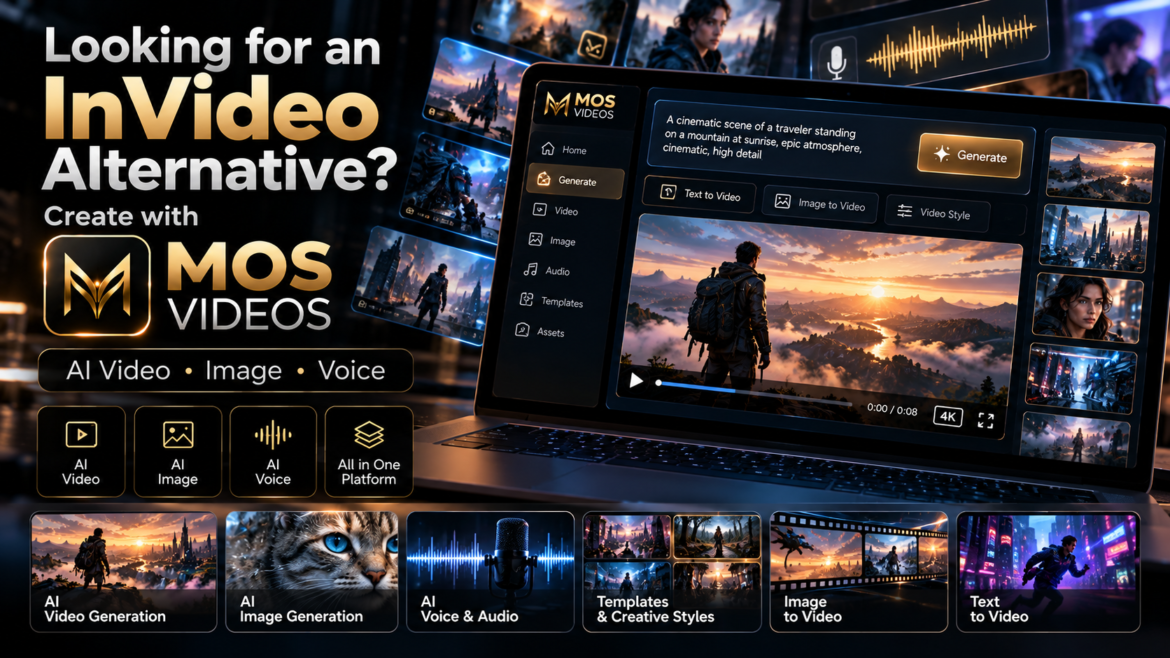
AI video creation has changed dramatically.
Platforms such as InVideo have helped make prompt-based video production easier to understand by showing creators that a simple idea, script, or instruction can become the foundation for a complete video workflow.
InVideo currently promotes workflows that can move from prompts and scripts into generated scenes, voiceovers, editing, and finished video production. Ajuda InVideo
For creators exploring this new way of producing content, there is another platform worth discovering:
MOS Videos.
MOS Videos is built around generative content creation across video, image, voice, audio, and multimodal AI workflows.
If you already understand the idea behind AI video platforms such as InVideo, MOS Videos gives you another way to turn creative concepts into visual content using artificial intelligence.
What Is InVideo AI?
InVideo is an AI-powered video creation platform designed to help users turn ideas, prompts, scripts, and other inputs into video content.
Its current platform combines AI generation with tasks such as:
- Script development
- Storyboarding
- Video generation
- Voiceover
- Editing
- Timeline-based production
- Image, video, and audio generation
InVideo also describes its newer workflow as agent-based, where AI systems can help plan, generate, and edit content across a project. Ajuda InVideo
That makes InVideo a useful reference point for anyone trying to understand the new generation of AI video platforms.
But it is not the only way to approach generative content.
What Is MOS Videos?
MOS Videos is an AI-powered creative platform designed around generative video, image, voice, audio, and multimedia content creation.
The platform is built for users who want to move from an idea to visual content using artificial intelligence.
That can include workflows such as:
Text → Image
Text → Video
Image → Video
Script → Voice
Voice → Talking Video
Translation → Multilingual Video
Instead of thinking only about one type of media, MOS Videos focuses on a broader creative ecosystem.
MOS Videos and the New Generation of AI Video Creation
AI video platforms are becoming less about traditional manual editing and more about creative direction.
The user provides:
- An idea
- A prompt
- A script
- A reference image
- A creative instruction
The AI helps transform that direction into visual media.
InVideo follows this broader trend by allowing creators to describe what they want and use AI to generate and edit video. invideo
MOS Videos operates within this same new generation of creative AI, but with a strong focus on connecting different media types inside broader generative workflows.
Create Videos from Text with MOS Videos
One of the most important AI video workflows is Text-to-Video.
Instead of starting with footage, the creator begins with language.
For example:
A futuristic city at night, flying vehicles between skyscrapers, cinematic camera movement, realistic reflections, dramatic neon lighting.
That prompt becomes the creative direction for the generated video.
Text-to-Video AI can support:
- Cinematic scenes
- Social media videos
- Marketing content
- Visual storytelling
- Creative experiments
- Product concepts
- AI filmmaking
MOS Videos allows creators to think of text as the beginning of video production.
Turn Images into Videos
Creators can also begin with an image.
This is especially useful when the visual identity of the scene is already defined.
A typical workflow might be:
Generate an AI Image
↓
Choose the Best Visual
↓
Use Image-to-Video
↓
Add Motion
↓
Create the Final Scene
This allows creators to establish:
- Character appearance
- Environment
- Lighting
- Composition
- Color
- Visual style
before introducing motion.
AI Image Generation with MOS Videos
MOS Videos is not limited to video.
AI image generation can become the first stage of a larger project.
Creators can generate:
- Characters
- Product scenes
- Environments
- Marketing visuals
- Concept art
- Cinematic frames
- Social content
The generated image can then become part of an AI video workflow.
This creates a simple creative path:
Prompt → Image → Video
AI Voice and Audio Creation
Modern video creation also depends heavily on sound.
MOS Videos supports broader workflows involving voice and audio, helping creators connect the visual and spoken parts of a project.
This can support:
- Narration
- Talking videos
- AI presenters
- Voice-driven content
- Multilingual videos
- Educational content
- Marketing
The result is a more complete content creation workflow.
InVideo vs MOS Videos: Understanding the Difference
The goal here is not to declare one platform universally better than the other.
They can serve creators with different workflows and preferences.
InVideo currently emphasizes an agentic workflow that can write, storyboard, generate, and edit video projects while integrating multiple AI models and timeline editing. Ajuda InVideo
MOS Videos is positioned around a connected generative ecosystem where users can work across:
- AI image generation
- AI video generation
- Image-to-video
- AI voice
- AI audio
- Lip sync
- Talking-head video
- Translation
- Multilingual creation
For creators evaluating AI video platforms, the important question is not simply:
“Which tool generates video?”
It is:
“Which workflow fits the way I want to create?”
Why Creators Look for InVideo Alternatives
Creators often explore alternatives because different platforms prioritize different workflows.
Some users may want:
- More generative media options
- Different creative models
- Different interfaces
- Image and video workflows
- AI voice tools
- Talking-video creation
- Multilingual content
- More experimentation
That is where MOS Videos becomes relevant.
It gives creators another environment for working with generative media.
MOS Videos for Content Creators
MOS Videos can support creators producing:
- YouTube videos
- Shorts
- TikTok
- Instagram Reels
- Educational content
- Faceless videos
- AI storytelling
- Technology videos
- Cinematic experiments
A creator can combine different AI-generated assets inside one project.
For example:
Script
↓
AI Voice
↓
AI Images
↓
AI Video
↓
Final Content
MOS Videos for Social Media
Social media requires constant visual production.
Creators often need new:
- Clips
- Scenes
- Backgrounds
- Product visuals
- Short videos
- Creative concepts
AI generation can make this process more flexible.
Instead of relying only on pre-existing footage, creators can build visuals specifically for a post or campaign.
MOS Videos for Marketing
Marketing teams can use generative AI to explore more creative directions.
MOS Videos can fit workflows involving:
- Product promotions
- Campaign concepts
- Social advertisements
- Brand storytelling
- Visual prototypes
- Product scenes
- AI-generated promotional content
A campaign can begin as a written idea and gradually become visual.
MOS Videos for AI Filmmaking
AI filmmaking is another area where generative platforms are becoming increasingly useful.
Creators can experiment with:
- Storyboards
- Concept scenes
- Characters
- Environments
- Cinematic shots
- Visual effects
- Previsualization
This gives independent creators new ways to explore film-like content without beginning every concept with a physical production.
MOS Videos for Faceless Content
Faceless creators often rely on:
- Voiceover
- Stock footage
- Graphics
- Animation
- B-roll
Generative AI expands those options.
Instead of using only generic footage, creators can generate custom scenes based on the topic of the video.
For example:
A documentary about futuristic cities could include AI-generated urban environments created specifically for the script.
Build Talking Videos with AI
MOS Videos can also be part of talking-video workflows.
A creator may begin with:
- A portrait
- AI-generated face
- Avatar
- Character
Then add:
- Script
- AI voice
- Facial animation
- Lip sync
The result is a talking digital presenter.
This can support marketing, education, social media, and faceless content.
Create Multilingual Content
Video audiences are global.
Creators may want the same content available in more than one language.
AI-powered workflows can combine:
Translation
↓
AI Voice
↓
Lip Sync
↓
Localized Video
This creates new opportunities for creators who want to reach audiences beyond their original language.
One Idea, Multiple Creative Outputs
One of the most useful ways to think about MOS Videos is not as a single-purpose generator.
Think of it as a creative chain.
An idea might become:
Text
↓
Image
↓
Video
↓
Voice
↓
Localized Version
↓
Final Content
This is where multimodal AI becomes especially powerful.
InVideo Shows What AI Video Can Become
Platforms such as InVideo have helped demonstrate that modern AI video creation can involve much more than generating a single short clip.
Its current tools emphasize workflows where AI can help with scripting, storyboards, scenes, editing, voices, and full production. Ajuda InVideo
For users already familiar with that concept, MOS Videos represents another way to explore AI-powered creative production.
Why Consider MOS Videos?
MOS Videos is designed for creators who want to experiment across several forms of generative content.
Instead of focusing only on the final video, users can work with the individual components that make the video possible.
That includes:
- Images
- Video
- Voice
- Audio
- Characters
- Animation
- Translation
- Lip sync
This gives creators more ways to develop a concept.
From Prompt to Complete Content
Imagine starting with:
A futuristic entrepreneur presenting a new technology inside a dark premium studio.
That idea could become:
AI-generated presenter
↓
AI voice
↓
Talking video
↓
Product scenes
↓
Background visuals
↓
Final promotional video
This is what connected generative creation makes possible.
MOS Videos as an AI Creative Platform
The broader value of MOS Videos is the ability to think beyond individual outputs.
You are not only generating an image.
You are creating an asset that can become video.
You are not only generating a voice.
You are creating audio that can become part of a talking presenter.
You are not only generating a video.
You are building material that can become part of a campaign, story, channel, or larger production.
Who Is MOS Videos For?
MOS Videos can be useful for:
- Content creators
- YouTubers
- Social media creators
- Marketers
- Agencies
- Designers
- Filmmakers
- Entrepreneurs
- Educators
- Businesses
- AI creators
Anyone exploring generative media can use the platform as part of a modern content production workflow.
InVideo Alternative for Creators Exploring Generative AI
If you are searching for an InVideo alternative, you are probably already interested in making video creation more AI-driven.
You may want to:
- Generate scenes from prompts
- Create videos faster
- Build visual concepts
- Work with AI-generated media
- Create social content
- Experiment with new creative workflows
MOS Videos is designed for exactly this new generation of creators.
Why MOS Videos Is More Than an AI Video Generator
Video generation is only one part of modern generative content.
A complete digital project may require:
Video + Image + Voice + Audio + Animation + Translation
MOS Videos brings these creative possibilities into a broader ecosystem.
That makes it relevant not only for people looking for an AI video generator, but for creators building complete multimedia experiences.
Explore AI Video Creation with MOS Videos
If platforms such as InVideo introduced you to the idea of creating video through AI, MOS Videos gives you another creative direction to explore.
Start from a prompt.
Generate the image.
Create the scene.
Add the voice.
Animate the character.
Build the final video.
The goal is simple:
Turn ideas into content with fewer barriers between imagination and production.
With MOS Videos, generative AI becomes part of your creative workflow.
Key Takeaways
- InVideo is a useful reference for understanding modern prompt-driven AI video creation and currently combines generation, scripting, voice, editing, and AI-assisted workflows. Ajuda InVideo
- MOS Videos offers a generative workflow centered on video, image, voice, audio, and multimodal content creation.
- Creators can use MOS Videos for Text-to-Video and Image-to-Video workflows.
- AI images can become source material for generated videos.
- Voice, lip sync, talking avatars, and translation can become part of broader video workflows.
- MOS Videos is positioned as an option for creators looking beyond a single AI video-generation function.
Frequently Asked Questions
What is InVideo AI?
InVideo is an AI-powered video creation platform that can help users move from prompts or scripts into scenes, voiceovers, editing, and finished video workflows. Its current platform also uses AI agents and multiple generation models. Ajuda InVideo
Is MOS Videos an InVideo alternative?
MOS Videos can be considered an alternative for creators exploring AI-powered video and multimedia generation. Its focus includes AI video, images, voice, audio, talking content, and broader multimodal creative workflows.
Can MOS Videos create videos from text?
MOS Videos supports Text-to-Video-oriented workflows where written prompts can become the creative foundation for generated video content.
Can MOS Videos turn images into videos?
Image-to-Video workflows allow creators to use an existing or AI-generated image as the visual starting point for video creation.
Can MOS Videos generate AI images?
Yes. AI image creation is part of the broader MOS Videos generative content workflow.
Is MOS Videos only for video generation?
No. MOS Videos is positioned around a broader creative ecosystem involving video, images, voice, audio, translation, lip sync, and other AI-powered content workflows.
Who should use MOS Videos?
MOS Videos can support creators, marketers, businesses, filmmakers, designers, agencies, educators, and users interested in AI-powered content creation.
Why consider MOS Videos if I already know InVideo?
If you already understand the prompt-driven workflow popularized by tools such as InVideo, MOS Videos gives you another environment for exploring AI video, images, voice, audio, and connected generative-media workflows.