MOS Videos
  • Início
  • IA
  • Vídeo
  • Imagem
  • Ferramentas
MOS Videos
keep your memories alive
Home - multimodal AI
Tag:

multimodal AI

ImagemAI VideoIAVídeo

Looking for an InVideo Alternative? Discover MOS Videos for AI Video Creation

by admin outubro 8, 2026
written by admin

AI video creation has changed dramatically.

Platforms such as InVideo have helped make prompt-based video production easier to understand by showing creators that a simple idea, script, or instruction can become the foundation for a complete video workflow.

InVideo currently promotes workflows that can move from prompts and scripts into generated scenes, voiceovers, editing, and finished video production. Ajuda InVideo

For creators exploring this new way of producing content, there is another platform worth discovering:

MOS Videos.

MOS Videos is built around generative content creation across video, image, voice, audio, and multimodal AI workflows.

If you already understand the idea behind AI video platforms such as InVideo, MOS Videos gives you another way to turn creative concepts into visual content using artificial intelligence.


What Is InVideo AI?

InVideo is an AI-powered video creation platform designed to help users turn ideas, prompts, scripts, and other inputs into video content.

Its current platform combines AI generation with tasks such as:

  • Script development
  • Storyboarding
  • Video generation
  • Voiceover
  • Editing
  • Timeline-based production
  • Image, video, and audio generation

InVideo also describes its newer workflow as agent-based, where AI systems can help plan, generate, and edit content across a project. Ajuda InVideo

That makes InVideo a useful reference point for anyone trying to understand the new generation of AI video platforms.

But it is not the only way to approach generative content.


What Is MOS Videos?

MOS Videos is an AI-powered creative platform designed around generative video, image, voice, audio, and multimedia content creation.

The platform is built for users who want to move from an idea to visual content using artificial intelligence.

That can include workflows such as:

Text → Image

Text → Video

Image → Video

Script → Voice

Voice → Talking Video

Translation → Multilingual Video

Instead of thinking only about one type of media, MOS Videos focuses on a broader creative ecosystem.


MOS Videos and the New Generation of AI Video Creation

AI video platforms are becoming less about traditional manual editing and more about creative direction.

The user provides:

  • An idea
  • A prompt
  • A script
  • A reference image
  • A creative instruction

The AI helps transform that direction into visual media.

InVideo follows this broader trend by allowing creators to describe what they want and use AI to generate and edit video. invideo

MOS Videos operates within this same new generation of creative AI, but with a strong focus on connecting different media types inside broader generative workflows.


Create Videos from Text with MOS Videos

One of the most important AI video workflows is Text-to-Video.

Instead of starting with footage, the creator begins with language.

For example:

A futuristic city at night, flying vehicles between skyscrapers, cinematic camera movement, realistic reflections, dramatic neon lighting.

That prompt becomes the creative direction for the generated video.

Text-to-Video AI can support:

  • Cinematic scenes
  • Social media videos
  • Marketing content
  • Visual storytelling
  • Creative experiments
  • Product concepts
  • AI filmmaking

MOS Videos allows creators to think of text as the beginning of video production.


Turn Images into Videos

Creators can also begin with an image.

This is especially useful when the visual identity of the scene is already defined.

A typical workflow might be:

Generate an AI Image

↓

Choose the Best Visual

↓

Use Image-to-Video

↓

Add Motion

↓

Create the Final Scene

This allows creators to establish:

  • Character appearance
  • Environment
  • Lighting
  • Composition
  • Color
  • Visual style

before introducing motion.


AI Image Generation with MOS Videos

MOS Videos is not limited to video.

AI image generation can become the first stage of a larger project.

Creators can generate:

  • Characters
  • Product scenes
  • Environments
  • Marketing visuals
  • Concept art
  • Cinematic frames
  • Social content

The generated image can then become part of an AI video workflow.

This creates a simple creative path:

Prompt → Image → Video


AI Voice and Audio Creation

Modern video creation also depends heavily on sound.

MOS Videos supports broader workflows involving voice and audio, helping creators connect the visual and spoken parts of a project.

This can support:

  • Narration
  • Talking videos
  • AI presenters
  • Voice-driven content
  • Multilingual videos
  • Educational content
  • Marketing

The result is a more complete content creation workflow.


InVideo vs MOS Videos: Understanding the Difference

The goal here is not to declare one platform universally better than the other.

They can serve creators with different workflows and preferences.

InVideo currently emphasizes an agentic workflow that can write, storyboard, generate, and edit video projects while integrating multiple AI models and timeline editing. Ajuda InVideo

MOS Videos is positioned around a connected generative ecosystem where users can work across:

  • AI image generation
  • AI video generation
  • Image-to-video
  • AI voice
  • AI audio
  • Lip sync
  • Talking-head video
  • Translation
  • Multilingual creation

For creators evaluating AI video platforms, the important question is not simply:

“Which tool generates video?”

It is:

“Which workflow fits the way I want to create?”


Why Creators Look for InVideo Alternatives

Creators often explore alternatives because different platforms prioritize different workflows.

Some users may want:

  • More generative media options
  • Different creative models
  • Different interfaces
  • Image and video workflows
  • AI voice tools
  • Talking-video creation
  • Multilingual content
  • More experimentation

That is where MOS Videos becomes relevant.

It gives creators another environment for working with generative media.


MOS Videos for Content Creators

MOS Videos can support creators producing:

  • YouTube videos
  • Shorts
  • TikTok
  • Instagram Reels
  • Educational content
  • Faceless videos
  • AI storytelling
  • Technology videos
  • Cinematic experiments

A creator can combine different AI-generated assets inside one project.

For example:

Script

↓

AI Voice

↓

AI Images

↓

AI Video

↓

Final Content


MOS Videos for Social Media

Social media requires constant visual production.

Creators often need new:

  • Clips
  • Scenes
  • Backgrounds
  • Product visuals
  • Short videos
  • Creative concepts

AI generation can make this process more flexible.

Instead of relying only on pre-existing footage, creators can build visuals specifically for a post or campaign.


MOS Videos for Marketing

Marketing teams can use generative AI to explore more creative directions.

MOS Videos can fit workflows involving:

  • Product promotions
  • Campaign concepts
  • Social advertisements
  • Brand storytelling
  • Visual prototypes
  • Product scenes
  • AI-generated promotional content

A campaign can begin as a written idea and gradually become visual.


MOS Videos for AI Filmmaking

AI filmmaking is another area where generative platforms are becoming increasingly useful.

Creators can experiment with:

  • Storyboards
  • Concept scenes
  • Characters
  • Environments
  • Cinematic shots
  • Visual effects
  • Previsualization

This gives independent creators new ways to explore film-like content without beginning every concept with a physical production.


MOS Videos for Faceless Content

Faceless creators often rely on:

  • Voiceover
  • Stock footage
  • Graphics
  • Animation
  • B-roll

Generative AI expands those options.

Instead of using only generic footage, creators can generate custom scenes based on the topic of the video.

For example:

A documentary about futuristic cities could include AI-generated urban environments created specifically for the script.


Build Talking Videos with AI

MOS Videos can also be part of talking-video workflows.

A creator may begin with:

  • A portrait
  • AI-generated face
  • Avatar
  • Character

Then add:

  • Script
  • AI voice
  • Facial animation
  • Lip sync

The result is a talking digital presenter.

This can support marketing, education, social media, and faceless content.


Create Multilingual Content

Video audiences are global.

Creators may want the same content available in more than one language.

AI-powered workflows can combine:

Translation

↓

AI Voice

↓

Lip Sync

↓

Localized Video

This creates new opportunities for creators who want to reach audiences beyond their original language.


One Idea, Multiple Creative Outputs

One of the most useful ways to think about MOS Videos is not as a single-purpose generator.

Think of it as a creative chain.

An idea might become:

Text

↓

Image

↓

Video

↓

Voice

↓

Localized Version

↓

Final Content

This is where multimodal AI becomes especially powerful.


InVideo Shows What AI Video Can Become

Platforms such as InVideo have helped demonstrate that modern AI video creation can involve much more than generating a single short clip.

Its current tools emphasize workflows where AI can help with scripting, storyboards, scenes, editing, voices, and full production. Ajuda InVideo

For users already familiar with that concept, MOS Videos represents another way to explore AI-powered creative production.


Why Consider MOS Videos?

MOS Videos is designed for creators who want to experiment across several forms of generative content.

Instead of focusing only on the final video, users can work with the individual components that make the video possible.

That includes:

  • Images
  • Video
  • Voice
  • Audio
  • Characters
  • Animation
  • Translation
  • Lip sync

This gives creators more ways to develop a concept.


From Prompt to Complete Content

Imagine starting with:

A futuristic entrepreneur presenting a new technology inside a dark premium studio.

That idea could become:

AI-generated presenter

↓

AI voice

↓

Talking video

↓

Product scenes

↓

Background visuals

↓

Final promotional video

This is what connected generative creation makes possible.


MOS Videos as an AI Creative Platform

The broader value of MOS Videos is the ability to think beyond individual outputs.

You are not only generating an image.

You are creating an asset that can become video.

You are not only generating a voice.

You are creating audio that can become part of a talking presenter.

You are not only generating a video.

You are building material that can become part of a campaign, story, channel, or larger production.


Who Is MOS Videos For?

MOS Videos can be useful for:

  • Content creators
  • YouTubers
  • Social media creators
  • Marketers
  • Agencies
  • Designers
  • Filmmakers
  • Entrepreneurs
  • Educators
  • Businesses
  • AI creators

Anyone exploring generative media can use the platform as part of a modern content production workflow.


InVideo Alternative for Creators Exploring Generative AI

If you are searching for an InVideo alternative, you are probably already interested in making video creation more AI-driven.

You may want to:

  • Generate scenes from prompts
  • Create videos faster
  • Build visual concepts
  • Work with AI-generated media
  • Create social content
  • Experiment with new creative workflows

MOS Videos is designed for exactly this new generation of creators.


Why MOS Videos Is More Than an AI Video Generator

Video generation is only one part of modern generative content.

A complete digital project may require:

Video + Image + Voice + Audio + Animation + Translation

MOS Videos brings these creative possibilities into a broader ecosystem.

That makes it relevant not only for people looking for an AI video generator, but for creators building complete multimedia experiences.


Explore AI Video Creation with MOS Videos

If platforms such as InVideo introduced you to the idea of creating video through AI, MOS Videos gives you another creative direction to explore.

Start from a prompt.

Generate the image.

Create the scene.

Add the voice.

Animate the character.

Build the final video.

The goal is simple:

Turn ideas into content with fewer barriers between imagination and production.

With MOS Videos, generative AI becomes part of your creative workflow.

Key Takeaways

  • InVideo is a useful reference for understanding modern prompt-driven AI video creation and currently combines generation, scripting, voice, editing, and AI-assisted workflows. Ajuda InVideo
  • MOS Videos offers a generative workflow centered on video, image, voice, audio, and multimodal content creation.
  • Creators can use MOS Videos for Text-to-Video and Image-to-Video workflows.
  • AI images can become source material for generated videos.
  • Voice, lip sync, talking avatars, and translation can become part of broader video workflows.
  • MOS Videos is positioned as an option for creators looking beyond a single AI video-generation function.

Frequently Asked Questions

What is InVideo AI?

InVideo is an AI-powered video creation platform that can help users move from prompts or scripts into scenes, voiceovers, editing, and finished video workflows. Its current platform also uses AI agents and multiple generation models. Ajuda InVideo

Is MOS Videos an InVideo alternative?

MOS Videos can be considered an alternative for creators exploring AI-powered video and multimedia generation. Its focus includes AI video, images, voice, audio, talking content, and broader multimodal creative workflows.

Can MOS Videos create videos from text?

MOS Videos supports Text-to-Video-oriented workflows where written prompts can become the creative foundation for generated video content.

Can MOS Videos turn images into videos?

Image-to-Video workflows allow creators to use an existing or AI-generated image as the visual starting point for video creation.

Can MOS Videos generate AI images?

Yes. AI image creation is part of the broader MOS Videos generative content workflow.

Is MOS Videos only for video generation?

No. MOS Videos is positioned around a broader creative ecosystem involving video, images, voice, audio, translation, lip sync, and other AI-powered content workflows.

Who should use MOS Videos?

MOS Videos can support creators, marketers, businesses, filmmakers, designers, agencies, educators, and users interested in AI-powered content creation.

Why consider MOS Videos if I already know InVideo?

If you already understand the prompt-driven workflow popularized by tools such as InVideo, MOS Videos gives you another environment for exploring AI video, images, voice, audio, and connected generative-media workflows.
outubro 8, 2026 0 comments
0 FacebookTwitterPinterestEmail
IAImagemVídeo

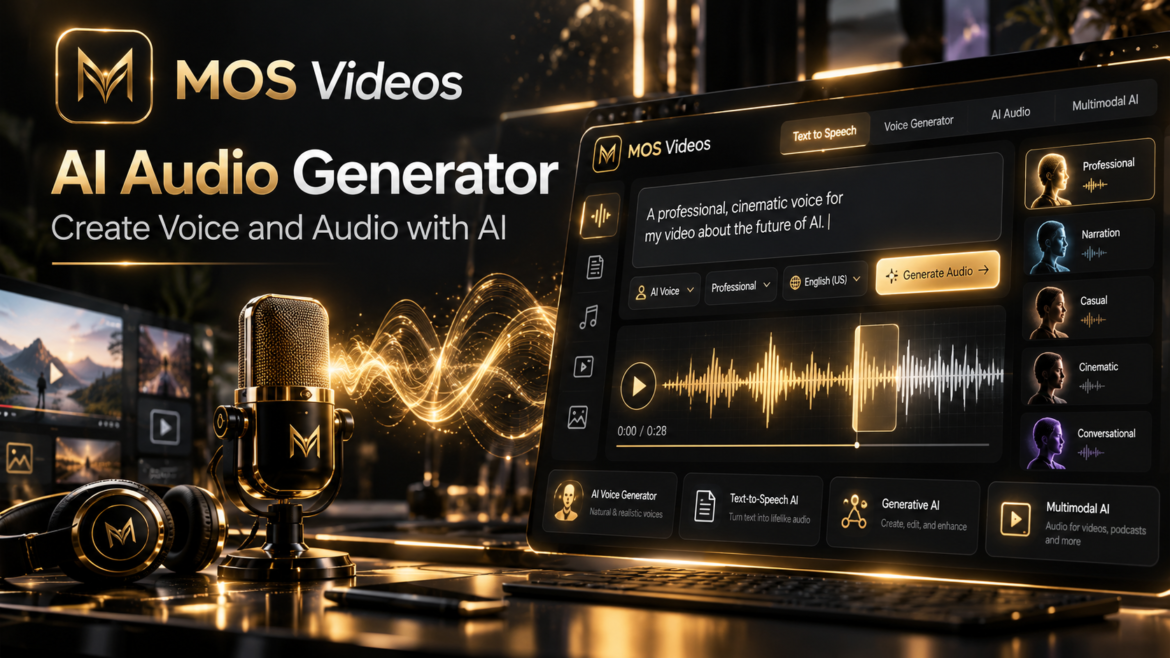
AI Audio Generator: Create Voice and Audio with Artificial Intelligence

by admin setembro 25, 2026
written by admin

Video attracts attention.

Images communicate ideas instantly.

But audio gives content its voice.

An AI Audio Generator allows creators to produce voice, narration, and other forms of audio using artificial intelligence, transforming written ideas into content that can be heard.

For creators working with video, social media, marketing, storytelling, advertising, or digital media, audio can be the element that brings an entire production together.

Instead of treating video, image, and sound as completely separate workflows, modern generative AI makes it possible to connect them.

This is exactly where MOS Videos becomes especially valuable.

MOS Videos brings AI-powered video, image, and audio creation into a broader creative environment designed for modern content production.

A visual idea can become an image.

That image can become a video.

The video can receive narration and audio.

The result is a more connected creative process powered by artificial intelligence.


What Is an AI Audio Generator?

An AI Audio Generator is a tool that uses artificial intelligence to create or transform audio based on text, instructions, or other forms of input.

Depending on the creative workflow, AI-generated audio can include:

  • Voiceovers
  • Narration
  • Spoken content
  • Synthetic voices
  • Audio for videos
  • Social media narration
  • Marketing content
  • Storytelling
  • Educational content
  • Creative audio experiences

Instead of manually recording every piece of narration, creators can use AI-powered systems to transform written content into spoken audio.

This makes audio generation an important part of modern generative content creation.


How Does an AI Audio Generator Work?

AI audio generation uses machine learning systems designed to understand language, speech patterns, pronunciation, rhythm, and other characteristics of human audio.

A simple workflow might look like this:

  1. Write the text.
  2. Select the desired voice or audio style.
  3. Generate the audio.
  4. Review the result.
  5. Integrate the audio into the final project.

For example, a creator producing an AI-generated video may first develop the script.

That script can then become narration.

The narration can be combined with video, images, music, sound design, and editing to create a complete piece of content.


What Is AI Voice Generation?

AI voice generation uses artificial intelligence to transform written text into spoken audio.

This is often associated with technologies such as text-to-speech.

However, modern AI voice generation goes beyond simply reading words aloud.

Advanced systems may attempt to reproduce characteristics such as:

  • Natural pacing
  • Intonation
  • Emotional tone
  • Pauses
  • Emphasis
  • Conversational rhythm

The goal is to make generated narration feel more natural and appropriate for the type of content being produced.


What Is Text-to-Speech AI?

Text-to-speech AI converts written language into spoken audio.

A creator provides text such as:

Artificial intelligence is changing how videos are created.

The AI then generates a spoken version of that sentence.

Text-to-speech technology can support many different types of content, including:

  • YouTube videos
  • Tutorials
  • Social media content
  • Product presentations
  • Marketing videos
  • Educational materials
  • Corporate content
  • Storytelling
  • Explainer videos

This makes AI-generated speech especially useful when combined with video creation.


Why AI Audio Matters for Video Creation

A video is more than visuals.

Audio can dramatically affect how audiences understand and experience content.

Narration can:

  • Explain what is happening
  • Guide the viewer
  • Communicate information
  • Create emotional context
  • Strengthen storytelling
  • Improve accessibility
  • Make content easier to follow

This is why AI audio generation fits naturally beside AI video generation.

A creator can generate the visuals first and then build the audio around them.

Or the process can begin with a script and narration before the visual scenes are created.


AI Audio Generator for Content Creators

Content creators often need to produce videos consistently.

That can involve writing, recording, editing, designing thumbnails, generating visuals, and producing audio.

AI can assist with several parts of this workflow.

An AI Audio Generator can support creators producing:

  • YouTube videos
  • Shorts
  • Reels
  • TikTok content
  • Educational videos
  • Faceless channels
  • Tutorials
  • Storytelling
  • Documentary-style content
  • Marketing videos

The ability to generate narration from written content can make audio production easier to integrate into a larger creative workflow.


AI Voice Generation for YouTube

YouTube creators can use AI-generated narration in many formats.

For example:

  • Documentary-style videos
  • Technology channels
  • Explainer videos
  • Story channels
  • Educational content
  • News-style content
  • Product presentations
  • Faceless channels

A creator can develop the script first and then generate the voiceover.

The audio can then guide the entire editing process.

For example:

Script

↓

AI Voice

↓

AI Images

↓

AI Video

↓

Editing

↓

Final YouTube Video

This creates a structured production workflow.


AI Audio for Social Media

Short-form content is another important use case.

Social media videos often need to communicate ideas quickly.

AI narration can help deliver the message while visual content captures attention.

Creators can combine AI-generated voices with:

  • Reels
  • Shorts
  • TikTok videos
  • Product videos
  • Promotional content
  • Tutorials
  • Educational clips
  • Storytelling

This can make it easier to turn written ideas into multimedia content.


AI Audio for Marketing

Marketing teams can also use AI-generated audio as part of digital campaigns.

Potential applications include:

  • Product explainers
  • Promotional videos
  • Social advertisements
  • Brand presentations
  • Product demonstrations
  • Educational marketing
  • Social media campaigns
  • Corporate videos

The advantage is not simply automation.

AI can help teams experiment with different creative directions.

A script can be rewritten.

The tone can change.

Visuals can change.

Narration can evolve alongside the campaign.

This makes generative AI useful during both production and creative experimentation.


AI Audio for Storytelling

Storytelling becomes more immersive when visuals and sound work together.

AI audio can help creators turn written stories into narrated experiences.

Imagine creating:

  • A science-fiction story
  • A fictional documentary
  • A historical narrative
  • A fantasy adventure
  • A motivational video
  • An educational story

The workflow could begin with text.

Then AI can help transform that text into voice.

AI-generated images can establish the visual world.

AI video generation can create movement.

The narration ties everything together.

This is where multimodal AI becomes particularly powerful.


AI Audio + AI Video

AI audio and AI video are naturally connected.

A simple workflow might look like:

Idea

→ Script

→ AI Narration

→ AI Video

→ Editing

→ Final Content

Another workflow could begin visually:

AI Image

→ Image-to-Video

→ AI Voice

→ Final Production

There is no single correct sequence.

Generative AI gives creators more flexibility in how they build content.


AI Audio + AI Image Generation

Audio can also influence how visual content is created.

For example, a creator might first write a script.

The script defines several scenes.

Each scene becomes an AI-generated image.

Those images are then animated.

The narration connects the scenes into one story.

The workflow becomes:

Script

↓

AI Voice

↓

AI Images

↓

Image-to-Video

↓

Editing

↓

Final Story

This approach can be particularly useful for storytelling and faceless content creation.


What Is Multimodal AI Content Creation?

Multimodal AI content creation combines multiple types of media such as text, images, video, and audio within one creative workflow.

This is an important evolution in generative artificial intelligence.

Creators no longer have to think only about:

“Which AI generates images?”

or:

“Which AI generates videos?”

The larger question becomes:

How can AI help build the entire piece of content?

That can involve:

Text → Image → Video → Voice → Audio → Final Content

MOS Videos is positioned around this broader creative process.


Why MOS Videos Makes Sense for Modern Creators

Content creation increasingly requires multiple forms of media.

A single project might need:

  • Images
  • Videos
  • Voice
  • Audio
  • Visual concepts
  • Animation
  • Creative experimentation

Using separate tools for every stage can fragment the creative process.

MOS Videos brings AI video, image, and audio generation into one broader creative ecosystem.

This makes the platform especially relevant for creators who want to experiment across multiple formats rather than focusing on only one type of generative media.


Create More Than Audio With MOS Videos

The biggest opportunity with MOS Videos is not simply generating audio.

It is what happens when audio becomes connected to everything else.

A creator may begin with a simple idea.

From that idea, MOS Videos can become part of a workflow involving:

AI Image Generation

Create the visual identity.

↓

AI Video Generation

Transform the concept into motion.

↓

AI Audio Generation

Add voice and audio.

↓

Final Content

Bring everything together.

This makes MOS Videos a broader creative environment for generative content production.


From Idea to Finished Content

Imagine you want to create a short cinematic story.

You begin with the concept:

A traveler discovers an abandoned futuristic city.

First, generate the visual environment.

Then turn the image into video.

Create additional cinematic scenes.

Write a narration.

Generate the voice.

Combine the scenes and audio.

What started as one sentence becomes a complete piece of multimedia content.

This is the power of combining multiple generative AI technologies.


Who Can Use an AI Audio Generator?

AI audio generation can be useful for many types of creators and professionals.

This includes:

  • YouTubers
  • Video creators
  • Social media creators
  • Filmmakers
  • Marketers
  • Agencies
  • Entrepreneurs
  • Educators
  • Storytellers
  • Businesses
  • Designers
  • Digital creators

Anyone creating content that combines information, visuals, and narration can potentially benefit from AI-generated audio.


How to Create Better AI Voiceovers

A good AI voiceover begins before the audio is generated.

The quality of the script matters.

Write Naturally

Write sentences that sound natural when spoken.

Avoid writing everything like formal documentation.

For example:

Instead of:

Artificial intelligence technologies facilitate the development of visual media.

Try:

Artificial intelligence is making it easier to create visual content.

The second version usually sounds more conversational.


Use Shorter Sentences

Shorter sentences can make narration easier to understand.

They also create natural opportunities for pauses.

This is especially important for:

  • Educational content
  • Promotional videos
  • Short-form content
  • Explainer videos

Think About Rhythm

Written content and spoken content are different.

A sentence that looks good on a page may sound unnatural when read aloud.

Read the script mentally as speech.

Ask:

Would a person actually say this?

If not, rewrite it.


Match the Voice to the Content

Different projects require different styles.

A documentary may need a calm voice.

A promotional video may need more energy.

A cinematic story may benefit from slower, more dramatic narration.

The voice should support the content rather than distract from it.


AI Audio and the Future of Content Creation

Generative AI is gradually removing the barriers between different creative formats.

Text can become an image.

An image can become a video.

Text can become speech.

Video can combine with generated audio.

The result is a creative environment where ideas can move from one media format to another much more easily.

This is one of the most important shifts happening in AI-powered content creation.

Creators are no longer limited to generating isolated assets.

They can build complete multimedia experiences.


MOS Videos: Video, Image and Audio in One Creative Vision

MOS Videos represents this new approach to generative content.

Rather than thinking about AI video, AI image, and AI audio generation as separate categories, creators can see them as parts of the same process.

Create the image.

Generate the video.

Add the voice.

Build the story.

This is where the value of a multimodal creative platform becomes clear.

MOS Videos gives creators a foundation for exploring the next generation of AI-powered content creation.


Why Creators Are Moving Toward Multimodal AI

The demand for digital content continues to expand across platforms.

Creators need to produce:

  • More video
  • More visual content
  • More short-form content
  • More branded media
  • More storytelling
  • More multimedia experiences

Generative AI can support this demand by giving creators new ways to turn ideas into finished media.

The biggest advantage may not be any individual AI feature.

It is the ability to connect them.

That is why platforms capable of supporting multiple creative formats are becoming increasingly relevant.


Start Creating With MOS Videos

AI content creation is moving beyond individual tools.

The future is increasingly about connected workflows.

A creator should be able to move from an idea to an image, from an image to a video, and from a script to audio without losing the creative direction of the project.

MOS Videos brings these creative possibilities together.

Whether you are producing social media videos, marketing content, cinematic experiments, storytelling, or new digital experiences, MOS Videos provides an AI-powered environment for creating across multiple media formats.

Create images.

Generate videos.

Build audio.

Bring your ideas to life with MOS Videos.


Key Takeaways

  • An AI Audio Generator uses artificial intelligence to create audio and voice from written or other inputs.
  • AI voice generation can support videos, social media, marketing, storytelling, education, and digital content.
  • Text-to-speech AI transforms written content into spoken narration.
  • AI-generated audio becomes more powerful when combined with images and video.
  • Multimodal AI connects text, image, video, and audio within a single creative workflow.
  • MOS Videos brings AI-powered video, image, and audio creation together for modern creators.

Frequently Asked Questions

What is an AI Audio Generator?

An AI Audio Generator is a system that uses artificial intelligence to create or transform audio. It can support voice generation, narration, text-to-speech, video voiceovers, storytelling, marketing content, and other digital media workflows.

What is an AI Voice Generator?

An AI Voice Generator converts written content into synthetic speech using artificial intelligence. It can be used for narration, videos, social media content, educational materials, marketing, and storytelling.

Can AI generate voiceovers for videos?

Yes. AI voice generation can transform scripts into narration that can be combined with video content, images, animations, and other digital media.

Can AI-generated audio be used for YouTube?

AI-generated narration can be incorporated into YouTube workflows such as educational content, explainers, storytelling, technology videos, documentaries, and faceless content, subject to applicable platform and content rules.

How can AI audio work with AI video?

A creator can generate a script, transform the script into narration, create visual scenes using AI video generation, and combine the audio and visuals during editing.

What is multimodal AI content creation?

Multimodal AI content creation combines multiple types of media such as text, images, video, and audio within a connected creative process.

Can MOS Videos generate different types of AI content?

MOS Videos is built around generative workflows involving AI video, AI image, and AI audio creation, allowing creators to develop multimedia content across several creative formats.

Why use MOS Videos for AI content creation?

MOS Videos focuses on bringing multiple generative media workflows together, helping creators move between images, video, and audio as they develop complete digital content.

setembro 25, 2026 0 comments
0 FacebookTwitterPinterestEmail
IAImagemVídeo

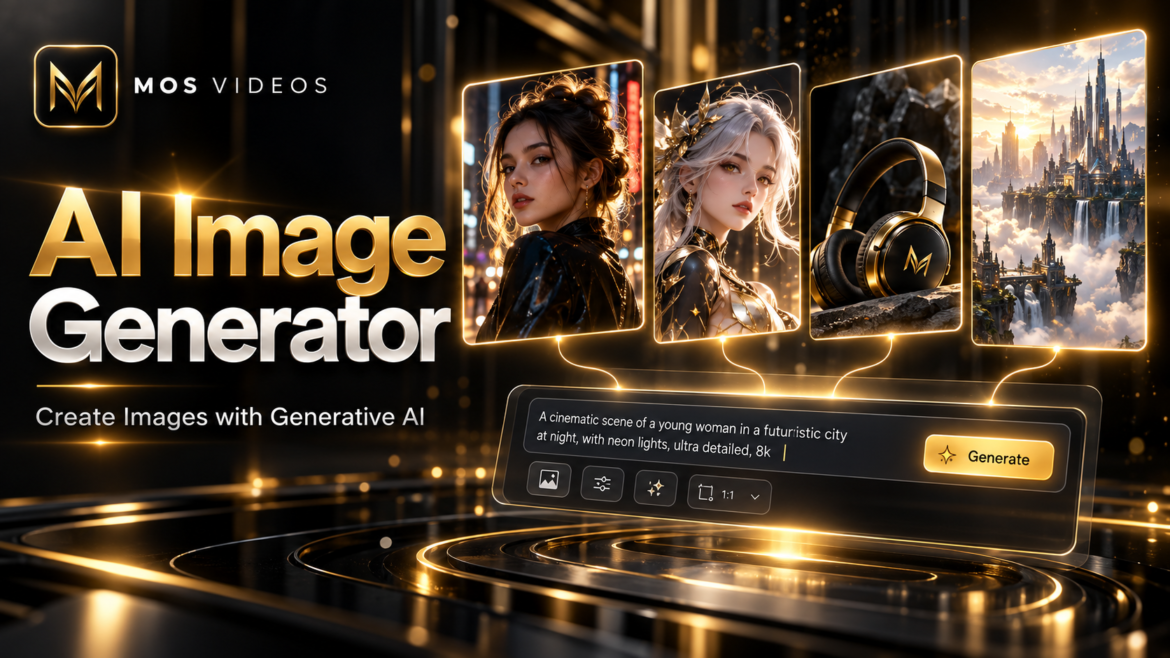
AI Image Generator: How AI Image Generation Works

by admin setembro 25, 2026
written by admin

Artificial intelligence has changed the way digital images can be created.

An AI Image Generator allows users to create visual content from text prompts, references, ideas, and other forms of input using generative artificial intelligence.

Instead of manually designing every visual element, creators can describe what they want to see.

For example:

A futuristic city at sunset, cinematic lighting, flying vehicles, dramatic clouds, photorealistic style.

An AI image generation system can interpret that description and create a new visual composition based on the prompt.

This technology is now being used by designers, marketers, filmmakers, content creators, advertisers, social media teams, and businesses.

Platforms such as MOS Videos expand this workflow further by connecting AI image generation with video and audio creation.

In this guide, you will learn what an AI Image Generator is, how it works, how to create better AI images, and how image generation fits into modern multimodal content creation.


What Is an AI Image Generator?

An AI Image Generator is a generative artificial intelligence system that creates new images based on text prompts, visual references, or other instructions.

Instead of selecting an existing photograph from a database, generative AI can create entirely new visual content.

Users can describe elements such as:

  • Subject
  • Environment
  • Lighting
  • Camera angle
  • Colors
  • Composition
  • Mood
  • Visual style
  • Materials
  • Level of realism

The AI then interprets those instructions and generates an image designed to match the request.


How Does an AI Image Generator Work?

AI image generators use machine learning models trained to understand relationships between language and visual information.

When a user writes a prompt, the system analyzes the words and identifies concepts associated with the description.

For example:

A black sports car parked in a futuristic city at night with cinematic neon lighting.

The system identifies concepts including:

Subject: black sports car

Environment: futuristic city

Time: night

Lighting: neon and cinematic lighting

Style: cinematic

The AI then generates a visual composition based on these concepts.

A simplified workflow looks like this:

  1. The user writes a prompt.
  2. The AI analyzes the text.
  3. The model identifies visual concepts.
  4. The system generates image information.
  5. Details are refined.
  6. The final image is created.

What Is Text-to-Image AI?

Text-to-Image AI is the technology that allows artificial intelligence to create images from written descriptions.

It is one of the most common forms of AI image generation.

A user can write:

A medieval castle on a mountain surrounded by clouds during sunrise.

The AI attempts to generate that scene without requiring an existing photograph.

Text-to-image systems can interpret many types of information, including:

  • Objects
  • People
  • Places
  • Artistic styles
  • Lighting conditions
  • Camera angles
  • Materials
  • Colors
  • Atmosphere

This makes text-to-image generation highly flexible for creative work.


What Can an AI Image Generator Create?

AI image generators can produce many types of visual content.

Examples include:

  • Photorealistic images
  • Illustrations
  • Concept art
  • Product concepts
  • Social media graphics
  • Advertising visuals
  • Fantasy environments
  • Science-fiction scenes
  • Character designs
  • Marketing imagery
  • Thumbnails
  • Storyboards
  • Cinematic frames

The quality and style of the result depend heavily on the AI model and the prompt.


How to Create Images With AI

Creating AI-generated images usually begins with a simple idea.

The process can be divided into a few steps.

1. Define the Main Subject

Start by describing the most important element of the image.

For example:

A futuristic astronaut

or:

A luxury sports car

The subject should be clear enough for the model to understand what deserves visual attention.


2. Add the Environment

Next, describe where the subject appears.

Examples include:

  • Futuristic city
  • Desert
  • Mountain landscape
  • Luxury studio
  • Cyberpunk street
  • Tropical beach
  • Alien planet
  • Modern office

Environment plays an important role in determining the final composition.


3. Describe the Lighting

Lighting can dramatically change an image.

Useful terms include:

  • Cinematic lighting
  • Golden hour
  • Neon lighting
  • Soft studio lighting
  • Dramatic shadows
  • Moonlight
  • Volumetric lighting
  • Natural daylight

For example:

A futuristic motorcycle in a dark city, cinematic neon lighting reflecting on wet streets.

That prompt provides much more visual direction than simply requesting a motorcycle.


4. Define the Camera and Composition

Photography terminology can help AI models understand composition.

Examples include:

  • Close-up portrait
  • Wide-angle shot
  • Low-angle shot
  • Aerial view
  • Macro photography
  • Portrait photography
  • Product photography
  • Cinematic framing
  • Symmetrical composition

For example:

Wide-angle cinematic view of a futuristic city.

This describes not only the subject but how it should appear visually.


5. Add a Visual Style

The style helps define the overall aesthetic.

Possible examples include:

  • Photorealistic
  • Cinematic
  • Minimalist
  • Editorial
  • Fantasy
  • Science fiction
  • Surreal
  • Vintage
  • Luxury advertising
  • Digital illustration

Style instructions should support the intended use of the image.


How to Write Better AI Image Prompts

One useful prompt structure is:

Subject + Action + Environment + Composition + Lighting + Style

For example:

A futuristic female astronaut standing beside a spacecraft on Mars, wide cinematic composition, dramatic sunset lighting, realistic materials, photorealistic science-fiction style.

This gives the model information about:

  • Main subject
  • Location
  • Composition
  • Lighting
  • Materials
  • Visual style

More structured prompts often make the creative intention clearer.


Basic Prompt vs Detailed AI Image Prompt

A basic prompt:

A futuristic city.

A more detailed version:

A futuristic megacity at night, massive skyscrapers, flying vehicles, wet streets reflecting neon lights, cinematic wide-angle composition, atmospheric fog, photorealistic style.

The second prompt gives the AI more semantic information.

Instead of simply identifying the subject, it describes the desired visual experience.


How to Create Realistic AI Images

Realistic AI images usually require consistent visual instructions.

Several factors can help.

Use Photography Language

Terms related to photography can provide useful visual context.

Examples:

  • Portrait photography
  • Studio lighting
  • Shallow depth of field
  • Wide-angle lens
  • Natural skin texture
  • Cinematic composition

Describe Materials

Physical materials can influence realism.

For example:

  • Brushed metal
  • Transparent glass
  • Leather
  • Wet concrete
  • Fabric
  • Polished plastic

Keep the Scene Coherent

A prompt containing too many conflicting ideas may make generation more difficult.

A clear visual concept is usually easier to interpret.


AI Photo Generator vs AI Image Generator

The terms AI Photo Generator and AI Image Generator are closely related, but users may have slightly different intentions when searching for them.

An AI Image Generator can create many visual styles, including:

  • Illustrations
  • Digital art
  • Graphics
  • Concepts
  • Photorealistic scenes

An AI Photo Generator usually implies a stronger focus on images designed to resemble photography.

Both use generative AI to create visual content.

The main difference is usually the intended aesthetic rather than a completely different underlying concept.


AI Picture Generator vs AI Image Generator

“AI Picture Generator” is another commonly used search phrase related to AI-generated visual content.

In practice, users searching for:

AI Image Generator

AI Picture Generator

and

AI Photo Generator

are often looking for similar capabilities.

They want to create new visual content using artificial intelligence.

For SEO, these terms are therefore semantically related and can naturally appear in the same broader topic cluster.


AI Image Generation for Content Creators

Content creators can use AI-generated images in many workflows.

Examples include:

  • YouTube thumbnails
  • Social media visuals
  • Storytelling
  • Character concepts
  • Backgrounds
  • Video scenes
  • Short-form content
  • Promotional graphics

AI image generation can also serve as the first stage of a larger video workflow.

For example:

Prompt → AI Image → Image-to-Video → Editing → Audio

This relationship between image and video generation is especially important for creators using generative AI.


AI Image Generation for Marketing

Marketing teams can use AI image generators for creative experimentation.

Potential applications include:

  • Campaign concepts
  • Advertising ideas
  • Product visualizations
  • Social media content
  • Website visuals
  • Presentation concepts
  • Brand storytelling

AI can help teams rapidly explore different visual directions before deciding which ideas should move into larger production workflows.


AI Image Generation for Filmmaking

Filmmakers and visual creators can use AI image generation during pre-production.

Possible applications include:

  • Concept art
  • Character design
  • Storyboards
  • Location concepts
  • Costume visualization
  • Shot planning
  • Environment design

An AI-generated image can also become the first frame of an Image-to-Video AI sequence.

This connects image generation directly with AI filmmaking.


AI Image Generator and Image-to-Video AI

One of the most powerful workflows in generative media combines image and video generation.

The creator begins by producing the desired visual.

For example:

An astronaut standing on an alien planet.

Once the image is created, Image-to-Video AI can add:

  • Character movement
  • Camera motion
  • Environmental motion
  • Atmospheric effects
  • Lighting changes

The process becomes:

Prompt

→ AI Image

→ Image-to-Video

→ AI Video

This gives creators more control over the visual starting point before motion is introduced.


AI Image Generation and Multimodal AI

Modern AI creation is increasingly becoming multimodal.

Instead of generating only one type of media, creators can move between:

Text

→ Image

→ Video

→ Audio

This means an AI-generated image can become part of a much larger production.

For example:

A written idea becomes an image.

The image becomes a video.

The video receives narration.

Music and sound effects complete the experience.


How MOS Videos Fits Into AI Image Generation

MOS Videos is designed around AI-powered creative workflows involving images, video, and audio.

AI image generation can therefore become one part of a larger creative process.

A creator might begin by generating the visual concept of a scene.

That image can then become the foundation for:

  • AI video
  • Image-to-video animation
  • Social media content
  • Advertising
  • Storytelling
  • Creative experimentation

This allows creators to move between multiple media formats rather than treating each AI tool as an isolated process.

MOS Videos brings these forms of generative creation into a broader multimodal ecosystem.


Benefits of Using an AI Image Generator

AI image generators offer several potential advantages.

Rapid Visual Experimentation

Creators can explore multiple ideas quickly.

Accessible Creative Production

Users do not necessarily need advanced illustration skills to explore complex visual concepts.

Flexible Art Direction

Prompts can be modified to test different:

  • Lighting
  • Characters
  • Locations
  • Styles
  • Colors
  • Compositions

Connection With Video Generation

Generated images can become source material for AI video creation.

Creative Prototyping

Images can help visualize an idea before committing to a larger production.


Limitations of AI Image Generation

AI image generation still has limitations.

Potential issues include:

  • Incorrect anatomy
  • Inconsistent text
  • Visual artifacts
  • Unexpected objects
  • Character inconsistencies
  • Incorrect proportions
  • Prompt misunderstandings

Complex scenes often require several generations and refinements.

Prompt quality also matters.

The best workflow is often iterative rather than expecting every first generation to be perfect.


Is AI Image Generation Replacing Designers?

AI image generators change how certain creative tasks can be performed, but they do not eliminate the importance of creative direction.

Human creators still make decisions about:

  • Concept
  • Composition
  • Story
  • Brand identity
  • Taste
  • Selection
  • Editing
  • Visual communication

AI can generate possibilities.

The creator determines which possibilities are useful.

This makes AI image generation a creative tool rather than a substitute for every part of professional design.


Is AI Image Generation the Future of Visual Content?

AI image generation is becoming an important part of digital creative workflows.

The major change is not simply that artificial intelligence can generate pictures.

The larger shift is that users can communicate visual ideas using natural language.

A creator can describe a concept and immediately begin exploring visual versions of that idea.

When combined with video and audio generation, AI image creation becomes part of a much larger transformation in digital content production.


Key Takeaways

  • An AI Image Generator creates images using generative artificial intelligence.
  • Text-to-Image AI converts written descriptions into visual content.
  • Strong prompts describe subjects, environments, composition, lighting, and style.
  • AI images can be used for social media, marketing, filmmaking, design, and storytelling.
  • AI-generated images can become the starting point for Image-to-Video AI.
  • MOS Videos connects AI image creation with broader video and audio generation workflows.

Frequently Asked Questions

What is an AI Image Generator?

An AI Image Generator is a generative artificial intelligence system that creates new images based on text prompts, references, or other instructions. It can generate photographs, illustrations, concept art, marketing visuals, and many other forms of digital imagery.

How does an AI Image Generator work?

AI image generators analyze the concepts described in a prompt and use generative models to create a visual composition matching those instructions. The system can interpret subjects, environments, lighting, styles, colors, and composition.

Can AI generate realistic images?

Yes. AI image generators can create photorealistic images, although quality varies depending on the model, prompt, subject complexity, and desired level of realism.

How do I write a good AI image prompt?

A useful AI image prompt should describe the subject, environment, composition, lighting, visual style, and other important characteristics. Clear and coherent prompts generally give the AI more information about the desired result.

What is Text-to-Image AI?

Text-to-Image AI is generative technology that creates images based on natural-language descriptions. Users describe what they want to see, and the AI generates visual content based on the prompt.

Can AI images be turned into videos?

Yes. AI-generated images can be used as source material for Image-to-Video AI systems, which generate movement, camera motion, and additional frames based on the original image.

What can AI-generated images be used for?

AI-generated images can support social media, marketing, filmmaking, advertising, concept design, presentations, storytelling, thumbnails, creative experimentation, and other visual projects.

What is MOS Videos?

MOS Videos is an AI creative platform focused on generative workflows involving video, image, and audio creation, allowing creators to develop content across multiple AI-powered media formats.

setembro 25, 2026 0 comments
0 FacebookTwitterPinterestEmail
IAImagemVídeo

Image-to-Video AI: How to Turn Images Into AI Videos

by admin setembro 23, 2026
written by admin

Static images are becoming increasingly dynamic.

With Image-to-Video AI, creators can transform a single image into a moving video sequence using artificial intelligence.

Instead of starting from a completely blank scene, Image-to-Video AI uses an existing image as a visual reference.

The AI analyzes the image and generates motion, camera movement, environmental changes, and additional frames while attempting to preserve the visual identity of the original composition.

A creator might begin with an image of a futuristic city and transform it into a cinematic sequence with moving vehicles, atmospheric fog, changing lights, and a slow camera movement.

This workflow is becoming particularly useful for content creators, filmmakers, marketers, designers, and social media professionals.

Platforms such as MOS Videos can support this broader process by combining image generation, video generation, and audio tools within connected generative AI workflows.


What Is Image-to-Video AI?

Image-to-Video AI is a generative artificial intelligence technology that transforms a static image into a moving video sequence.

The original image acts as the visual starting point.

The AI then generates additional frames to create movement.

Depending on the system and prompt, this movement may include:

  • Camera motion
  • Character movement
  • Environmental animation
  • Lighting changes
  • Object movement
  • Atmospheric effects
  • Facial movement
  • Background animation

The goal is to create a video while maintaining as much consistency as possible with the original image.


How Does Image-to-Video AI Work?

Image-to-Video AI uses generative models to analyze the visual information contained in an image.

The model identifies important elements such as:

  • People
  • Objects
  • Backgrounds
  • Lighting
  • Perspective
  • Depth
  • Composition
  • Visual style

The user can then provide additional instructions describing how the image should move.

For example:

Slowly push the camera toward the character while her hair moves naturally in the wind and city lights flicker in the background.

The AI attempts to generate new frames based on both the original image and the written instructions.

A simplified workflow looks like this:

  1. Upload or generate an image.
  2. Analyze the visual composition.
  3. Add a motion prompt.
  4. Define camera movement.
  5. Generate additional frames.
  6. Create visual continuity.
  7. Produce the final video sequence.

What Can Image-to-Video AI Animate?

Image-to-Video AI can animate many visual elements depending on the source image and model capabilities.

Common examples include:

  • Hair movement
  • Clothing movement
  • Water
  • Smoke
  • Clouds
  • Fire
  • Vehicles
  • Characters
  • Animals
  • Background lights
  • Camera motion
  • Facial expressions
  • Environmental effects

A still landscape, for example, might become a video where clouds move, trees react to the wind, and the camera slowly advances toward the horizon.


Why Start With an Image Instead of Text?

Using an image gives creators greater control over the starting composition.

With Text-to-Video AI, the model determines much of the initial appearance based on a written prompt.

With Image-to-Video AI, the creator already defines:

  • Character appearance
  • Environment
  • Colors
  • Composition
  • Clothing
  • Objects
  • Lighting
  • Art direction

This can make Image-to-Video useful when visual consistency matters.

For example, a creator may generate a specific character with an AI image generator first and then animate that character using Image-to-Video AI.


Image-to-Video AI vs Text-to-Video AI

Both technologies are part of AI video generation, but they begin differently.

Image-to-Video AIText-to-Video AI
Begins with an existing imageBegins with a written prompt
Visual composition is already definedAI creates the initial composition
Useful for animating existing conceptsUseful for creating scenes from scratch
Offers strong visual referenceOffers broader initial creative freedom
Motion prompt controls animationFull prompt controls appearance and motion

Neither workflow is automatically better.

They serve different creative needs.

A creator may even use both in the same project.


How to Turn an AI Image Into a Video

One of the most useful workflows in generative content creation is:

Text Prompt → AI Image → Image-to-Video

The process can work like this.

Step 1: Generate the Image

Start by creating a high-quality source image.

For example:

A futuristic woman standing on a rooftop overlooking a neon megacity at night, cinematic lighting, photorealistic style.

The generated image establishes the visual identity of the scene.


Step 2: Choose the Desired Motion

Decide what should move.

Possible examples include:

  • Hair blowing in the wind
  • Rain falling
  • Cars moving in the background
  • Lights flickering
  • Character turning toward the camera
  • Fabric moving naturally

Avoid trying to animate too many elements at once when a simpler motion would communicate the scene effectively.


Step 3: Define Camera Movement

Camera movement can make a static image feel cinematic.

Useful instructions include:

  • Slow push-in
  • Tracking shot
  • Dolly forward
  • Camera orbit
  • Slow zoom out
  • Pan left
  • Pan right
  • Tilt upward
  • Handheld motion

For example:

Slow camera push toward the character while the city lights move subtly in the background.


Step 4: Add Environmental Motion

Small environmental details can add realism.

Examples include:

  • Wind
  • Rain
  • Snow
  • Smoke
  • Water movement
  • Floating particles
  • Fog
  • Light reflections

Environmental movement is often more believable when it supports the scene instead of overwhelming it.


Step 5: Generate and Refine

AI video generation often involves experimentation.

Creators may test different:

  • Prompts
  • Motion intensity
  • Camera directions
  • Source images
  • Video lengths
  • Visual styles

The first generation may not always produce the ideal result.

Refinement is part of the creative process.


How to Write an Image-to-Video AI Prompt

An effective Image-to-Video prompt usually focuses more on motion than appearance because much of the visual information already exists in the image.

A useful structure is:

Subject Motion + Environmental Motion + Camera Movement + Atmosphere

For example:

The woman slowly turns toward the camera while her hair moves naturally in the wind. Neon lights flicker in the background. Slow cinematic camera push-in with subtle handheld motion.

This describes what should happen without unnecessarily redefining every visual detail already present in the source image.


Example Image-to-Video Prompts

Cinematic Portrait

The subject slowly looks toward the camera while hair moves gently in the wind. Slow cinematic push-in, subtle natural motion, soft background movement.

Futuristic City

Flying vehicles move between skyscrapers while neon signs flicker and atmospheric fog drifts through the scene. Slow aerial camera movement forward.

Nature Scene

Trees move naturally in the wind while clouds slowly pass across the sky. Gentle camera movement toward the mountains.

Product Visualization

The camera slowly orbits around the product while reflections move naturally across the surface. Premium studio lighting and smooth cinematic motion.

Fantasy Scene

The dragon slowly raises its head while smoke moves around the environment. Camera pushes forward with dramatic cinematic movement.


How to Make Image-to-Video AI Look More Realistic

Realistic motion usually depends on several factors.

Keep Motion Physically Plausible

Motion should make sense within the scene.

For example, hair may react to wind, but objects should not move randomly without context.

Use Subtle Movement

Extreme animation can sometimes create visual inconsistencies.

Small movements often look more natural.

Keep Camera Instructions Clear

Instead of using several conflicting camera commands, choose one primary camera movement.

For example:

Slow dolly forward

may be easier for the model to interpret than:

Zoom forward, orbit left, tilt upward, and rotate around the subject.

Start With a Strong Image

Image quality matters.

Clear subjects, coherent lighting, and strong composition can give the video model a better visual foundation.


AI Image Generation + Image-to-Video

One of the most interesting possibilities of Image-to-Video AI is its relationship with AI image generation.

Creators can build a complete scene before animation begins.

For example:

Prompt

↓

AI Image Generator

↓

Select Best Image

↓

Image-to-Video AI

↓

Video Editing

↓

Audio

↓

Final Content

This workflow gives creators more control over the initial visual direction.

It can be particularly useful for cinematic content and visual storytelling.


Image-to-Video AI for Social Media

Social media creators can use Image-to-Video workflows to transform static visual assets into short-form video.

Potential applications include:

  • Instagram Reels
  • TikTok videos
  • YouTube Shorts
  • Promotional posts
  • Animated artwork
  • Cinematic transitions
  • Storytelling content
  • Product visuals

A single AI-generated image can become the foundation for multiple video variations.


Image-to-Video AI for Marketing

Marketing teams can use Image-to-Video generation to turn existing creative assets into moving content.

Examples include:

  • Product images
  • Advertising concepts
  • Campaign visuals
  • Brand artwork
  • Social media graphics
  • Concept renders

Instead of recreating every piece of content from scratch, teams can experiment with animation and camera movement using existing visual assets.


Image-to-Video AI for Filmmaking

Image-to-Video AI also has applications in filmmaking and visual development.

Filmmakers can use static concept art as a starting point for:

  • Previsualization
  • Story concepts
  • Experimental scenes
  • Environment tests
  • Character shots
  • Cinematic transitions
  • Fantasy environments
  • Science-fiction scenes

A production team could create concept images first and then animate selected frames to explore how a scene might feel in motion.


Character Consistency in Image-to-Video AI

Character consistency is one of the important challenges in AI-generated video.

When generating motion, the model must preserve details such as:

  • Face
  • Clothing
  • Hair
  • Body proportions
  • Accessories
  • Visual style

Complex movement can make this more difficult.

Using a clear source image and controlled motion may improve consistency.

Creators may also divide complex sequences into shorter shots rather than trying to generate an entire scene in one generation.


What Are the Limitations of Image-to-Video AI?

Image-to-Video technology is developing quickly, but limitations can still occur.

Possible issues include:

  • Face distortion
  • Incorrect hands
  • Unnatural body movement
  • Object deformation
  • Background changes
  • Unexpected camera movement
  • Lighting inconsistencies
  • Temporal artifacts

Results depend on the source image, generation model, prompt, and complexity of the requested motion.


Image-to-Video AI and Multimodal Creation

Image-to-Video AI becomes even more useful when combined with other generative technologies.

A multimodal workflow can include:

Text

→ AI Image

→ AI Video

→ AI Voice

→ Sound

→ Final Production

Instead of treating each format as an isolated tool, creators can use multiple AI technologies as parts of one creative process.

This is one of the areas where MOS Videos fits naturally.


How MOS Videos Fits Into Image-to-Video Creation

MOS Videos is designed as an AI creative platform for workflows involving video, images, and audio.

This allows creators to approach generative media as a connected process.

A creator could begin with an image concept, transform that image into moving content, and continue developing the project with other AI-powered creative tools.

The broader goal is to support a workflow where ideas can move across different media formats.

Image → Video → Audio → Finished Content

For content creators, marketers, designers, and filmmakers, this type of workflow can make creative experimentation faster and more flexible.


Is Image-to-Video AI Better Than Traditional Animation?

Image-to-Video AI and traditional animation are fundamentally different workflows.

Traditional animation provides detailed manual control over movement, timing, characters, and individual frames.

Image-to-Video AI focuses on generating motion automatically from an existing image.

Traditional animation may be preferable when precise frame-level control is required.

AI generation can be particularly useful for rapid experimentation, concept creation, and generating short visual sequences.

The two methods can also be combined.


Is Image-to-Video AI the Future of Visual Content?

Image-to-Video AI represents an important shift in how static creative assets can be used.

Images no longer have to remain static.

A photograph, illustration, concept art piece, or AI-generated image can become the starting point for motion.

As generative video technology improves, creators may increasingly move between different media formats during the same project.

The distinction between image creation, animation, video production, and visual effects may become less rigid as AI-powered creative tools become more integrated.


Key Takeaways

  • Image-to-Video AI transforms static images into moving video sequences.
  • The source image provides the initial composition while AI generates additional frames and motion.
  • Creators can control character movement, environmental effects, and camera motion through prompts.
  • AI-generated images can be used as source frames for Image-to-Video workflows.
  • Image-to-Video AI can support social media, marketing, filmmaking, animation, and visual storytelling.
  • MOS Videos connects AI image, video, and audio generation within broader generative content workflows.

Frequently Asked Questions

What is Image-to-Video AI?

Image-to-Video AI is a form of generative artificial intelligence that transforms static images into video sequences by generating movement and additional frames based on the original image.

How does Image-to-Video AI work?

Image-to-Video AI analyzes the subjects, environment, composition, lighting, and depth of a source image. The user can then provide motion instructions, and the AI generates additional frames to create a video sequence.

Can AI turn a photo into a video?

Yes. Image-to-Video AI can animate photographs and other static images by generating movement, camera motion, environmental effects, and additional visual frames.

Can I turn an AI-generated image into a video?

Yes. An AI-generated image can be used as the starting point for Image-to-Video generation. This workflow allows creators to establish a visual style before adding movement.

What should I write in an Image-to-Video prompt?

Image-to-Video prompts should usually focus on movement. Describe subject motion, environmental motion, camera movement, and atmosphere while allowing the original image to define the appearance of the scene.

Is Image-to-Video AI good for social media?

Image-to-Video AI can be used to create short videos for TikTok, YouTube Shorts, Instagram Reels, advertisements, promotional content, and visual storytelling.

What is the difference between Image-to-Video and Text-to-Video?

Image-to-Video starts with a static image, while Text-to-Video starts with a written description. Image-to-Video gives creators stronger control over the initial composition, while Text-to-Video can generate a scene entirely from text.

Can MOS Videos create AI-powered visual content?

MOS Videos is designed around generative AI workflows involving video, image, and audio creation, allowing creators to work across multiple media formats within a broader creative process.

setembro 23, 2026 0 comments
0 FacebookTwitterPinterestEmail
FerramentasIAImagemVídeo

Text-to-Video AI: How Artificial Intelligence Creates Videos From Text

by admin setembro 22, 2026
written by admin

Creating a video traditionally requires cameras, actors, locations, editing software, production planning, and significant time.

Text-to-Video AI changes this process by allowing creators to generate video content from written instructions.

Instead of recording a scene physically, users can describe what they want to see.

For example:

A cinematic aerial shot of a futuristic city at sunset, flying vehicles moving between skyscrapers, dramatic golden lighting.

A Text-to-Video AI system analyzes that description and attempts to generate a moving visual sequence that matches the prompt.

This technology is becoming an important part of modern AI video generation, allowing creators, marketers, filmmakers, designers, and businesses to experiment with video production using natural language.

Platforms such as MOS Videos can integrate Text-to-Video AI into broader creative workflows involving video, image, and audio generation.

In this guide, you will learn how Text-to-Video AI works, how to write better prompts, what it can be used for, and how generative AI is changing video production.


What Is Text-to-Video AI?

Text-to-Video AI is a type of generative artificial intelligence that creates video content based on written prompts.

Users describe a scene using natural language, and the AI attempts to generate a sequence of moving images that visually represents the description.

A prompt can contain information about:

  • Subject
  • Environment
  • Action
  • Camera movement
  • Lighting
  • Visual style
  • Atmosphere
  • Composition

For example:

“A futuristic motorcycle racing through a cyberpunk city at night, cinematic tracking shot, neon reflections, realistic motion.”

The AI interprets the different elements in the prompt and generates a video based on the requested concept.


How Does Text-to-Video AI Work?

Text-to-Video AI works by combining language understanding with generative video models.

The system first interprets the meaning of the text prompt.

It then creates visual information designed to match that description while maintaining movement and consistency across multiple frames.

A simplified Text-to-Video AI workflow looks like this:

  1. The user writes a text prompt.
  2. The AI analyzes the description.
  3. The system identifies subjects, environments, actions, and visual styles.
  4. The video model generates visual frames.
  5. Motion is created between the frames.
  6. Camera movement and environmental effects may be added.
  7. The video is processed into a final sequence.

Modern video generation models attempt to understand not only objects, but also relationships between them.

For example, the system may need to understand that:

  • A car should move along a road.
  • Water should flow naturally.
  • Hair may move in the wind.
  • A camera can follow a moving subject.
  • Lighting should remain relatively consistent between frames.

These relationships are important for producing believable AI-generated video.


How Does AI Understand a Video Prompt?

AI video models analyze the words inside a prompt and convert them into visual concepts.

For example, consider the prompt:

A woman walking through a futuristic Tokyo street during heavy rain, cinematic lighting, slow tracking shot.

The AI can identify several concepts:

Subject:
A woman

Action:
Walking

Environment:
Futuristic Tokyo street

Weather:
Heavy rain

Lighting:
Cinematic

Camera Movement:
Slow tracking shot

Each element helps define how the generated video should look.

This is why detailed prompts often provide more creative control than very short prompts.


What Can You Create With Text-to-Video AI?

Text-to-Video AI can be used across many creative industries.

Social Media Videos

Creators can use AI-generated videos for:

  • TikTok
  • Instagram Reels
  • YouTube Shorts
  • Facebook
  • Social media advertising

Short-form content is particularly compatible with AI video generation because creators can generate brief visual sequences and combine them through editing.


AI Videos for YouTube

Text-to-Video AI can support YouTube creators producing:

  • Educational videos
  • Faceless channels
  • Storytelling
  • Documentaries
  • Concept videos
  • AI films
  • Technology content
  • Entertainment videos

AI-generated scenes can complement narration, music, stock footage, or traditional video content.


Marketing and Advertising

Businesses can use generative AI video to visualize ideas for:

  • Product advertising
  • Brand campaigns
  • Promotional videos
  • Social media advertisements
  • Concept demonstrations
  • Visual storytelling

Instead of producing every creative concept physically, marketers can use Text-to-Video AI to prototype ideas before moving into larger production workflows.


AI Filmmaking

Text-to-Video AI is increasingly being explored by filmmakers and visual creators.

It can be used to generate:

  • Concept scenes
  • Establishing shots
  • Fictional environments
  • Cinematic experiments
  • Visual effects
  • Fantasy sequences
  • Science-fiction environments
  • Previsualization

This does not eliminate filmmaking skills.

Creative direction, storytelling, pacing, editing, sound design, and visual judgment remain essential.

The difference is that AI can become another production tool available to filmmakers.


How to Write a Good Text-to-Video AI Prompt

A good Text-to-Video AI prompt provides enough information for the model to understand both the subject and the desired visual result.

A useful structure is:

Subject + Action + Environment + Camera + Lighting + Style

For example:

A futuristic astronaut walking across a frozen alien planet, snow blowing in the wind, wide cinematic shot, slow camera movement, dramatic blue lighting, photorealistic science-fiction style.

This prompt gives the AI several useful instructions.


1. Describe the Main Subject

Start by clearly identifying what should appear in the scene.

Examples:

  • A futuristic robot
  • A sports car
  • A woman wearing medieval armor
  • A giant spaceship
  • A tiger walking through a forest
  • A futuristic city

Clear subjects help establish the central focus of the generated video.


2. Define the Action

Explain what the subject is doing.

Examples:

  • Walking slowly
  • Running
  • Driving
  • Flying
  • Looking toward the camera
  • Moving through a city
  • Fighting
  • Dancing
  • Exploring

Action is especially important because video generation depends on motion.


3. Describe the Environment

Add information about the location.

Examples:

  • Futuristic city
  • Tropical beach
  • Abandoned factory
  • Medieval castle
  • Alien planet
  • Luxury studio
  • Mountain landscape
  • Cyberpunk street

The environment gives the AI context for the rest of the scene.


4. Add Camera Movement

Camera instructions can dramatically change the feeling of an AI-generated video.

Useful terms include:

  • Tracking shot
  • Drone shot
  • Close-up
  • Wide shot
  • Slow zoom
  • Dolly shot
  • Orbiting camera
  • Handheld camera
  • Low-angle shot
  • Overhead shot

For example:

Slow cinematic tracking shot following a futuristic motorcycle.

This creates a very different result from:

Static wide shot of a futuristic motorcycle.


5. Define the Lighting

Lighting helps establish mood and visual quality.

Common examples include:

  • Cinematic lighting
  • Golden hour
  • Neon lighting
  • Soft studio lighting
  • Dramatic shadows
  • Moonlight
  • Sunset lighting
  • Volumetric lighting

For example:

Neon lighting reflecting on wet streets.

This adds much more visual information than simply describing a city at night.


6. Specify the Visual Style

You can also describe the overall aesthetic.

Examples:

  • Photorealistic
  • Cinematic
  • Documentary
  • Fantasy
  • Science fiction
  • Surreal
  • Minimalist
  • Vintage film
  • High-fashion commercial
  • Anime-inspired

The combination of these details can make prompts more precise.


Basic vs Detailed Text-to-Video Prompt

A simple prompt might be:

A sports car driving at night.

A more detailed prompt could be:

A black futuristic sports car driving through a neon-lit city at night, cinematic tracking shot, wet streets reflecting colorful lights, realistic wheel motion, dramatic atmosphere, photorealistic style.

The second prompt provides much more context.

It describes:

  • Subject
  • Appearance
  • Environment
  • Time
  • Camera movement
  • Lighting
  • Motion
  • Mood
  • Visual style

That additional information can help guide the AI model toward the desired result.


Text-to-Video AI vs Image-to-Video AI

Text-to-Video and Image-to-Video are two different AI video generation workflows.

Text-to-Video AIImage-to-Video AI
Starts with a written promptStarts with an image
AI determines the initial visual compositionUser provides the initial visual composition
Useful for generating concepts from scratchUseful for animating existing images
Offers high creative flexibilityOffers stronger visual reference
Depends heavily on prompt qualityDepends heavily on source image quality

Creators can also combine both methods.

For example:

Text Prompt → AI Image → Image-to-Video

This workflow can provide additional visual control because the creator first establishes the appearance of the scene before adding motion.


What Is Generative AI Video?

Generative AI video is video content created or transformed by artificial intelligence systems capable of generating new visual information.

Traditional video editing usually starts with existing footage.

Generative video can create entirely new imagery.

This allows creators to visualize scenes that may be difficult, expensive, or impossible to film physically.

Examples include:

  • Alien planets
  • Futuristic cities
  • Fantasy creatures
  • Impossible camera movements
  • Historical recreations
  • Surreal environments

Generative AI therefore expands the range of visual concepts creators can experiment with.


Why Prompt Engineering Matters

Prompt engineering is the process of designing instructions that help AI systems produce better results.

In Text-to-Video AI, prompt engineering matters because small changes can significantly affect a generated scene.

For example:

Instead of:

Man walking through city.

Try:

A young man in a black coat walking through a futuristic city at night, slow cinematic tracking shot, light rain, neon reflections, realistic movement, dramatic atmosphere.

The second version provides the AI with much more useful creative information.


Can Text-to-Video AI Create Realistic Videos?

Text-to-Video AI can create increasingly realistic visual sequences, but results depend on several factors.

These include:

  • AI model capabilities
  • Prompt quality
  • Scene complexity
  • Number of subjects
  • Character movement
  • Camera motion
  • Video duration
  • Lighting consistency

Simple scenes may be easier to generate consistently than complex scenes involving multiple characters or complicated physical interactions.

Creators often generate several variations before selecting the best result.


Common Problems With AI-Generated Video

AI video generation still has limitations.

Some generations may include:

  • Unnatural movement
  • Character inconsistencies
  • Object deformation
  • Changing backgrounds
  • Incorrect physical behavior
  • Unexpected camera motion
  • Visual artifacts

These issues are improving as video generation models become more advanced.

Creators can often improve results by simplifying prompts, adjusting camera instructions, or generating shorter scenes.


Text-to-Video AI and Multimodal Content Creation

The future of generative content is increasingly multimodal.

Instead of using one AI system only for video, creators can combine several types of generation.

A workflow might look like:

Idea

↓

Text Prompt

↓

AI Image

↓

AI Video

↓

AI Voice

↓

AI Audio

↓

Final Content

This allows creators to build more complete projects using generative technology.

MOS Videos is designed around this broader creative workflow, bringing together AI-powered video, image, and audio generation.


How MOS Videos Supports AI Video Creation

MOS Videos is an AI creative platform designed to support modern generative content workflows.

Creators can use AI-powered tools to explore different forms of media creation, including:

AI Video Generation

AI Image Generation

AI Audio Generation

This allows different creative processes to become connected.

For example, creators can develop an idea visually, turn that concept into video, and combine it with AI-generated audio as part of a larger production workflow.

The goal is not simply to automate creativity.

Instead, AI can give creators new ways to experiment, prototype, and develop content.


Who Should Use Text-to-Video AI?

Text-to-Video AI can be useful for:

  • Content creators
  • YouTubers
  • Social media creators
  • Marketing teams
  • Creative agencies
  • Filmmakers
  • Designers
  • Advertisers
  • Entrepreneurs
  • Businesses
  • Storytellers
  • AI enthusiasts

The technology is particularly useful for people who want to experiment with visual concepts without immediately requiring a traditional production setup.


Is Text-to-Video AI the Future of Video Production?

Text-to-Video AI is likely to become an increasingly important part of video production.

However, traditional filmmaking and AI video generation are not necessarily competing approaches.

They can work together.

A filmmaker might combine:

  • Real footage
  • AI-generated scenes
  • Traditional editing
  • Visual effects
  • Generated audio
  • AI-assisted workflows

The future of video production may therefore involve hybrid workflows where creators combine traditional creative tools with generative AI.


Key Takeaways

  • Text-to-Video AI creates video from written prompts.
  • AI video models interpret subjects, actions, environments, camera movements, lighting, and visual styles.
  • Better prompts generally provide more creative information to the generation model.
  • Text-to-Video AI can support social media, advertising, filmmaking, storytelling, and content creation.
  • Text-to-Video and Image-to-Video can be combined within the same creative workflow.
  • MOS Videos supports a broader multimodal approach combining AI video, image, and audio generation.

Frequently Asked Questions

What is Text-to-Video AI?

Text-to-Video AI is a generative artificial intelligence technology that creates video sequences from written prompts. Users describe a scene, subject, action, environment, camera direction, or visual style, and the AI video model attempts to generate matching visual content.

How does Text-to-Video AI work?

Text-to-Video AI analyzes a written prompt and converts the instructions into visual concepts. A generative video model then creates frames and motion based on elements such as subjects, environments, lighting, camera movement, and style.

Can AI create a video from text?

Yes. AI video generators can use text prompts to create video sequences. The quality of the output depends on the model, prompt, complexity of the scene, movement, and other generation settings.

How do I write a good Text-to-Video AI prompt?

A strong prompt should describe the main subject, action, environment, camera movement, lighting, mood, and visual style. Providing specific visual details gives the AI more context about the desired result.

What is the difference between Text-to-Video and Image-to-Video?

Text-to-Video begins with written instructions, while Image-to-Video begins with a static image. Text-to-Video offers more freedom when creating a scene from scratch, while Image-to-Video gives creators more control over the initial visual appearance.

Can Text-to-Video AI be used for social media?

Yes. AI-generated video can be used as part of content workflows for YouTube, TikTok, Instagram, Reels, Shorts, advertising, and other social platforms.

Can Text-to-Video AI be used for filmmaking?

Yes. Filmmakers can use generative AI for concept visualization, experimental scenes, environments, visual effects, storyboards, previsualization, and other creative workflows.

What is MOS Videos?

MOS Videos is an AI-powered creative platform focused on video, image, and audio generation. It supports multimodal content creation by helping creators combine multiple forms of generative AI within connected creative workflows.

setembro 22, 2026 0 comments
0 FacebookTwitterPinterestEmail
IAImagemVídeo

AI Video Generator: What It Is and How It Works

by admin setembro 22, 2026
written by admin

Artificial intelligence is changing how digital content is produced, and video is one of the areas experiencing the fastest transformation.

An AI video generator is a technology that uses artificial intelligence to create or transform video content from inputs such as text prompts, images, visual references, or existing footage.

Instead of producing every frame manually, creators can describe a scene, upload an image, define a visual concept, and let generative AI help create the video.

This new generation of creative technology is making video production more accessible to content creators, marketers, filmmakers, designers, businesses, and anyone exploring new ways to create visual content.

Platforms such as MOS Videos are part of this evolution, bringing AI-powered video creation together with image and audio generation in a broader multimodal creative workflow.

In this guide, you will learn what an AI video generator is, how AI video generation works, what it can be used for, and how creators can integrate generative AI into modern content production.


What Is an AI Video Generator?

An AI video generator is software that uses artificial intelligence models to generate, animate, modify, or transform video content based on user instructions.

These instructions may include:

  • Text prompts
  • Images
  • Existing videos
  • Visual references
  • Camera directions
  • Style descriptions
  • Character descriptions
  • Scene information

For example, a creator could write:

“A futuristic city at night with cinematic lighting and flying vehicles.”

An AI video generation system can interpret that description and create moving visual content based on the requested scene.

Some systems can also transform static images into animated video sequences.

This process is commonly known as image-to-video AI.


How Does an AI Video Generator Work?

An AI video generator uses machine learning models trained to understand visual patterns, motion, objects, environments, language, and relationships between video frames.

The process usually begins with a user providing an input.

That input can be a text prompt, image, or another type of media.

The AI then interprets the information and generates a sequence of frames designed to match the requested concept.

A simplified AI video generation workflow looks like this:

  1. The user provides a prompt or reference.
  2. The AI interprets the requested scene.
  3. The video generation model determines visual elements.
  4. The system generates multiple related frames.
  5. Motion is created between those frames.
  6. The video is processed and refined.
  7. The final sequence becomes available for the creator.

More advanced AI systems can also interpret concepts such as camera movement, lighting, depth, animation style, environmental motion, and visual composition.


What Is Text-to-Video AI?

Text-to-video AI is a form of generative artificial intelligence that creates videos from written descriptions.

Instead of manually creating a scene, users describe what they want to see.

For example:

A cinematic drone shot flying over a futuristic tropical city at sunset.

The AI video model analyzes concepts such as:

  • Futuristic city
  • Tropical environment
  • Sunset lighting
  • Drone camera
  • Cinematic composition

It then attempts to create a video that visually represents those instructions.

Text-to-video technology is one of the most important developments within generative media because it allows natural language to become part of the video production workflow.


What Is Image-to-Video AI?

Image-to-video AI converts static images into animated video sequences.

The user provides an image, and the AI generates motion while attempting to preserve the original visual composition.

For example, an image of a person standing in a city could potentially be transformed into a short cinematic scene where:

  • The camera moves forward.
  • Hair moves naturally.
  • Lights change in the environment.
  • Background objects move.
  • The subject performs subtle movements.

Image-to-video generation can be useful when creators already have a strong visual concept but want to transform it into motion.

It can also connect naturally with AI image generation.

A creator can first generate an image and then use that image as the starting frame for a video.


AI Image Generation and AI Video Generation

AI image and video generation are increasingly becoming part of the same creative workflow.

A typical process might look like this:

Idea → Prompt → AI Image → Image-to-Video → Audio → Final Content

This makes multimodal creative platforms especially useful.

Instead of thinking about images, videos, and audio as completely separate processes, creators can combine multiple generative technologies.

MOS Videos is designed around this broader concept of AI-powered creative production, supporting workflows involving video generation, image generation, and audio generation.


What Can an AI Video Generator Be Used For?

AI video generators can support many different types of creative projects.

Social Media Content

Creators can use AI video generation to produce visual content for platforms such as:

  • YouTube
  • TikTok
  • Instagram
  • Shorts
  • Reels

AI can help create backgrounds, cinematic sequences, transitions, visual concepts, and short-form video content.


Marketing Videos

Businesses and marketers can use generative AI to explore new ideas for:

  • Product videos
  • Advertising concepts
  • Brand storytelling
  • Promotional videos
  • Social media campaigns
  • Visual presentations

AI video generation can also accelerate the creative experimentation phase.

Instead of producing one visual concept, creators can test several ideas before deciding which direction to develop further.


AI Filmmaking

Generative AI is also becoming part of experimental filmmaking workflows.

AI filmmaking can involve:

  • Scene generation
  • Storyboarding
  • Concept visualization
  • Camera simulation
  • Visual effects
  • Character design
  • Environment generation
  • Image-to-video animation

Generative AI does not automatically replace the creative process.

Instead, it introduces new tools that filmmakers can integrate into existing production workflows.


AI Video Generation for Content Creators

Content creators often need to produce large amounts of material consistently.

Traditional video production can involve:

  • Cameras
  • Actors
  • Locations
  • Editing software
  • Lighting
  • Production crews
  • Stock footage

Generative AI introduces another option.

Creators can generate visual sequences directly from prompts and references.

This can be especially useful for creators producing:

  • Faceless YouTube channels
  • Educational videos
  • AI storytelling
  • Short-form videos
  • Concept videos
  • Experimental films
  • Marketing content

What Is an AI Video Prompt?

An AI video prompt is a written instruction used to describe what the artificial intelligence should generate.

A basic prompt might be:

A futuristic sports car driving through Tokyo at night.

A more detailed prompt could include:

A futuristic black sports car driving through a neon-lit city at night, cinematic tracking shot, wet streets reflecting city lights, realistic motion, dramatic atmosphere.

The second prompt provides additional information about:

  • Subject
  • Environment
  • Lighting
  • Camera movement
  • Mood
  • Visual style

These details help the AI understand the desired result more clearly.


How to Write Better AI Video Prompts

Good AI video prompts usually describe several key elements.

1. Subject

Explain what the main subject is.

Example:

A woman wearing futuristic armor


2. Environment

Describe where the scene takes place.

Example:

Inside an abandoned futuristic city


3. Action

Explain what is happening.

Example:

Walking slowly through the street


4. Camera Movement

Camera instructions can influence how the scene feels.

Examples include:

  • Tracking shot
  • Slow zoom
  • Drone shot
  • Close-up
  • Wide shot
  • Handheld camera
  • Orbiting camera

5. Lighting

Lighting has a major impact on visual style.

Examples:

  • Cinematic lighting
  • Golden hour
  • Neon lighting
  • Dramatic shadows
  • Soft studio lighting
  • Moonlight

6. Visual Style

The creator can also describe the desired aesthetic.

For example:

  • Cinematic
  • Photorealistic
  • Documentary style
  • Futuristic
  • Fantasy
  • Minimalist
  • Surreal

A structured prompt usually gives the AI more useful information than a very short description.


What Is Generative AI Video?

Generative AI video refers to video content created or transformed by artificial intelligence models capable of generating new visual information.

Unlike traditional video editing, where creators manipulate existing footage, generative AI can create entirely new frames.

This means artificial intelligence can potentially generate scenes that were never recorded with a physical camera.

Generative AI video can therefore become part of:

  • Content production
  • Advertising
  • Entertainment
  • Education
  • Social media
  • Design
  • Storytelling
  • Film experimentation

AI Video Generation and Multimodal AI

One important direction in artificial intelligence is multimodal AI.

Multimodal AI systems can work with multiple forms of information, such as:

  • Text
  • Images
  • Video
  • Audio

For creative professionals, this can create more integrated production workflows.

For example:

A creator can write a prompt.

The prompt generates an image.

The image becomes a video.

The video receives generated narration.

Audio and visual elements are combined into a final piece of content.

Platforms such as MOS Videos are built around this expanding relationship between video, image, and audio generation.


AI Video Generator vs Traditional Video Production

AI video generation and traditional video production serve different purposes.

AI Video GenerationTraditional Video Production
Generates visuals using AIRecords physical scenes
Can begin with text promptsUsually requires cameras
Fast visual experimentationRequires more production planning
Useful for conceptual scenesUseful for real-world footage
Supports generative workflowsUses traditional production workflows
Can generate fictional environmentsCaptures real environments

In many cases, creators may combine both methods.

Real footage can be enhanced using AI, while AI-generated content can be integrated into traditional editing workflows.


Benefits of AI Video Generators

AI video generation can provide several benefits to creators.

Faster Creative Experimentation

Creators can test visual ideas without building every scene manually.

Accessible Video Creation

People without traditional filmmaking resources can experiment with sophisticated visual concepts.

Rapid Prototyping

Ideas for advertisements, films, social content, or visual campaigns can be explored quickly.

Flexible Creative Direction

Prompts can be modified to test different:

  • Environments
  • Styles
  • Lighting
  • Camera angles
  • Characters
  • Visual concepts

Multimodal Workflows

Video generation can be combined with AI image and audio tools to build more complete creative projects.


Limitations of AI Video Generation

AI video generation is powerful, but it still has limitations.

Results can vary depending on:

  • The AI model
  • Prompt quality
  • Scene complexity
  • Motion requirements
  • Character consistency
  • Video duration

Complex scenes may require several generations and prompt adjustments.

Creators should treat prompt engineering as part of the creative process.

Experimentation often produces better results than expecting every generation to be perfect immediately.


How MOS Videos Fits Into AI Content Creation

MOS Videos is designed for the evolving world of generative content creation.

Instead of focusing on only one media format, MOS Videos supports a broader creative ecosystem involving:

AI Video Generation

AI Image Generation

AI Audio Generation

This multimodal approach allows creators to think about content as one connected workflow.

For example:

Idea → AI Image → AI Video → AI Audio → Finished Creative Asset

For creators producing content across social media, marketing, storytelling, entertainment, or experimental media, combining these tools can make the creative process more flexible.


Is AI Video Generation the Future of Content Creation?

AI video generation is likely to become an increasingly important part of digital content workflows.

However, the most important change may not simply be automation.

The larger shift is that creators can interact with creative software using natural language.

Instead of manually controlling every visual element, people can increasingly describe ideas and work collaboratively with generative systems.

This changes the role of the creator from simply operating software to directing creative systems.

Prompt writing, visual judgment, storytelling, editing, and creative direction therefore remain extremely important.


Key Takeaways

  • An AI video generator uses artificial intelligence to create or transform video content.
  • Text-to-video AI creates video from written prompts.
  • Image-to-video AI transforms static images into moving video sequences.
  • AI video prompts describe subjects, environments, movement, lighting, and visual style.
  • Generative AI can support social media, marketing, filmmaking, storytelling, and digital content production.
  • Multimodal platforms such as MOS Videos can combine AI video, image, and audio generation into connected creative workflows.

Frequently Asked Questions

What is an AI video generator?

An AI video generator is software that uses artificial intelligence to create or transform videos based on text prompts, images, references, or existing media. AI video generation can be used for social media content, marketing, filmmaking, storytelling, visual experimentation, and other creative applications.

How does an AI video generator work?

An AI video generator interprets user inputs such as text prompts or images and uses generative AI models to create a sequence of related video frames. These models attempt to understand subjects, movement, environments, lighting, camera direction, and visual style.

Can AI generate videos from text?

Yes. Text-to-video AI systems can generate video sequences from written descriptions. Users describe the subject, environment, action, camera direction, and visual style they want the artificial intelligence to generate.

Can AI turn an image into a video?

Yes. Image-to-video AI systems can animate static images by generating movement, camera motion, environmental changes, and additional frames while attempting to preserve the visual identity of the original image.

What makes a good AI video prompt?

A good AI video prompt clearly describes the subject, environment, action, camera movement, lighting, mood, and visual style. Specific prompts usually provide the AI model with more context about the creator’s desired result.

Who can use AI video generators?

AI video generators can be used by content creators, marketers, filmmakers, designers, social media professionals, businesses, agencies, educators, and anyone interested in experimenting with generative video production.

Can AI generate images, videos, and audio?

Yes. Modern generative AI technologies can work across text, images, video, and audio. Multimodal creative platforms such as MOS Videos can bring several of these capabilities together within a broader AI-powered content creation workflow.

What is MOS Videos?

MOS Videos is an AI-powered creative platform focused on generative content workflows involving video, image, and audio generation. It is designed to help creators explore different forms of AI-assisted digital content creation.

setembro 22, 2026 0 comments
0 FacebookTwitterPinterestEmail

Recent Posts

  • AI Video Editor: Create and Edit Videos with MOS Videos
  • Looking for an InVideo Alternative? Discover MOS Videos for AI Video Creation
  • Text-to-Video AI: Turn Prompts Into Videos with MOS Videos
  • AI Video Generator: Create Videos with AI Using MOS Videos
  • MOS Videos PRO: Generate AI Images and Videos in One Platform

Recent Comments

Nenhum comentário para mostrar.
  • Facebook
  • Twitter

© 2026 MOS Videos. All Rights Reserved. Developed by MOS Videos.


Back To Top
MOS Videos
  • Início
  • IA
  • Vídeo
  • Imagem
  • Ferramentas