
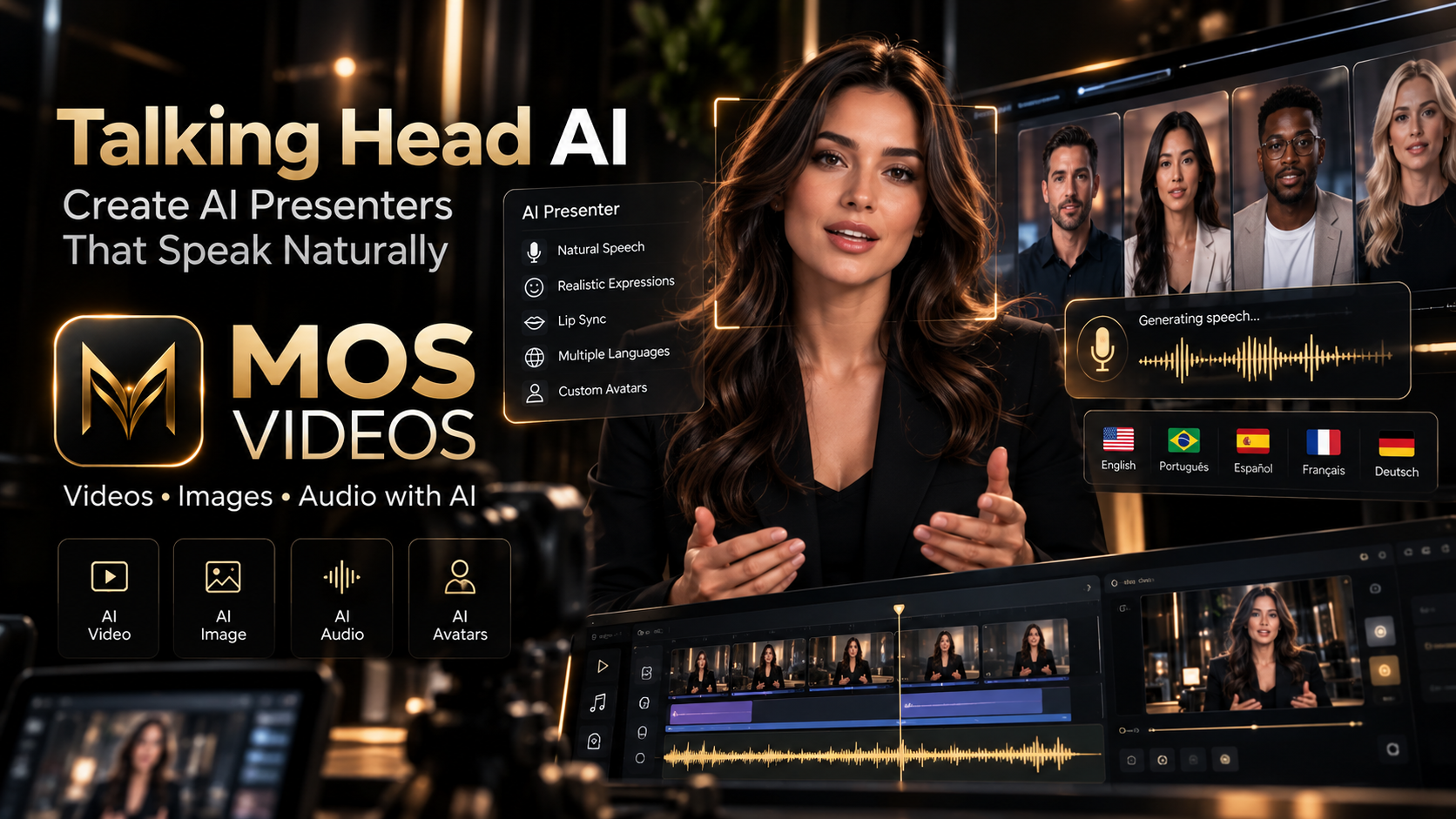
Artificial intelligence is changing the way people appear in videos.
A creator no longer always needs to record a new talking-head video every time they want to explain something, present a product, teach a lesson, or communicate a message.
Talking Head AI uses artificial intelligence to create or animate a speaking person, avatar, character, or digital presenter.
The process can begin with:
- A photo
- An AI-generated image
- A digital avatar
- An existing video
- A generated voice
- A written script
The result is a video where the subject appears to speak.
This makes Talking Head AI useful for creators, marketers, educators, businesses, YouTubers, agencies, and digital storytellers.
Platforms such as MOS Videos fit naturally into this new creative workflow by connecting video generation with AI voice, lip sync, image creation, audio, and multilingual content.
What Is Talking Head AI?
Talking Head AI is artificial intelligence technology that creates or animates a speaking person or avatar in video.
The AI can generate facial movement based on speech.
This may include:
- Mouth movement
- Lip synchronization
- Facial expressions
- Head movement
- Eye movement
- Speech animation
A talking-head video can begin with a static image and become an animated speaking character.
It can also begin with a digital avatar designed specifically to act as an AI presenter.
How Does Talking Head AI Work?
Talking Head AI usually combines several technologies.
These can include:
- Facial detection
- Speech analysis
- AI voice generation
- Lip sync
- Facial animation
- Video generation
- Image animation
A simplified workflow looks like this:
Image or Avatar
↓
Script
↓
AI Voice
↓
Facial Animation
↓
Lip Sync
↓
Talking Video
The AI connects the voice with facial movement so the character appears to speak.
What Is an AI Talking Head?
An AI Talking Head is a generated or animated video representation of a person or character that appears to speak.
The subject may be:
- A real person
- A generated person
- An avatar
- A fictional character
- A virtual spokesperson
- A digital presenter
The video typically focuses on the face and upper body.
This format is common in:
- Explainer videos
- Education
- Marketing
- Tutorials
- Social media
- Business communication
- Product presentations
Talking Head AI vs Traditional Talking-Head Video
Traditional talking-head video usually involves recording a person directly on camera.
That may require:
- Camera
- Microphone
- Lighting
- Location
- Presenter
- Multiple takes
- Editing
Talking Head AI offers another workflow.
| Traditional Talking Head | Talking Head AI |
|---|---|
| Requires filming | Can begin from image or avatar |
| Presenter records physically | AI generates speech animation |
| New recordings may require new sessions | Scripts can be updated digitally |
| Voice usually comes from live recording | Voice can be generated |
| Localization often requires re-recording | Can integrate with AI translation |
Both methods can be useful depending on the project.
How to Create a Talking Head Video with AI
A typical workflow can be divided into several steps.
1. Choose the Speaker
The subject may be:
- A real photo
- An AI-generated portrait
- A custom avatar
- A digital character
The face should usually be clear and well positioned.
2. Write the Script
The script determines what the AI presenter will say.
A strong talking-head script should be:
- Clear
- Conversational
- Direct
- Easy to understand
- Appropriate for spoken delivery
Instead of writing like a technical document, write the way a real person would speak.
3. Generate the Voice
The script can be transformed into speech using AI voice generation.
Depending on the content, the voice may sound:
- Professional
- Friendly
- Energetic
- Educational
- Calm
- Cinematic
The voice should fit the personality and purpose of the presenter.
4. Animate the Face
The AI uses the audio to generate facial movement.
This may include:
- Lip movement
- Jaw movement
- Facial expressions
- Blinking
- Head motion
The goal is to create a more natural speaking appearance.
5. Synchronize the Lips
Lip sync helps the mouth movement align with the spoken audio.
This step is especially important because viewers notice poor synchronization quickly.
A more accurate lip sync can make the talking video feel much more convincing.
6. Add the Video to a Larger Production
The Talking Head AI clip can then be combined with:
- Backgrounds
- B-roll
- Graphics
- Text
- Music
- Product images
- AI-generated video
- Subtitles
The talking-head segment becomes one element inside a larger piece of content.
Talking Head AI from a Photo
One of the most popular workflows is creating a talking video from a still image.
The process can be:
Photo
↓
AI Voice
↓
Face Animation
↓
Lip Sync
↓
Talking Video
This allows a static portrait to become a speaking digital character.
The same idea can also work with AI-generated images.
AI-Generated Image to Talking Head Video
A creator does not necessarily need a real photograph.
The entire presenter can be generated with AI.
For example:
Text Prompt
↓
AI Portrait
↓
AI Voice
↓
Talking Head Animation
↓
Final Video
This creates a completely artificial presenter.
Such workflows can be useful for:
- Faceless channels
- Educational content
- Marketing
- Fictional characters
- Social media content
- Product explainers
Talking Avatar AI
A Talking Avatar AI is a virtual character designed to speak and present information.
Unlike a traditional filmed presenter, the avatar exists digitally.
It can be used repeatedly across different videos.
Talking avatars can support:
- Tutorials
- Training
- Social content
- Product demos
- Customer education
- Corporate communication
- Online courses
The same avatar can potentially be used with different scripts and voices.
Talking Head AI for YouTube
YouTube creators can use AI presenters for several types of channels.
Examples include:
- Technology channels
- Educational content
- Tutorials
- News-style formats
- Documentary content
- Faceless channels
- Product reviews
- Explainer videos
A creator can combine a Talking Head AI with B-roll and other generated scenes.
For example:
AI Presenter
↓
B-Roll
↓
AI Images
↓
AI Video Scenes
↓
Narration
↓
Final YouTube Video
Talking Head AI for Social Media
Short-form content can also benefit from AI presenters.
Talking-head formats perform well because viewers immediately see a speaker.
AI presenters can be used in:
- Reels
- Shorts
- TikTok
- Educational clips
- Marketing videos
- Product tips
- Business content
A talking avatar can act as the recognizable face of a channel or brand.
Talking Head AI for Marketing
Marketing teams can use AI presenters to create scalable video content.
Potential uses include:
- Product explainers
- Landing-page videos
- Ads
- Brand presentations
- Product tutorials
- Customer onboarding
- Corporate communication
A company can maintain a consistent presenter across multiple pieces of content.
This can help create recognizable visual identity.
AI Spokesperson Videos
An AI spokesperson is a virtual presenter used to represent a product, company, service, or message.
Instead of recording a new spokesperson for every campaign, businesses can create digital presenters.
This can support:
- Marketing campaigns
- Sales presentations
- Product education
- Website videos
- Social ads
- Corporate communication
The presenter can be integrated into a broader AI content workflow.
Talking Head AI for Education
Education is another strong use case.
AI presenters can explain concepts on screen while supporting visuals appear around them.
This can be useful for:
- Online courses
- Training
- Tutorials
- Technical explanations
- Language education
- Employee onboarding
A consistent digital presenter can become part of a complete educational experience.
Talking Head AI and Lip Sync
Lip sync is one of the most important technologies behind talking-head generation.
The AI needs to connect the sound of the voice with the movement of the mouth.
Without synchronization, the video can feel artificial.
A typical workflow is:
Voice
→ Speech Analysis
→ Facial Animation
→ Lip Sync
→ Talking Head Video
This is why Talking Head AI and Video Lip Sync AI are closely connected.
Talking Head AI and AI Voice Generation
AI voice generation provides the speech.
Talking Head AI provides the visual performance.
Together, they create a digital speaker.
The workflow can be:
Script
↓
AI Voice
↓
Talking Head
↓
Final Video
This connection makes talking-head video one of the clearest examples of multimodal AI creation.
Talking Head AI and AI Video Translation
Talking Head AI becomes even more powerful when combined with translation.
A presenter can potentially appear to speak several languages.
For example:
Original Video
↓
Translate Script
↓
Generate New Voice
↓
Apply Lip Sync
↓
Localized Talking Head
This can support multilingual marketing, education, and global content creation.
Multilingual Talking Head AI
A single AI presenter can become the foundation for several language versions.
For example:
English
→ Portuguese
→ Spanish
→ French
→ German
The visuals can remain mostly the same while the voice and facial animation adapt to the target language.
This makes talking-head AI especially interesting for creators and businesses targeting international audiences.
Talking Head AI for Businesses
Businesses can use AI presenters across internal and external communication.
Potential applications include:
- Employee training
- Product demonstrations
- Sales videos
- Customer onboarding
- Help content
- Corporate announcements
- Internal communication
- International content
Instead of repeatedly organizing filming sessions, teams can maintain digital presenter workflows.
Talking Head AI for Faceless Channels
Faceless content creators may also use Talking Head AI.
The creator does not necessarily have to appear personally on camera.
A digital presenter can become the face of the channel.
This could work for:
- Educational channels
- Technology content
- Storytelling
- AI news
- Tutorials
- Reviews
- Information channels
The avatar can create stronger visual identity than using only voiceover and stock footage.
Talking Head AI vs Voiceover-Only Content
Both approaches have advantages.
Voiceover-only videos focus on narration and visual material.
Talking-head content adds a visible speaker.
| Voiceover Only | Talking Head AI |
|---|---|
| No presenter visible | Presenter visible |
| Visual focus stays on footage | Human-like communication |
| Useful for documentaries | Useful for explanations |
| Simple narration workflow | Adds facial engagement |
| Works well with B-roll | Works well as a digital host |
Creators can also combine both styles.
How to Make Talking Head AI Look More Natural
Several elements can improve the result.
Use a Clear Face
The subject should be visible and well lit.
Match Voice and Appearance
The voice should feel appropriate for the presenter.
Write Conversational Scripts
Natural language usually creates a more believable performance.
Use Good Lip Sync
Mouth movement should closely follow speech.
Avoid Excessive Motion
Subtle movements often feel more realistic than exaggerated facial animation.
Add Supporting Visuals
Cutting between the presenter and other scenes can create a more professional video.
Talking Head AI and Generative Video
Talking-head generation can be combined with broader AI video tools.
A creator might use:
- AI presenter for introduction
- Text-to-video for scenes
- Image-to-video for visual sequences
- AI images for backgrounds
- AI voice for narration
- AI lip sync for the presenter
The result is a much richer production.
Talking Head AI and MOS Videos
MOS Videos is positioned around multimodal AI creation.
That means creators can think beyond a single feature.
A complete workflow might involve:
AI Image Generation
↓
Talking Avatar
↓
AI Voice
↓
Lip Sync
↓
AI Video Scenes
↓
Audio
↓
Final Content
This allows the presenter to become part of a broader generative production.
Build an AI Presenter with MOS Videos
Imagine you want to create a digital presenter for a channel.
The process could begin with a visual concept.
Generate the character.
Create the voice.
Animate the face.
Synchronize the mouth.
Add supporting video scenes.
Combine everything into the final production.
This creates a reusable digital presenter that can appear across multiple pieces of content.
Why Talking Head AI Matters for Modern Content Creation
Content increasingly needs to be produced consistently.
Creators and businesses may need new videos every week or even every day.
Traditional filming can still be valuable, but generative AI adds another option.
Talking Head AI can make it easier to:
- Test ideas
- Create presenters
- Build multilingual content
- Develop educational videos
- Produce social content
- Create marketing videos
The biggest benefit is flexibility.
Talking Head AI and the Future of Digital Presenters
Virtual presenters are likely to become increasingly common in digital media.
AI makes it possible to combine:
Image
Voice
Facial Animation
Video
Translation
Lip Sync
into one connected workflow.
This creates a new type of digital presenter that can adapt to different messages, audiences, and languages.
MOS Videos: Build Smarter AI Video Workflows
MOS Videos fits naturally into this evolution.
Creators can combine multiple forms of generative media instead of treating each tool separately.
Create the presenter.
Generate the voice.
Animate the face.
Synchronize the speech.
Add video scenes.
Build the final story.
Talking Head AI is not only about making a face speak.
It is about transforming a digital character into a reusable element of modern content creation.
Create Talking Videos with MOS Videos
The future of video creation is increasingly multimodal.
Creators can move between image, video, voice, audio, lip sync, and translation within the same project.
Talking Head AI brings those technologies together in a format that audiences immediately understand: a person speaking directly to them.
With MOS Videos, creators can explore new workflows for AI presenters, digital characters, multilingual content, educational videos, social media, and marketing.
Create the face.
Generate the voice.
Animate the speaker.
Build the video.
Bring your AI presenter to life with MOS Videos.
Key Takeaways
- Talking Head AI creates or animates speaking digital presenters.
- Talking-head videos can start from photos, AI-generated images, avatars, or existing video.
- AI voice generation provides speech while facial animation and lip sync create the visual performance.
- Talking avatars can support YouTube, marketing, education, social media, and business communication.
- Translation and lip sync can turn one presenter into multilingual content.
- MOS Videos fits into a broader workflow combining AI image, video, voice, lip sync, and audio creation.
Frequently Asked Questions
What is Talking Head AI?
Talking Head AI is artificial intelligence technology that creates or animates a speaking person, avatar, or digital presenter by combining facial animation, voice generation, and lip synchronization.
How does Talking Head AI work?
Talking Head AI analyzes audio and facial information to generate mouth movement, facial expressions, and other motion that make a digital subject appear to speak.
Can AI make a photo talk?
Yes. AI can animate certain static images by generating facial motion and synchronizing the mouth with speech, creating a talking-photo or talking-head effect.
What is an AI talking avatar?
An AI talking avatar is a digital character that can deliver spoken content using AI-generated voice and facial animation.
Can Talking Head AI be used for YouTube?
Yes. Talking Head AI can support educational channels, tutorials, technology content, explainers, faceless channels, product videos, and other YouTube formats.
Can Talking Head AI speak different languages?
Talking-head workflows can be combined with AI translation, voice generation, and lip sync to create localized versions in different languages.
What is the difference between Talking Head AI and AI lip sync?
Talking Head AI refers to the broader creation of a speaking digital presenter. AI lip sync specifically focuses on matching mouth movement with spoken audio.
How does MOS Videos fit into Talking Head AI?
MOS Videos supports broader generative workflows involving image, video, voice, audio, lip synchronization, and multilingual content, making Talking Head AI a natural part of multimodal video creation.
