A great voice is not enough if the mouth movement does not match the audio.
That is where a Lip Sync Generator becomes useful.
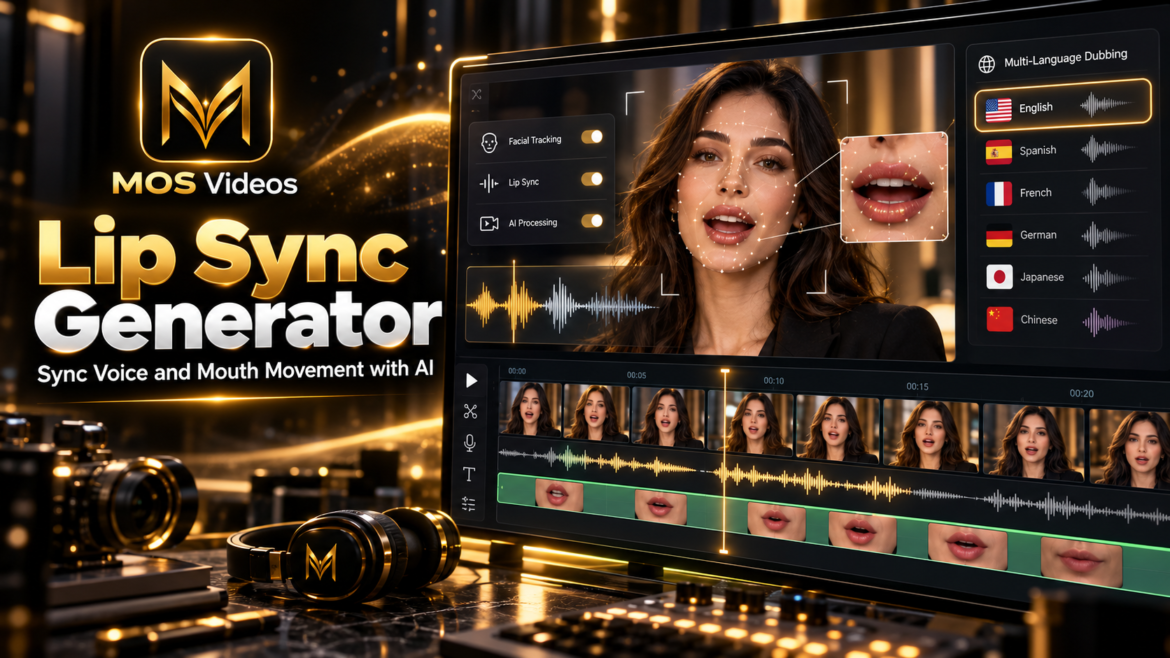
A Lip Sync Generator uses artificial intelligence to synchronize spoken audio with the movement of a person’s mouth in video.
The goal is simple:
Make the speaker look like they are naturally saying the words being heard.
This can be especially valuable for:
- AI dubbing
- Translated videos
- Talking avatars
- AI presenters
- Social media
- YouTube
- Marketing videos
- Educational content
- Multilingual content
When combined with AI voice generation and video translation, lip sync becomes a powerful part of modern AI video production.
Platforms such as MOS Videos can bring these capabilities together inside a broader creative workflow involving video, image, voice, audio, and generative AI.
What Is a Lip Sync Generator?
A Lip Sync Generator is a tool that synchronizes mouth movement in a video with spoken audio.
Instead of manually adjusting a person’s facial movement frame by frame, artificial intelligence can analyze the speech and generate or modify mouth motion automatically.
This process can help make a video appear more natural when:
- The original audio is replaced
- A video is dubbed
- The language is translated
- A synthetic voice is added
- An avatar is animated
- A still image is transformed into a talking video
The result is a video where the visual speech better matches the new audio.
How Does a Lip Sync Generator Work?
An AI Lip Sync Generator generally combines several technologies.
The process may include:
- Audio analysis
- Speech recognition
- Facial detection
- Mouth tracking
- Facial animation
- Frame generation
- Video processing
A simplified workflow looks like this:
Video or Image
↓
Voice or Audio
↓
Speech Analysis
↓
Face Detection
↓
Mouth Animation
↓
Lip Synchronization
↓
Final Video
The AI studies the timing and sounds in the audio.
It then adjusts the visible mouth movement to better match those sounds.
Why Use an AI Lip Sync Generator?
Lip sync can improve the visual quality of talking videos.
When speech and mouth movement are noticeably out of sync, viewers may find the video distracting.
A Lip Sync Generator can help create a more cohesive result by matching the visual performance with the audio.
This is especially important when the face is clearly visible.
Common use cases include:
- Dubbing
- Localization
- Talking avatars
- AI presenters
- Virtual characters
- Product explainers
- Educational videos
- Social content
- Marketing campaigns
Lip Sync Generator for AI Dubbing
One of the most common uses of lip sync technology is AI dubbing.
Dubbing replaces the original spoken audio with another voice.
However, changing the voice alone does not change the original mouth movement.
A Lip Sync Generator can help align the speaker’s mouth with the new audio.
The workflow becomes:
Original Video
→ New Voice
→ AI Dubbing
→ Lip Sync
→ Final Video
This can make dubbed content feel more visually integrated.
Lip Sync Generator for Video Translation
Translation creates another important use case.
Different languages have different sentence structures, timing, and sounds.
A translated voice may not match the original mouth movement.
A Lip Sync Generator can help adapt the visible speech.
For example:
English Video
↓
Translate to Portuguese
↓
Generate Portuguese Voice
↓
Apply Lip Sync
↓
Localized Portuguese Video
This can create a more natural multilingual experience.
Lip Sync Generator vs AI Dubbing
These two technologies are connected but not identical.
| AI Dubbing | Lip Sync Generator |
|---|---|
| Changes the spoken audio | Changes mouth movement |
| Can create translated speech | Aligns lips with new speech |
| Focuses on sound | Focuses on visual synchronization |
| Useful for localization | Makes localization look more natural |
For high-quality localized video, the two can work together.
Lip Sync Generator vs Talking Head AI
Talking Head AI and lip sync are also closely related.
Talking Head AI creates or animates a speaking presenter.
A Lip Sync Generator focuses specifically on synchronizing the mouth with audio.
A talking-head workflow may use:
AI Avatar
↓
AI Voice
↓
Lip Sync Generator
↓
Talking Head Video
So lip sync is often one part of a larger talking-video system.
How to Use a Lip Sync Generator
The exact workflow depends on the platform, but the process usually follows a similar structure.
1. Choose the Video or Image
Start with a subject whose face is clearly visible.
This can be:
- A real video
- A portrait
- An AI-generated image
- A digital avatar
Clear facial detail usually gives the system more visual information.
2. Add the Audio
The audio can come from:
- A recorded voice
- AI voice generation
- Text-to-speech
- Dubbing
- Translation
- Narration
The system uses that audio as the reference for lip movement.
3. Analyze the Speech
The AI evaluates timing and speech patterns.
It determines when the mouth should:
- Open
- Close
- Change shape
- Move between sounds
This helps the system build the facial animation.
4. Detect the Face
The AI identifies the face and mouth region.
It may also track:
- Jaw
- Cheeks
- Head movement
- Expressions
This helps make the synchronization more coherent.
5. Generate the Lip Movement
The system adjusts or generates new mouth motion.
The new movement is designed to correspond with the spoken audio.
6. Render the Final Video
The synchronized facial movement and audio are combined.
The creator can then review the result and integrate it into the final production.
How to Make AI Lip Sync Look More Natural
A strong source video can improve the final result.
Several factors matter.
Use a Clearly Visible Face
The mouth should not be heavily obscured.
Front-facing or slightly angled views are often easier to process.
Use Clean Audio
Clear speech helps the AI understand timing.
Avoid Excessive Motion
Fast head movement or complex facial motion can make synchronization more difficult.
Use Natural Voice Delivery
The voice should match the pacing and style of the visual character.
Keep the Script Conversational
Natural speech usually produces a more convincing result than overly formal or robotic writing.
Lip Sync Generator for Talking Photos
Lip sync technology can also be used with still images.
A static portrait can become a talking video.
The workflow may look like:
Photo
↓
AI Voice
↓
Facial Animation
↓
Lip Sync
↓
Talking Photo
This is especially useful for:
- AI characters
- Virtual presenters
- Educational content
- Creative storytelling
- Social media
Lip Sync Generator for AI Avatars
AI avatars can become reusable digital presenters.
A creator can use the same avatar across different videos.
The workflow can be:
Avatar
↓
Script
↓
AI Voice
↓
Lip Sync
↓
Presenter Video
This can support consistent branding across multiple pieces of content.
Lip Sync Generator for YouTube
YouTube creators can use AI lip sync in several formats.
Examples include:
- Faceless channels
- AI presenters
- Educational videos
- Technology content
- Tutorials
- Storytelling
- Multilingual videos
- Product reviews
A creator can combine lip-synced presenters with:
- B-roll
- AI-generated scenes
- Graphics
- Subtitles
- Narration
- Music
This creates a more complete video production workflow.
Lip Sync Generator for Social Media
Short-form content often features a visible speaker.
This makes lip synchronization especially important.
AI lip sync can support:
- TikTok
- Instagram Reels
- YouTube Shorts
- Promotional clips
- Talking avatars
- Educational posts
- Product videos
When the audio changes, the mouth movement can be adapted without recreating the entire video.
Lip Sync Generator for Marketing
Marketing teams can use lip sync when adapting videos for:
- New campaigns
- New voices
- Different languages
- New markets
- Product updates
- Regional audiences
A single presenter video can become the foundation for multiple versions.
This can help businesses reuse existing visual production while adapting the message.
Lip Sync Generator for Businesses
Businesses can use lip sync technology in professional communication.
Possible use cases include:
- Training
- Onboarding
- Product demonstrations
- Sales presentations
- Corporate announcements
- Customer education
- International communication
A master video can be adapted instead of being completely re-recorded.
Lip Sync Generator for Multilingual Content
Multilingual content is one of the strongest use cases for AI lip sync.
A creator can produce one video and then adapt it into multiple language versions.
For example:
English
→ Portuguese
→ Spanish
→ French
→ German
Each version can use:
- Translated text
- New AI voice
- New lip synchronization
This creates a more scalable localization workflow.
Voice Generation + Lip Sync Generator
AI voice generation and lip sync are naturally connected.
AI voice provides the spoken content.
Lip sync provides the matching mouth movement.
A simple workflow:
Script
↓
AI Voice
↓
Lip Sync
↓
Final Video
This combination is especially useful for talking avatars and AI presenters.
Video Translation + Lip Sync Generator
Video translation creates the new language.
Lip sync adapts the face.
Together, they create a more complete localized experience.
The workflow can look like:
Original Video
↓
Translate Script
↓
Generate New Voice
↓
Lip Sync Generator
↓
Localized Video
This can be useful for creators and businesses targeting international audiences.
Lip Sync Generator + Talking Head AI
Talking Head AI becomes more convincing when lip synchronization is accurate.
A digital presenter needs to appear connected to the speech.
Lip sync helps create that connection.
For example:
AI Portrait
↓
AI Voice
↓
Talking Head Animation
↓
Lip Sync
↓
Presenter Video
This connects multiple forms of generative AI.
Lip Sync Generator and MOS Videos
MOS Videos is designed around broader AI-powered content creation.
Instead of thinking about video, voice, translation, and facial animation as isolated tasks, creators can combine them.
A complete workflow may include:
AI Image
↓
Talking Avatar
↓
AI Voice
↓
Lip Sync
↓
AI Video
↓
Audio
↓
Final Content
This makes lip synchronization one part of a complete creative ecosystem.
Why MOS Videos Fits AI Lip Sync Workflows
Modern content creation often requires more than one AI feature.
A creator may need:
- Image generation
- Video generation
- Voice generation
- Translation
- Lip sync
- Audio
- Editing
MOS Videos fits this broader creative process.
The goal is not only to generate individual assets.
The goal is to connect those assets into complete multimedia content.
Create Better Talking Videos with MOS Videos
A talking video becomes much more convincing when the voice and mouth movement feel connected.
Lip sync helps bridge that gap.
When combined with:
- AI voice
- Translation
- Talking avatars
- Video generation
the result can become a much more polished production.
MOS Videos gives creators a broader environment for exploring these connected AI workflows.
Lip Sync Generator and the Future of AI Video
AI video is moving beyond simple generation.
Creators increasingly want control over:
- Characters
- Voices
- Languages
- Facial movement
- Storytelling
- Presentation
- Localization
Lip sync is part of that evolution.
It helps make AI-generated and AI-modified videos feel more coherent.
As generative technology continues to develop, visual speech synchronization is likely to become an increasingly standard part of talking-video creation.
Build Complete AI Video Experiences
The most powerful use of a Lip Sync Generator is not isolated lip movement.
It is how the feature connects with everything else.
A creator can:
Generate the character.
Create the voice.
Translate the message.
Synchronize the lips.
Build the final video.
That is the larger opportunity behind multimodal AI creation.
MOS Videos helps bring these creative elements together.
Create Synchronized AI Videos with MOS Videos
Video creation is becoming more flexible, multilingual, and AI-powered.
A Lip Sync Generator helps make those workflows more natural by connecting audio with facial movement.
For creators, marketers, educators, and businesses, this means one visual production can potentially be adapted into many different versions.
Create the presenter.
Generate the voice.
Translate the content.
Synchronize the speech.
Build complete AI video workflows with MOS Videos.
Key Takeaways
- A Lip Sync Generator synchronizes mouth movement with spoken audio.
- AI lip sync can support dubbing, translation, avatars, and talking videos.
- AI voice generation and lip sync work together to create speaking digital characters.
- Lip sync is especially useful for multilingual content.
- Talking Head AI and lip sync are closely connected but serve different roles.
- MOS Videos fits into broader workflows involving AI video, voice, image, translation, and audio.
Frequently Asked Questions
What is a Lip Sync Generator?
A Lip Sync Generator is a tool that uses artificial intelligence to synchronize visible mouth movement in a video with spoken audio.
How does an AI Lip Sync Generator work?
AI lip sync analyzes speech and facial movement, then generates or adjusts mouth motion so it better matches the timing and sounds of the audio.
Can a Lip Sync Generator work with AI voices?
Yes. AI-generated speech can be used as the audio source for lip synchronization, making it useful for avatars, presenters, dubbing, and talking videos.
Can AI lip sync translated videos?
Yes. A translated voice can be combined with AI lip sync so the speaker’s mouth movement better matches the target language.
Can a Lip Sync Generator make a photo talk?
Some AI workflows can animate a static portrait and synchronize the generated facial movement with voice, creating a talking-photo effect.
What is the difference between a Lip Sync Generator and Talking Head AI?
A Lip Sync Generator focuses specifically on matching mouth movement with audio. Talking Head AI refers to the broader creation or animation of a speaking presenter.
Is a Lip Sync Generator useful for multilingual videos?
Yes. It can help make dubbed or translated video versions appear more natural by adapting the visible speech to the new audio.
How does MOS Videos fit into lip sync workflows?
MOS Videos supports broader generative workflows involving video, image, voice, audio, translation, and talking-video creation, making lip synchronization part of a connected AI content process.